Chart position — tracked daily by LaunchShots
Screenshot changes — detected by LaunchShots
Screenshot style breakdown
Sampled from 6 of 翻译-AI翻译软件:出国英语语音拍照翻译官大全's App Store screenshots — background, accent and theme, measured by LaunchShots (not something Apple publishes).
#F4F4FC bg
#D6D6DD
#E43C44 accent
#111111 text
Screenshots


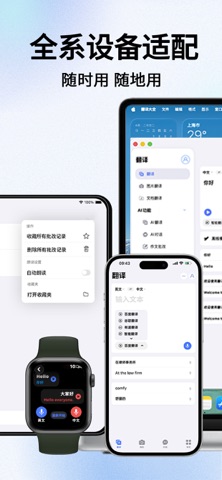


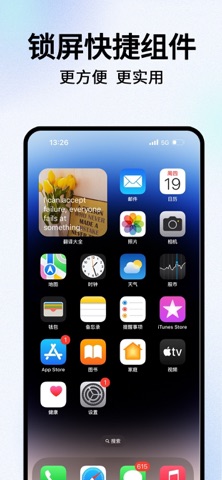
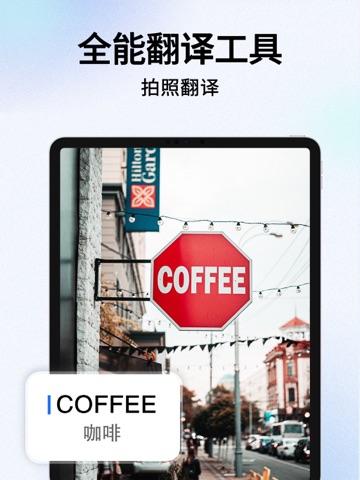
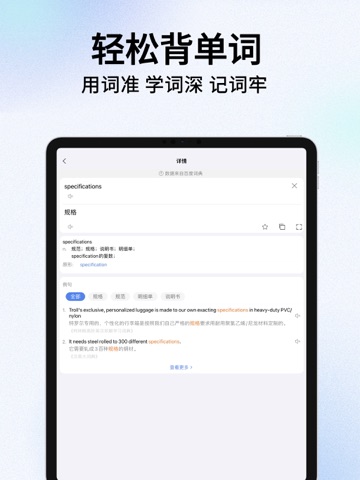
iPad screenshots



Icon palette
About this app
拍照翻译,随手拍,快速识别 对话翻译,无障碍,跨越语种 随身翻译,超便捷,简单实用 出国翻译,全语种,译遍全球 精准翻译,多平台,更加精准 三大翻译平台+全新智能翻译平台,倾力打造全能翻译软件! 功能简洁强大,只为翻译而生,去除繁复无用功能! “外面的世界很精彩,外面的世界很无奈”。不会外语,去哪里都很尴尬。只要有了本翻译软件工具,无论在世界的哪个角落,都不必担心语言问题,多种语言翻译功能能够让你说走就走。 翻译工具大全更加的灵活、生活化、高效率高品质,比带了一个随身翻译人员还方便。多款翻译官任你挑选~ 翻译平台特色一:本翻译软件是支持离线翻译功能的翻译应用,更有丰富的例句参考,即使你的英文水平有限,也能轻松翻译出准确的英文。 翻译平台特色二:本翻译软件是一款集翻译、词典、海量例句于一身的移动应用,独创实物翻译、涂抹翻译、语音翻译、文言文翻译等功能。 翻译平台特色三:本翻译软件支持语言的数量是最多的!用户可以方便的选择源语言和目标语言,所有语言都是按照字母书序排列的,当然,为了方便,源语言可以直接…
App details
What you can learn from 翻译-AI翻译软件:出国英语语音拍照翻译官大全
Every shipping app on the App Store has gone through the same decisions you're working through right now: which screenshot goes first, what caption sits over it, which device frame to show, what color the background should be. The 16 screenshots above are 翻译-AI翻译软件:出国英语语音拍照翻译官大全's answers to those questions — they're public, they're real, and they made it through Apple's review.
What the numbers say: 翻译-AI翻译软件:出国英语语音拍照翻译官大全 runs a light set with one background colour (#F4F4FC) carried across every screenshot — the listing reads as a single poster when the shots sit side by side in search results. The accent colour we picked up, #E43C44, is the one to reuse for badges, arrows and highlighted words if you borrow this look. Hit Use this style to open the editor with these exact colours and drop your own screenshot in.
Notice the first screenshot in particular. It's the one users see in search results and on the product page, and it's where most apps spend their best caption and tightest design. Look at the proportion of background to phone, where the text sits, what one thing the image is trying to communicate.
Want to see how other Reference apps approach the same problem? Browse more Reference apps in the showcase.
Take what works into your own screenshots
Open LaunchShots and design your App Store & Google Play screenshots — pick a device frame, drop captions, ship in minutes. Free, in your browser.
Open the screenshot editor →Apps with a similar look
Closest background + accent colours among the listings we've analysed — useful when you want to see the same palette handled by a different team.