Chart position — tracked daily by LaunchShots
Screenshot changes — detected by LaunchShots
Screenshot style breakdown
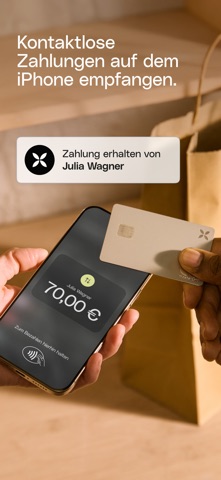
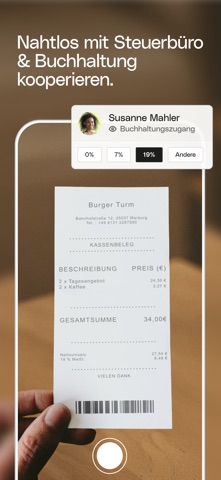
Sampled from 6 of Qonto: Business Banking online's App Store screenshots — background, accent and theme, measured by LaunchShots (not something Apple publishes).
#7C5C3C bg
#8E7257
#C49C74 accent
#FFFFFF text
Screenshots




Icon palette
About this app
Qonto erleichtert KMU und Freiberufler:innen den Banking-Alltag durch ein Online-Geschäftskonto, das mit Tools für Rechnungsstellung, Buchhaltung und Ausgabenmanagement kombiniert ist. Dank seines innovativen Produkts, seines reaktionsschnellen persönlichen Kundenservice, der 24 Stunden am Tag, sieben Tage die Woche erreichbar ist, und seiner klaren Preisgestaltung hat sich Qonto zum europäischen Marktführer in seiner Kategorie entwickelt. Meistern Sie Ihr tägliches Business-Banking mit einem smarten Geschäftskonto: • Deutsche IBANs • Mastercard Karten: Bezahlen Sie bis zu 200.000 € pro Monat. Ohne versteckte Kosten. Egal, ob Sie online, in Geschäften oder im Ausland zahlen, Qonto’s Angebot an kostenlosen und Premium Firmenkarten bietet Ihnen die passende Karte für Ihre Bedürfnisse. • Überweisungen: Profitieren Sie von sicheren Zahlungsmethoden, um schnell zu zahlen und bezahlt zu w…
App details
What you can learn from Qonto: Business Banking online
Every shipping app on the App Store has gone through the same decisions you're working through right now: which screenshot goes first, what caption sits over it, which device frame to show, what color the background should be. The 8 screenshots above are Qonto: Business Banking online's answers to those questions — they're public, they're real, and they made it through Apple's review.
What the numbers say: Qonto: Business Banking online runs a mixed light-and-dark set where the background shifts from screenshot to screenshot (first shot #7C5C3C) — each image has to stand on its own, so the captions carry more of the story. The accent colour we picked up, #C49C74, is the one to reuse for badges, arrows and highlighted words if you borrow this look. Hit Use this style to open the editor with these exact colours and drop your own screenshot in.
Notice the first screenshot in particular. It's the one users see in search results and on the product page, and it's where most apps spend their best caption and tightest design. Look at the proportion of background to phone, where the text sits, what one thing the image is trying to communicate.
Want to see how other Finance apps approach the same problem? Browse more Finance apps in the showcase.
Take what works into your own screenshots
Open LaunchShots and design your App Store & Google Play screenshots — pick a device frame, drop captions, ship in minutes. Free, in your browser.
Open the screenshot editor →Apps with a similar look
Closest background + accent colours among the listings we've analysed — useful when you want to see the same palette handled by a different team.