Chart position — tracked daily by LaunchShots
Screenshot style breakdown
Sampled from 6 of 阅读记录-统计你的每一次读书和笔记's App Store screenshots — background, accent and theme, measured by LaunchShots (not something Apple publishes).
#F4F4F4 bg
#D6D6D6
#345CAC accent
#111111 text
Screenshots


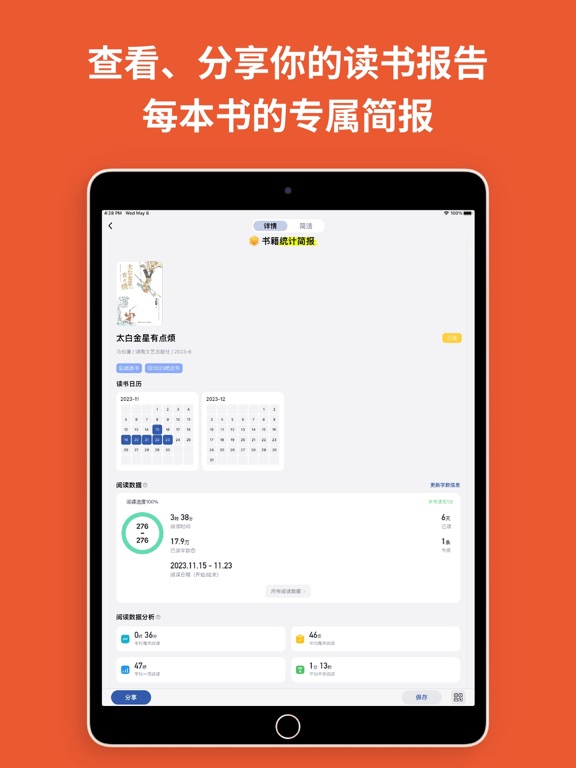
iPad screenshots




Icon palette
About this app
阅读记录 - 让阅读成为一种习惯。作为一款优秀的读书记录工具,深受用户好评与喜爱。 − App Store 首页『新鲜App』两次推荐、『在旅途中阅读』专题推荐,及少数派等数字媒体推荐。 【阅读记录】作为阅读辅助工具可以全方位的记录、统计你的阅读数据,帮助你更加全面的了解自己的阅读状况,每次阅读时间的统计能有效地激发阅读乐趣。文字识别帮助你更加轻松便捷的记录读书笔记并记录自己的阅读心得。 ---------------------- 阅读记录 功能大体如下: 1、独具创新的小组件功能: 小组件快速读书计时,不用再打开App,即可快速计时,方便快捷、高效省事。 2、阅读统计: 详细记录自己阅读状况,阅读时间、阅读类型、阅读天数、阅读进度、阅读偏好,轻松回溯自己过往的阅读状况; 3、读书笔记,拍照识别简单快捷(印象笔记导出): 拍照识别的功能轻松方便的把书中的句子转化为文字信息保存下来; 4、印象笔记导出功能; 支持将应用内的书摘记录导入至自己的印象笔记账户中,管理操作更便捷。 5、书籍管理: 用户可以通过扫条形码、搜索的方式添加书籍。添加的…
App details
What you can learn from 阅读记录-统计你的每一次读书和笔记
Every shipping app on the App Store has gone through the same decisions you're working through right now: which screenshot goes first, what caption sits over it, which device frame to show, what color the background should be. The 18 screenshots above are 阅读记录-统计你的每一次读书和笔记's answers to those questions — they're public, they're real, and they made it through Apple's review.
What the numbers say: 阅读记录-统计你的每一次读书和笔记 runs a light set with one background colour (#F4F4F4) carried across every screenshot — the listing reads as a single poster when the shots sit side by side in search results. The accent colour we picked up, #345CAC, is the one to reuse for badges, arrows and highlighted words if you borrow this look. Hit Use this style to open the editor with these exact colours and drop your own screenshot in.
Notice the first screenshot in particular. It's the one users see in search results and on the product page, and it's where most apps spend their best caption and tightest design. Look at the proportion of background to phone, where the text sits, what one thing the image is trying to communicate.
Want to see how other Book apps approach the same problem? Browse more Book apps in the showcase.
Take what works into your own screenshots
Open LaunchShots and design your App Store & Google Play screenshots — pick a device frame, drop captions, ship in minutes. Free, in your browser.
Open the screenshot editor →Apps with a similar look
Closest background + accent colours among the listings we've analysed — useful when you want to see the same palette handled by a different team.