Screenshot style breakdown
Sampled from 6 of Elari SafeFamily для родителей's App Store screenshots — background, accent and theme, measured by LaunchShots (not something Apple publishes).
#C4D4EC bg
#ACBACF
#6CBCFC accent
#111111 text
Screenshots




Icon palette
About this app
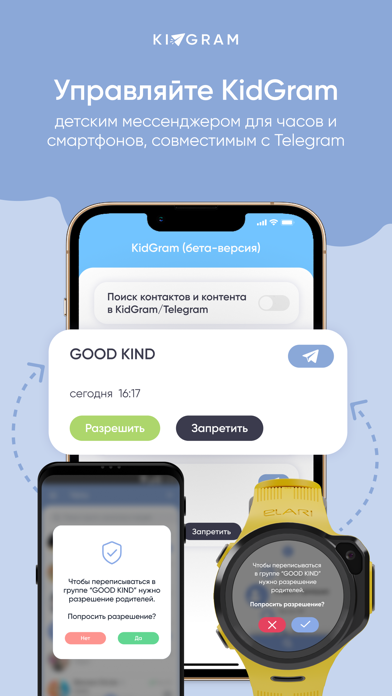
ELARI SafeFamily — это универсальное родительское приложение для экосистемы ELARI, которое управляет умными детскими часами-телефонами ELARI и детским мессенджером KidGram на базе API Telegram. KidGram доступен на часах ELARI и как отдельное приложение для смартфонов и планшетов. KidGram — важный инструмент для заботливых родителей. Это мессенджер, который позволяет детям общаться в Телеграм под контролем взрослых. Ребенок может взаимодействовать только с разрешенными контактами и подписываться на одобренные каналы. Удобный интерфейс, простота использования и онлайн-поддержка ELARI делают заботу о близких легкой задачей. С помощью ELARI SafeFamily можно: - Онлайн геолокация часов — в реальном времени покажет передвижение часов, используя GNSS. - Настроить белый список контактов на часах. - Отслеживать местоположение ребенка и устанавливать частоту обновления геопозиции. - Задавать бу…
App details
What you can learn from Elari SafeFamily для родителей
Every shipping app on the App Store has gone through the same decisions you're working through right now: which screenshot goes first, what caption sits over it, which device frame to show, what color the background should be. The 8 screenshots above are Elari SafeFamily для родителей's answers to those questions — they're public, they're real, and they made it through Apple's review.
What the numbers say: Elari SafeFamily для родителей runs a light set where the background shifts from screenshot to screenshot (first shot #C4D4EC) — each image has to stand on its own, so the captions carry more of the story. The accent colour we picked up, #6CBCFC, is the one to reuse for badges, arrows and highlighted words if you borrow this look. Hit Use this style to open the editor with these exact colours and drop your own screenshot in.
Notice the first screenshot in particular. It's the one users see in search results and on the product page, and it's where most apps spend their best caption and tightest design. Look at the proportion of background to phone, where the text sits, what one thing the image is trying to communicate.
Want to see how other Lifestyle apps approach the same problem? Browse more Lifestyle apps in the showcase.
Take what works into your own screenshots
Open LaunchShots and design your App Store & Google Play screenshots — pick a device frame, drop captions, ship in minutes. Free, in your browser.
Open the screenshot editor →Apps with a similar look
Closest background + accent colours among the listings we've analysed — useful when you want to see the same palette handled by a different team.