Chart position — tracked daily by LaunchShots
Screenshot style breakdown
Sampled from 5 of 运动高手秀's App Store screenshots — background, accent and theme, measured by LaunchShots (not something Apple publishes).
#FCA404 bg
#DD9003
#FCC474 accent
#111111 text
Screenshots


Icon palette
About this app
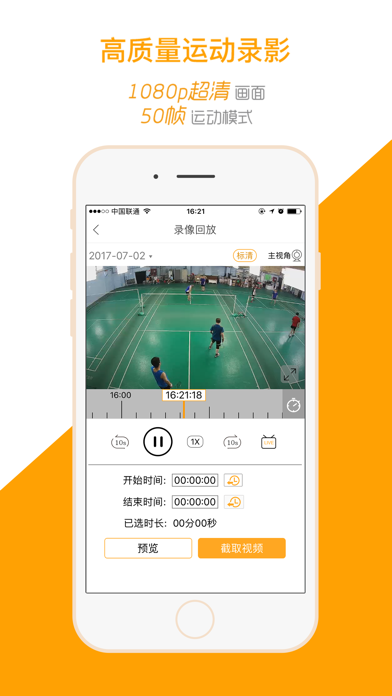
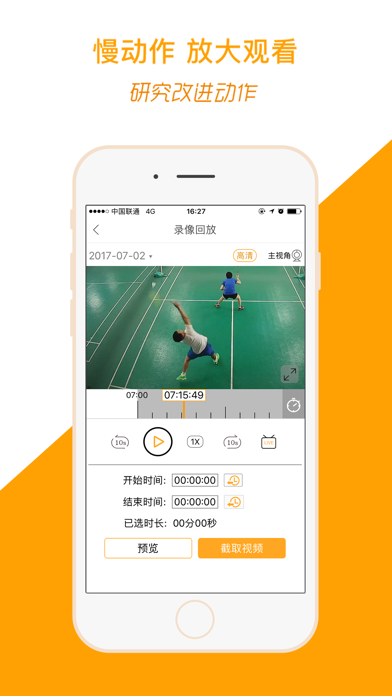
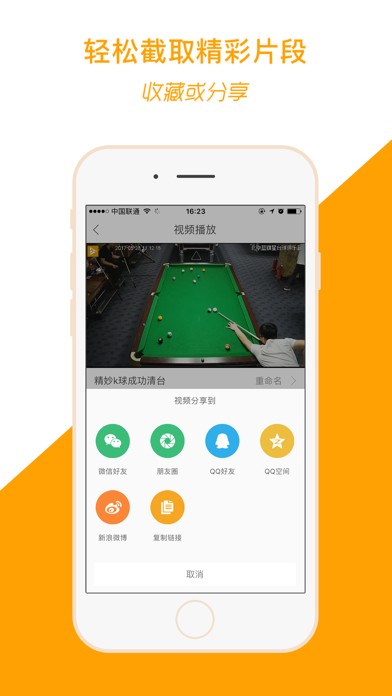
运动高手秀是一套基于运动场馆的智能录像系统,通过微信与APP平台,即可自助获取自己在场馆内任意时间的不间断录像服务,回放研究动作、截取精彩绝杀、高清画质收藏、一键转发分享,提升体能的同时,同步助你提升动能。 【功能特色】 - 视频轻松截取分享 APP可以截取任意长度的运动视频片段,构建自己的视频库。还能一键发给好友,分享到微信朋友圈。 - 同步直播 即时回放 APP平台支持直播与即时回放功能,直播与赛事同步,在家也能看小伙伴的比赛,更能随时观看上一秒好球,不需任何等待。 - 慢动作多维分析 APP平台上具有放大画面、播放慢动作、视频逐帧分析等便捷功能,随时掌握自己的动能优势,洞察赛事瞬息动态。 - 超高质量运动录影 场馆的最佳位置安装多台高清摄像机,同步进行1080P高帧率录影,通过微信和APP随时提供最真实的赛场级录影效果。 - 不间断连续录影 不停机24H录影,场地扫码或按照时间搜索自己的身影,不错过任何一个精彩瞬间。 【自动续费高手会员套餐说明】 -订阅周期:1个月(连续包月产品) -订阅价格:连续包月产品为每月15元 -付款:…
App details
What you can learn from 运动高手秀
Every shipping app on the App Store has gone through the same decisions you're working through right now: which screenshot goes first, what caption sits over it, which device frame to show, what color the background should be. The 5 screenshots above are 运动高手秀's answers to those questions — they're public, they're real, and they made it through Apple's review.
What the numbers say: 运动高手秀 runs a light set with one background colour (#FCA404) carried across every screenshot — the listing reads as a single poster when the shots sit side by side in search results. The accent colour we picked up, #FCC474, is the one to reuse for badges, arrows and highlighted words if you borrow this look. Hit Use this style to open the editor with these exact colours and drop your own screenshot in.
Notice the first screenshot in particular. It's the one users see in search results and on the product page, and it's where most apps spend their best caption and tightest design. Look at the proportion of background to phone, where the text sits, what one thing the image is trying to communicate.
Want to see how other Sports apps approach the same problem? Browse more Sports apps in the showcase.
Take what works into your own screenshots
Open LaunchShots and design your App Store & Google Play screenshots — pick a device frame, drop captions, ship in minutes. Free, in your browser.
Open the screenshot editor →Apps with a similar look
Closest background + accent colours among the listings we've analysed — useful when you want to see the same palette handled by a different team.