Chart position — tracked daily by LaunchShots
Screenshot changes — detected by LaunchShots
Screenshot style breakdown
Sampled from 6 of 讯飞听见-AI录音转文字实时翻译's App Store screenshots — background, accent and theme, measured by LaunchShots (not something Apple publishes).
#FCFCFC bg
#DDDDDD
#FCDC3C accent
#111111 text
Screenshots




iPad screenshots
Icon palette
About this app
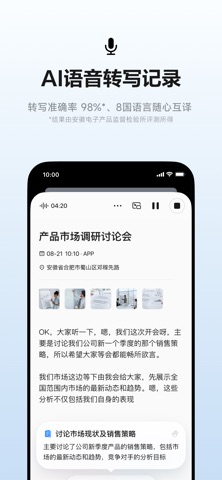
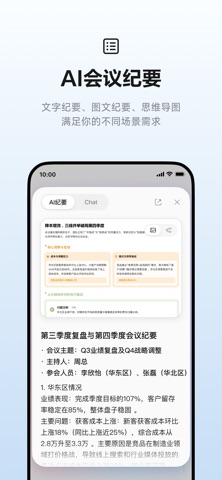
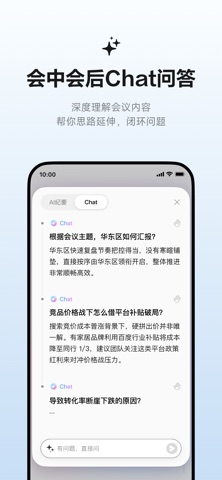
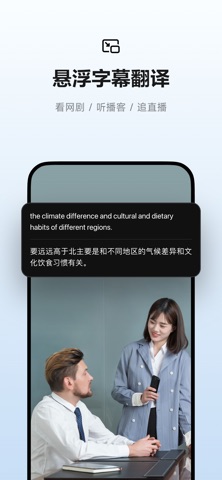
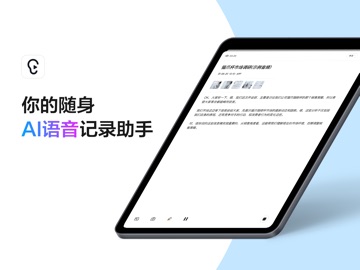
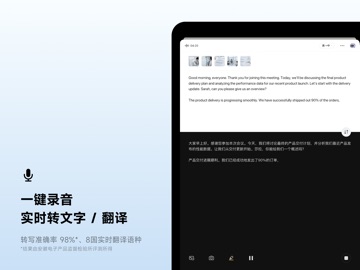
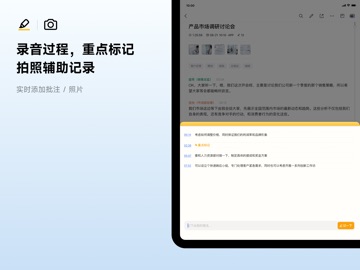
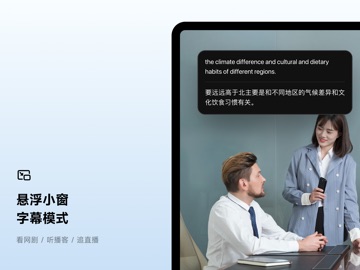
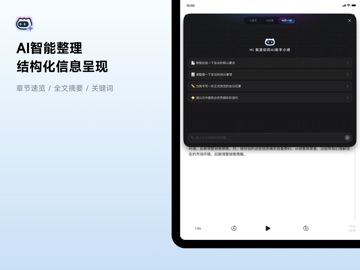
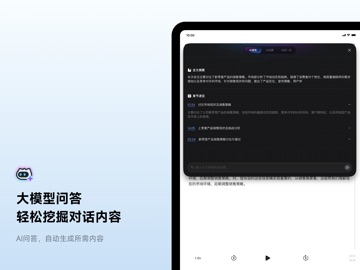
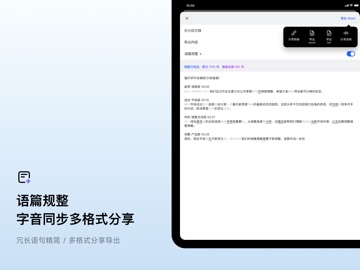
还在为记录中,洞察细节信息而迷茫?还在为记录后,整理海量信息而困扰?讯飞听见APP,AI语音记录助手来帮你。搭载科大讯飞星火大模型技术,以强大AI实力助力工作学习提升效率。 无论是会议、学习、讲座,还是采访等场景。仅需打开APP,实时语音转文字,多语种翻译准确无误。录制过程中,AI洞察还能帮你风险提示、给出待办思路、提示建议......结束录制后,AI自动整理内容,区分说话人,优化语言表述,提炼重点内容......会中会后,有疑问还可随时问Chat,帮你深度理解会议内容。完美适配各种场景,满足录音转文字及翻译需求,开启智能办公学习的全新篇章。 【产品功能】 1、一键录音,实时录音转文字、语音翻译 ①录音实时转文字:准确率98%*,24种语言自由转写*。 ②多语种实时翻译:高效精准翻译,8国语言随心互译。 2、录音过程,重点标记、拍照辅助记录 ①记录过程中随时标记,不再遗漏任何重点。 ②一键拍摄或插入图片,让记录更全面。 3、录音间隙,实时洞察,随想随记 ①AI洞察出风险提示、矛盾冲突、待办思路、提示建议。 ②实时添加批注,记录迸发灵感。 4、轻…
App details
What you can learn from 讯飞听见-AI录音转文字实时翻译
Every shipping app on the App Store has gone through the same decisions you're working through right now: which screenshot goes first, what caption sits over it, which device frame to show, what color the background should be. The 16 screenshots above are 讯飞听见-AI录音转文字实时翻译's answers to those questions — they're public, they're real, and they made it through Apple's review.
What the numbers say: 讯飞听见-AI录音转文字实时翻译 runs a light set with one background colour (#FCFCFC) carried across every screenshot — the listing reads as a single poster when the shots sit side by side in search results. The accent colour we picked up, #FCDC3C, is the one to reuse for badges, arrows and highlighted words if you borrow this look. Hit Use this style to open the editor with these exact colours and drop your own screenshot in.
Notice the first screenshot in particular. It's the one users see in search results and on the product page, and it's where most apps spend their best caption and tightest design. Look at the proportion of background to phone, where the text sits, what one thing the image is trying to communicate.
Want to see how other Productivity apps approach the same problem? Browse more Productivity apps in the showcase.
Take what works into your own screenshots
Open LaunchShots and design your App Store & Google Play screenshots — pick a device frame, drop captions, ship in minutes. Free, in your browser.
Open the screenshot editor →Apps with a similar look
Closest background + accent colours among the listings we've analysed — useful when you want to see the same palette handled by a different team.