Chart position — tracked daily by LaunchShots
Screenshot changes — detected by LaunchShots
Screenshot style breakdown
Sampled from 6 of MERKUR BETS Sportwetten/Slots's App Store screenshots — background, accent and theme, measured by LaunchShots (not something Apple publishes).
#042C54 bg
#27496B
#FCCC04 accent
#FFFFFF text
Reading the caption text from the screenshots in your browser…
Screenshots


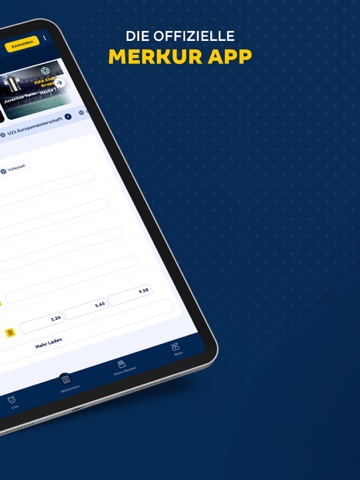
iPad screenshots



Icon palette
About this app
MERKUR BETS – DEINE SPORTWETTEN APP IM APPLE iOS STORE! Erlebe die Welt der Sportwetten mit der MERKUR BETS Sportwetten App für iPhone und iPad. Verfolge Top-Sportevents, platziere Livewetten und sichere Dir attraktive Quoten direkt auf Deinem mobilen Endgerät. Lade die MERKUR BETS App jetzt herunter und genieße modernes Wetten jederzeit und überall. MERKUR BETS bietet Dir stets attraktive Quoten, egal ob per Livewette oder Pre-Match-Wette. Mit unserem Cashout kannst Du Dir schon vor Ende des Spiels mögliche Gewinne sichern. Wette, wie es Dir gefällt: Egal ob Einzelwette, Kombiwette, Systemwette oder Mehrwegwette. Die Sportwetten App umfasst das komplette Sportwettenangebot von MERKUR BETS und ist für alle mobilen Apple-Geräte optimiert. Volle Flexibilität auch bei Ein- und Auszahlungen: PayPal, Paysafecard, Visa, Mastercard und viele weitere Optionen stehen Dir zur Verfügung. Bei Fr…
App details
What you can learn from MERKUR BETS Sportwetten/Slots
Every shipping app on the App Store has gone through the same decisions you're working through right now: which screenshot goes first, what caption sits over it, which device frame to show, what color the background should be. The 12 screenshots above are MERKUR BETS Sportwetten/Slots's answers to those questions — they're public, they're real, and they made it through Apple's review.
What the numbers say: MERKUR BETS Sportwetten/Slots runs a dark set with one background colour (#042C54) carried across every screenshot — the listing reads as a single poster when the shots sit side by side in search results. The accent colour we picked up, #FCCC04, is the one to reuse for badges, arrows and highlighted words if you borrow this look. Hit Use this style to open the editor with these exact colours and drop your own screenshot in.
Notice the first screenshot in particular. It's the one users see in search results and on the product page, and it's where most apps spend their best caption and tightest design. Look at the proportion of background to phone, where the text sits, what one thing the image is trying to communicate.
Want to see how other Sports apps approach the same problem? Browse more Sports apps in the showcase.
Take what works into your own screenshots
Open LaunchShots and design your App Store & Google Play screenshots — pick a device frame, drop captions, ship in minutes. Free, in your browser.
Open the screenshot editor →Apps with a similar look
Closest background + accent colours among the listings we've analysed — useful when you want to see the same palette handled by a different team.