Chart position — tracked daily by LaunchShots
Screenshot style breakdown
Sampled from 6 of 火車時刻表:台鐵時刻表's App Store screenshots — background, accent and theme, measured by LaunchShots (not something Apple publishes).
#94FCFC bg
#82DDDD
#24ACC4 accent
#111111 text
Screenshots


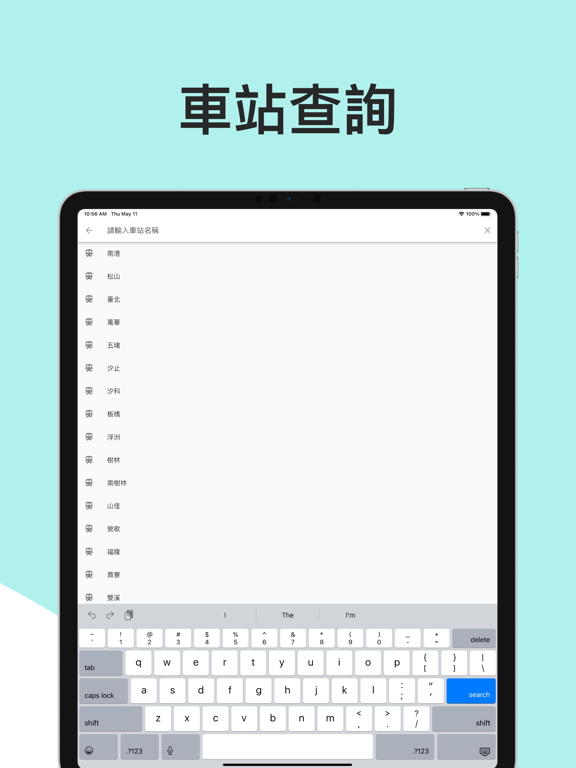
iPad screenshots


Icon palette
About this app
火車時刻表App - 台鐵時刻表查詢:立即查詢列車時刻表、誤點、票價、轉乘、車站時刻及車次資訊等。輕鬆掌握台鐵火車時刻資訊,讓您的旅程更加順利! 主要功能: 1. 時刻查詢:直達及轉乘列車時刻一應俱全,新增篩選功能,讓您輕鬆找到所需資料。 2. 車站天氣:查詢車站天氣,出門前做好萬全準備。 2. 車次資訊:包含車次服務(自行車、哺乳室、餐飲)和備註,提供完整的車次詳情。 3. 車站時刻:支援台鐵所有火車站,顯示順行及逆行時刻表。 4. 我的最愛:一鍵收藏出發抵達站、車次及車站,方便查詢。 5. 桌面小工具:不用開App直接看時刻表。 6. 高鐵時刻表查詢:可以查詢高鐵班次時刻。 7. 多國語言:除了繁體中文之外,支援英文跟日文! *非官方App,如有疑問請洽台鐵官網。喜歡本App,請留下五星好評! 訂閱服務: 1. 訂閱後,享受無廣告體驗。 2. 訂閱可隨時取消,免費試用期結束前取消不收費。 3. 訂閱需於到期前24小時取消,否則將繼續收費。 4. 取消訂閱請至「設定」>「帳號」>「訂閱項目」。 5. 恢復購買請至「首頁」>「左上角i」>「恢復購買」。 同意訂…
App details
What you can learn from 火車時刻表:台鐵時刻表
Every shipping app on the App Store has gone through the same decisions you're working through right now: which screenshot goes first, what caption sits over it, which device frame to show, what color the background should be. The 16 screenshots above are 火車時刻表:台鐵時刻表's answers to those questions — they're public, they're real, and they made it through Apple's review.
What the numbers say: 火車時刻表:台鐵時刻表 runs a light set with one background colour (#94FCFC) carried across every screenshot — the listing reads as a single poster when the shots sit side by side in search results. The accent colour we picked up, #24ACC4, is the one to reuse for badges, arrows and highlighted words if you borrow this look. Hit Use this style to open the editor with these exact colours and drop your own screenshot in.
Notice the first screenshot in particular. It's the one users see in search results and on the product page, and it's where most apps spend their best caption and tightest design. Look at the proportion of background to phone, where the text sits, what one thing the image is trying to communicate.
Want to see how other Travel apps approach the same problem? Browse more Travel apps in the showcase.
Take what works into your own screenshots
Open LaunchShots and design your App Store & Google Play screenshots — pick a device frame, drop captions, ship in minutes. Free, in your browser.
Open the screenshot editor →Apps with a similar look
Closest background + accent colours among the listings we've analysed — useful when you want to see the same palette handled by a different team.