Chart position — tracked daily by LaunchShots
Screenshot style breakdown
Sampled from 4 of アイメッド ー オンライン診療・病院検索 ー's App Store screenshots — background, accent and theme, measured by LaunchShots (not something Apple publishes).
#FCFCFC bg
#DDDDDD
#445C74 accent
#111111 text
Screenshots
Icon palette
About this app
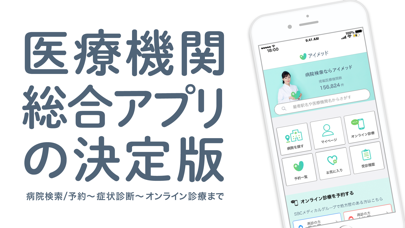
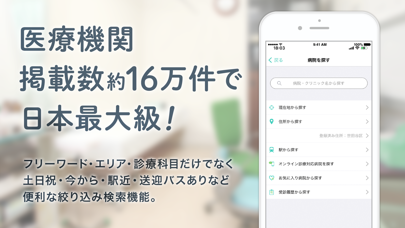
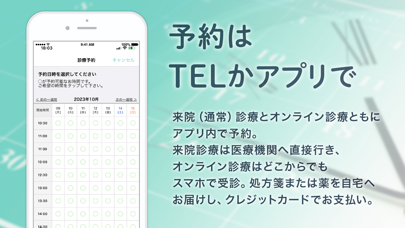
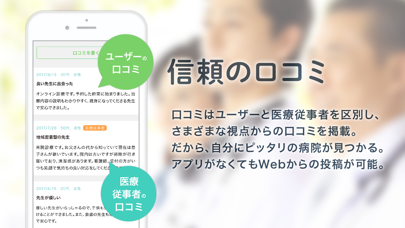
「ドクターをもっと身近に」 国内最大級の医療と美容に関するネットワークを活用し、病院の検索と予約、 医師と話せるオンライン診療までひとつで完結。医療機関総合アプリの決定版。 ◆ アイメッドとは? ◆ 【医療機関掲載数約16万件で日本最大級!】 フリーワード検索・エリア検索・診療科目検索・遠隔診療導入病院検索・日時指定検索 など、さまざまな検索に対応。 【オンライン診療もアプリで】 来院(通常)診療とオンライン診療ともにアプリ内で予約。 来院診療は医療機関へ直接行き、オンライン診療は自宅からでもスマホで受診。 処方箋または薬を自宅へお届けし、クレジットカードでお支払い。 【信頼の口コミ】 信頼できる口コミと評価が増えれば増えるほど精度はアップ! 口コミはユーザーと医療従事者を区別し、さまざまな視点からの口コミを掲載。 アプリがなくてもWebからの投稿が可能。 ◆ アイメッド 公式Webサイト ◆ 〈アイメッドとは?〉 https://ai-med.jp/about 〈医療検索&口コミ投稿〉 https://ai-med.jp/
App details
What you can learn from アイメッド ー オンライン診療・病院検索 ー
Every shipping app on the App Store has gone through the same decisions you're working through right now: which screenshot goes first, what caption sits over it, which device frame to show, what color the background should be. The 4 screenshots above are アイメッド ー オンライン診療・病院検索 ー's answers to those questions — they're public, they're real, and they made it through Apple's review.
What the numbers say: アイメッド ー オンライン診療・病院検索 ー runs a light set where the background shifts from screenshot to screenshot (first shot #FCFCFC) — each image has to stand on its own, so the captions carry more of the story. The accent colour we picked up, #445C74, is the one to reuse for badges, arrows and highlighted words if you borrow this look. Hit Use this style to open the editor with these exact colours and drop your own screenshot in.
Notice the first screenshot in particular. It's the one users see in search results and on the product page, and it's where most apps spend their best caption and tightest design. Look at the proportion of background to phone, where the text sits, what one thing the image is trying to communicate.
Want to see how other Medical apps approach the same problem? Browse more Medical apps in the showcase.
Take what works into your own screenshots
Open LaunchShots and design your App Store & Google Play screenshots — pick a device frame, drop captions, ship in minutes. Free, in your browser.
Open the screenshot editor →Apps with a similar look
Closest background + accent colours among the listings we've analysed — useful when you want to see the same palette handled by a different team.