Chart position — tracked daily by LaunchShots
Screenshot changes — detected by LaunchShots
Screenshot style breakdown
Sampled from 5 of 公考雷达's App Store screenshots — background, accent and theme, measured by LaunchShots (not something Apple publishes).
#FCFCFC bg
#DDDDDD
#7C8CFC accent
#111111 text
Screenshots


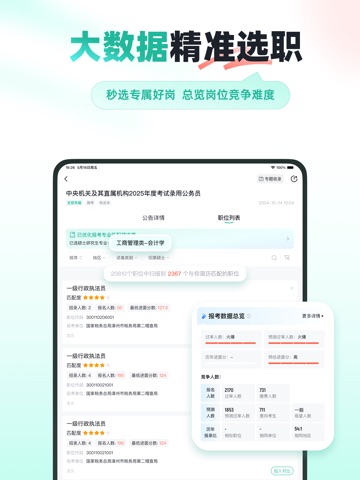
iPad screenshots




Icon palette
About this app
应用详情:【选职备考,用公考雷达】 千万级用户在使用的公职类及国央企招聘选岗APP:提供各地公职类/国央企招考资讯、职位智能匹配服务。从公告发布前到录用,全流程服务。 1.考试类型多元 【及时全面】更新各省市区县招考公告。覆盖公务员、事业单位、教师、国企、医疗、银行、军队文职、三支一扶等14大考试类型,新增国央企招聘专属板块,聚焦国央企优质招考信息,分类整合、精准推送,招考资讯一站获取。 2.大数据辅助选职 【高效选职】输入简历信息,一键匹配各地适配岗位,还可参考历年招录数据,结合职位热度、报名数据预测等大数据科学辅助选职。 3.全周期工具,覆盖考试全流程 【全流程陪伴】包含报考日历、报名大数据、模考、考点查询、考后估分等工具,并提供公告发布、报名、准考证打印、成绩查询等重要节点提醒。 4、本土机构课程推荐 【解决选课难题】严选机构、就近推荐、透明信息,多机构多课程一站式对比,帮你把选课难变成“简单题”,适配各类备考需求。 5.考友社区,互帮互助 【互动交流】汇聚万千考友,报考问题交流、职位前景讨论、上岸经验分…
App details
What you can learn from 公考雷达
Every shipping app on the App Store has gone through the same decisions you're working through right now: which screenshot goes first, what caption sits over it, which device frame to show, what color the background should be. The 10 screenshots above are 公考雷达's answers to those questions — they're public, they're real, and they made it through Apple's review.
What the numbers say: 公考雷达 runs a light set with one background colour (#FCFCFC) carried across every screenshot — the listing reads as a single poster when the shots sit side by side in search results. The accent colour we picked up, #7C8CFC, is the one to reuse for badges, arrows and highlighted words if you borrow this look. Hit Use this style to open the editor with these exact colours and drop your own screenshot in.
Notice the first screenshot in particular. It's the one users see in search results and on the product page, and it's where most apps spend their best caption and tightest design. Look at the proportion of background to phone, where the text sits, what one thing the image is trying to communicate.
Want to see how other Utilities apps approach the same problem? Browse more Utilities apps in the showcase.
Take what works into your own screenshots
Open LaunchShots and design your App Store & Google Play screenshots — pick a device frame, drop captions, ship in minutes. Free, in your browser.
Open the screenshot editor →Apps with a similar look
Closest background + accent colours among the listings we've analysed — useful when you want to see the same palette handled by a different team.