Chart position — tracked daily by LaunchShots
Screenshot style breakdown
Sampled from 6 of 以观书法's App Store screenshots — background, accent and theme, measured by LaunchShots (not something Apple publishes).
#FCFCFC bg
#DDDDDD
#64A4DC accent
#111111 text
Reading the caption text from the screenshots in your browser…
Screenshots


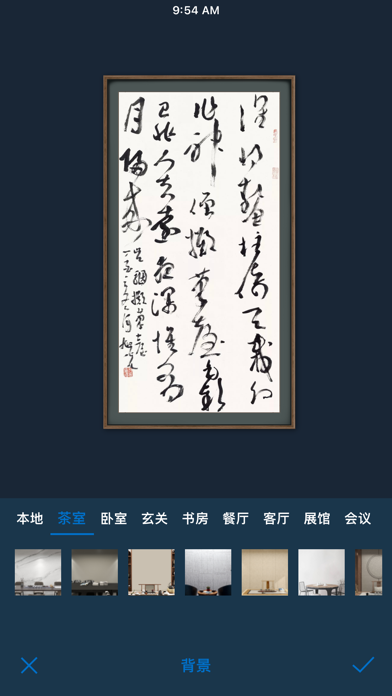

iPad screenshots


Icon palette
About this app
・这是一本中国书法大字典,可查询行、草、隶、篆、楷各种字体,收录书法字形数量超过400万(包含甲骨文、金文、简帛、篆刻等);另收录硬笔字形数量超过130万。 ・这是一部中国历代书法名帖大全,包含大量高清字帖、拓本等,并配释文和注解。 ・这是一款集字创作工具,集书法名家真迹字体,为书法创作寻找灵感源泉(另外提供过大量诗词、对联等集字内容)。 ・这是一部历代印谱大全,包含大量印谱和印章,并可根据印文查询。 ・这是一款古汉语字典,内含《康熙字典》、《说文解字》等大量古代字书,方便查询、考证。 ・这是一个专业书法老师,包含诸多教程,海量名家临摹指导视频可供观看。 以古为鉴,观复知常。『以观书法』与您一起欣赏汉字之美,学习书法之道。 以观书法收录了大量的名家真迹,包含: 【王羲之】的《快雪时晴帖》、《十七帖》、《七月帖》、《二谢帖》、《丧乱帖》、《奉橘帖》、《平安帖》、《遊目帖》、《姨母帖、》、《初月帖》、《雨后帖》、《远宦帖》等作品 【颜真卿】的《多宝塔碑》、《颜勤礼碑》、《祭侄文稿》、《争座位帖》、《王琳…
App details
What you can learn from 以观书法
Every shipping app on the App Store has gone through the same decisions you're working through right now: which screenshot goes first, what caption sits over it, which device frame to show, what color the background should be. The 20 screenshots above are 以观书法's answers to those questions — they're public, they're real, and they made it through Apple's review.
What the numbers say: 以观书法 runs a light set with one background colour (#FCFCFC) carried across every screenshot — the listing reads as a single poster when the shots sit side by side in search results. The accent colour we picked up, #64A4DC, is the one to reuse for badges, arrows and highlighted words if you borrow this look. Hit Use this style to open the editor with these exact colours and drop your own screenshot in.
Notice the first screenshot in particular. It's the one users see in search results and on the product page, and it's where most apps spend their best caption and tightest design. Look at the proportion of background to phone, where the text sits, what one thing the image is trying to communicate.
Want to see how other Education apps approach the same problem? Browse more Education apps in the showcase.
Take what works into your own screenshots
Open LaunchShots and design your App Store & Google Play screenshots — pick a device frame, drop captions, ship in minutes. Free, in your browser.
Open the screenshot editor →Apps with a similar look
Closest background + accent colours among the listings we've analysed — useful when you want to see the same palette handled by a different team.