Chart position — tracked daily by LaunchShots
Screenshot style breakdown
Sampled from 6 of My SoftBank's App Store screenshots — background, accent and theme, measured by LaunchShots (not something Apple publishes).
#FCFCFC bg
#DDDDDD
#94DC04 accent
#111111 text
Screenshots


Icon palette
About this app
ソフトバンク・ワイモバイル・ラインモユーザー必須アプリ ■1,000万人以上が利用! ■2021年度グッドデザイン賞 受賞! 便利な機能をギュっと凝縮! ご利用料金やデータ使用量など、アプリでかんたんに確認できます。 【主な機能】 ■ご利用料金の確認 料金推移の確認や前の月との比較が、1タップでかんたんに出来ます。また気になる項目はタップで詳細をチェックできます。 ■データ通信量の確認 メーターと色でデータの使用状況をお知らせします。データ量が少なくなったらチャージの予約・購入もかんたんに出来ます。 ■サポート 店舗検索や来店予約がアプリ内で行えます。困ったときは、チャットでかんたんに問い合わせも可能。 ■その他便利な機能 ・ご加入中の料金プランやサービスの照会・変更 ・オプションサービスのご加入・解除 ・支払方法の変更 ・迷惑メール設定 ・PayPayの残高照会や利用、連携状況の確認 ・ソフトバンクポイントの照会や利用、カードの連携 ・ソフトバンクカードのチャージ残高照会 ・お知らせ配信 ・スマートログイン設定などのサービ…
App details
What you can learn from My SoftBank
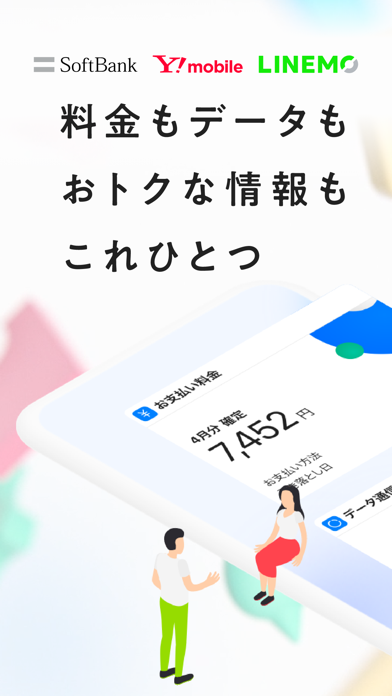
Every shipping app on the App Store has gone through the same decisions you're working through right now: which screenshot goes first, what caption sits over it, which device frame to show, what color the background should be. The 7 screenshots above are My SoftBank's answers to those questions — they're public, they're real, and they made it through Apple's review.
What the numbers say: My SoftBank runs a mixed light-and-dark set where the background shifts from screenshot to screenshot (first shot #FCFCFC) — each image has to stand on its own, so the captions carry more of the story. The accent colour we picked up, #94DC04, is the one to reuse for badges, arrows and highlighted words if you borrow this look. Hit Use this style to open the editor with these exact colours and drop your own screenshot in.
Notice the first screenshot in particular. It's the one users see in search results and on the product page, and it's where most apps spend their best caption and tightest design. Look at the proportion of background to phone, where the text sits, what one thing the image is trying to communicate.
Want to see how other Utilities apps approach the same problem? Browse more Utilities apps in the showcase.
Take what works into your own screenshots
Open LaunchShots and design your App Store & Google Play screenshots — pick a device frame, drop captions, ship in minutes. Free, in your browser.
Open the screenshot editor →Apps with a similar look
Closest background + accent colours among the listings we've analysed — useful when you want to see the same palette handled by a different team.