Chart position — tracked daily by LaunchShots
Screenshot style breakdown
Sampled from 4 of OpenWork -就活にも転職にもオープンワーク-'s App Store screenshots — background, accent and theme, measured by LaunchShots (not something Apple publishes).
#048CD4 bg
#279CDA
#6CBCE4 accent
#FFFFFF text
Screenshots
Icon palette
About this app
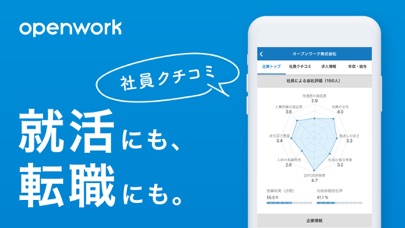
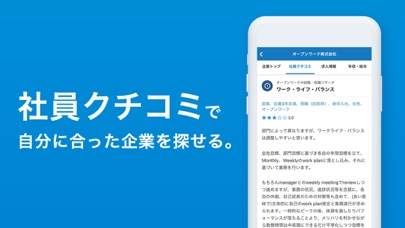
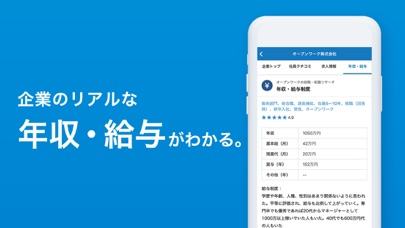
【社員によるクチコミ評価】 「会社評価レポート」の回答として収集した「社員・元社員の声」を8つの評価スコアと8カテゴリのクチコミで掲載しています。 また、年収・給与情報と内訳、残業時間、有給休暇取得率についても掲載しています。 ◆8つの評価スコア 待遇面の満足度/社員の士気/風通しの良さ/社員の相互尊重/20代成長環境/人材の長期育成/法令順守意識/人事評価の適正感 ◆8カテゴリのクチコミ 組織体制・企業文化/入社理由と入社後ギャップ/働きがい・成長/女性の働きやすさ/ワーク・ライフ・バランス/退職検討理由/企業分析[強み・弱み・展望]/経営者への提言 ※すべてのクチコミをご覧になるには「会社評価レポートの回答」「Web履歴書の入力」「有料プログラム」のいずれかが必要です。 【リアルな年収・給与情報】 基本給・残業代・賞与(ボーナス)の内訳や、企業ごとの給与制度・評価制度についても知ることができます。 【働きがいで求人検索】 総合評価や待遇の満足度、ワークライフバランスなど、重視する項目で求人情報を探すことができます…
App details
What you can learn from OpenWork -就活にも転職にもオープンワーク-
Every shipping app on the App Store has gone through the same decisions you're working through right now: which screenshot goes first, what caption sits over it, which device frame to show, what color the background should be. The 4 screenshots above are OpenWork -就活にも転職にもオープンワーク-'s answers to those questions — they're public, they're real, and they made it through Apple's review.
What the numbers say: OpenWork -就活にも転職にもオープンワーク- runs a dark set with one background colour (#048CD4) carried across every screenshot — the listing reads as a single poster when the shots sit side by side in search results. The accent colour we picked up, #6CBCE4, is the one to reuse for badges, arrows and highlighted words if you borrow this look. Hit Use this style to open the editor with these exact colours and drop your own screenshot in.
Notice the first screenshot in particular. It's the one users see in search results and on the product page, and it's where most apps spend their best caption and tightest design. Look at the proportion of background to phone, where the text sits, what one thing the image is trying to communicate.
Want to see how other Business apps approach the same problem? Browse more Business apps in the showcase.
Take what works into your own screenshots
Open LaunchShots and design your App Store & Google Play screenshots — pick a device frame, drop captions, ship in minutes. Free, in your browser.
Open the screenshot editor →Apps with a similar look
Closest background + accent colours among the listings we've analysed — useful when you want to see the same palette handled by a different team.