Chart position — tracked daily by LaunchShots
Screenshot style breakdown
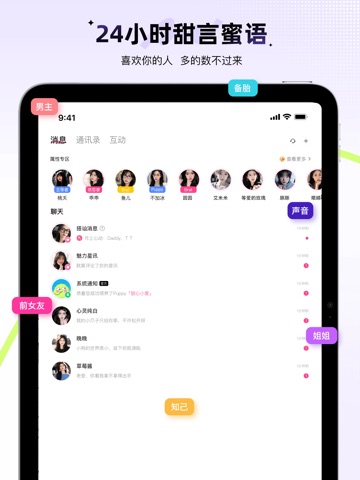
Sampled from 5 of 羞聊-同城聊天约会暧昧撩爱处对象's App Store screenshots — background, accent and theme, measured by LaunchShots (not something Apple publishes).
#FCFCFC bg
#DDDDDD
#FC9CD4 accent
#111111 text
Screenshots


iPad screenshots



Icon palette
About this app
Hi~很高兴能在这里见到你,我是「羞聊」; 羞聊是以视频约会为主,集合秘密漂流瓶、文字撩天、语音匹配、交友广场、七天情侣、神秘邂逅、亲密CP、专属恋人、守护为一体的社交软件,在这里,你可以畅所欲言尽情抒发你的情感,倾吐你的烦闷,也可以打捞别人的瓶子,打开新世界的大门,听听Ta们的故事~ 当你一个人过周末,需要有人陪时, 当你晚上在家无聊,想找个人聊聊天时, 当你来到陌生的城市,觉得孤单时, 当你⋯⋯ 就打开羞聊吧!相遇本该如此美好,爱上Ta、独宠Ta、只对Ta心动,妹多多,您的专属暧昧聊天交友APP! 【快速交友】 在这种全新的交友方式中,快速找到那个让你“一见钟情”的人 【附近的人】基于地理位置的用户推荐系统,轻松邂逅近附近的那个Ta! 【加强安全】多项隐私保护、防骚扰、在线隐身等功能,全方位保障您的隐私安全。 【甜蜜标签】丰富完善的甜蜜标签,实时活跃及同城的列表功能,让您随时都可以更快更精准的找到适合自己的恋人,从此不再孤单~ 【更加专业】专业服务视频约会交友,更加专业。 【海量用户】海量活跃的真实用户,超多同时在…
App details
What you can learn from 羞聊-同城聊天约会暧昧撩爱处对象
Every shipping app on the App Store has gone through the same decisions you're working through right now: which screenshot goes first, what caption sits over it, which device frame to show, what color the background should be. The 10 screenshots above are 羞聊-同城聊天约会暧昧撩爱处对象's answers to those questions — they're public, they're real, and they made it through Apple's review.
What the numbers say: 羞聊-同城聊天约会暧昧撩爱处对象 runs a light set with one background colour (#FCFCFC) carried across every screenshot — the listing reads as a single poster when the shots sit side by side in search results. The accent colour we picked up, #FC9CD4, is the one to reuse for badges, arrows and highlighted words if you borrow this look. Hit Use this style to open the editor with these exact colours and drop your own screenshot in.
Notice the first screenshot in particular. It's the one users see in search results and on the product page, and it's where most apps spend their best caption and tightest design. Look at the proportion of background to phone, where the text sits, what one thing the image is trying to communicate.
Want to see how other Social Networking apps approach the same problem? Browse more Social Networking apps in the showcase.
Take what works into your own screenshots
Open LaunchShots and design your App Store & Google Play screenshots — pick a device frame, drop captions, ship in minutes. Free, in your browser.
Open the screenshot editor →Apps with a similar look
Closest background + accent colours among the listings we've analysed — useful when you want to see the same palette handled by a different team.