Chart position — tracked daily by LaunchShots
Screenshot style breakdown
Sampled from 5 of Lensa AI: фоторедактор's App Store screenshots — background, accent and theme, measured by LaunchShots (not something Apple publishes).
#FCF4EC bg
#DDD6CF
#543C24 accent
#111111 text
Screenshots


Icon palette
About this app
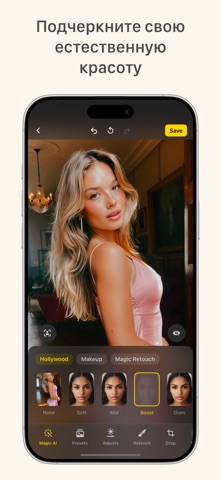
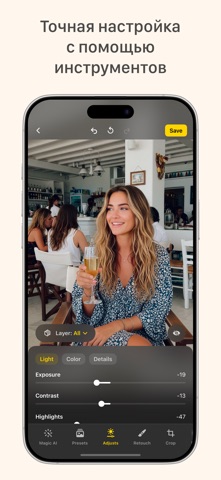
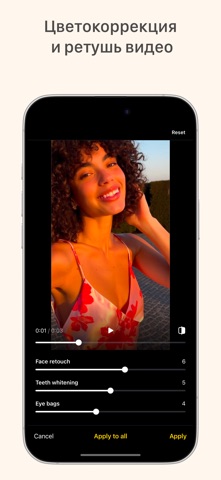
Сделайте каждое фото достойным того, чтобы им поделиться – Lensa помогает Вам выглядеть наилучшим образом, убрать лишние детали и добавить эффектные фильтры, чтобы ваши публикации всегда выделялись – просто, быстро и увлекательно – идеально для социальных сетей и повседневных воспоминаний. Lensa AI: ваши фото, ваша история. Каждое фото рассказывает историю – Lensa помогает сделать её незабываемой. Будь то селфи, семейный снимок или кадр из путешествия, Lensa делает ваши фотографии лучше, сохраняя при этом их естественность. Всего несколько нажатий, и вы можете сгладить недостатки, исправить тусклое освещение или добавить немного художественности. Создавайте выразительные, но при этом естественные кадры без лишних усилий: идеально для публикаций в соцсетях или отправки друзьям. Что вам точно понравится: – Отличный внешний вид на селфи и портретах без эффекта чрезмерной обработки – Уд…
App details
What you can learn from Lensa AI: фоторедактор
Every shipping app on the App Store has gone through the same decisions you're working through right now: which screenshot goes first, what caption sits over it, which device frame to show, what color the background should be. The 5 screenshots above are Lensa AI: фоторедактор's answers to those questions — they're public, they're real, and they made it through Apple's review.
What the numbers say: Lensa AI: фоторедактор runs a light set with one background colour (#FCF4EC) carried across every screenshot — the listing reads as a single poster when the shots sit side by side in search results. The accent colour we picked up, #543C24, is the one to reuse for badges, arrows and highlighted words if you borrow this look. Hit Use this style to open the editor with these exact colours and drop your own screenshot in.
Notice the first screenshot in particular. It's the one users see in search results and on the product page, and it's where most apps spend their best caption and tightest design. Look at the proportion of background to phone, where the text sits, what one thing the image is trying to communicate.
Want to see how other Photo & Video apps approach the same problem? Browse more Photo & Video apps in the showcase.
Take what works into your own screenshots
Open LaunchShots and design your App Store & Google Play screenshots — pick a device frame, drop captions, ship in minutes. Free, in your browser.
Open the screenshot editor →Apps with a similar look
Closest background + accent colours among the listings we've analysed — useful when you want to see the same palette handled by a different team.