Chart position — tracked daily by LaunchShots
Screenshot changes — detected by LaunchShots
Screenshot style breakdown
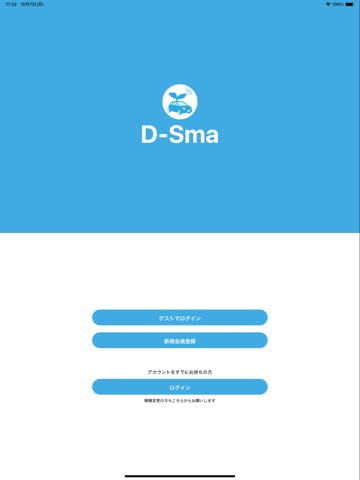
Sampled from 6 of D-Sma's App Store screenshots — background, accent and theme, measured by LaunchShots (not something Apple publishes).
#FCFCFC bg
#DDDDDD
#249CDC accent
#111111 text
Reading the caption text from the screenshots in your browser…
Screenshots


iPad screenshots


Icon palette
About this app
免許を取りたい人、自動車教習所に通う人のためのアプリが登場! D-Smaでは、通っている教習所との連絡や予約の確認・友達の紹介などがこのアプリで可能になります。 ●D-Smaの機能について● -お知らせ機能 プッシュ通知を利用して、連絡事項をお届けする機能です。 大事な連絡を見落とすことなく、いつでも見ることが出来ます。 -チャット機能- 教習所の方と簡単なチャットを送り合える機能です。 インターネットに繋がっていれば、ほぼリアルタイムで更新され、未読や既読も分かりますので、メッセージが届いたかが簡単に確認出来ます。 -教習所(HP)機能- 教習所のHPをアプリの中から見ることが出来る機能です。 アクセス方法や営業時間、電話番号などを簡単に調べることが出来ます。 -予約確認機能- 時間割形式で自分の予定を把握出来る機能です。 明日の講習がすぐに分かります。 -紹介機能- お得なキャンペーン情報を受け取ることが出来る機能です。 タッチでコピーが出来るので、そのまま紹介に利用することが出来ます。
App details
What you can learn from D-Sma
Every shipping app on the App Store has gone through the same decisions you're working through right now: which screenshot goes first, what caption sits over it, which device frame to show, what color the background should be. The 14 screenshots above are D-Sma's answers to those questions — they're public, they're real, and they made it through Apple's review.
What the numbers say: D-Sma runs a mixed light-and-dark set where the background shifts from screenshot to screenshot (first shot #FCFCFC) — each image has to stand on its own, so the captions carry more of the story. The accent colour we picked up, #249CDC, is the one to reuse for badges, arrows and highlighted words if you borrow this look. Hit Use this style to open the editor with these exact colours and drop your own screenshot in.
Notice the first screenshot in particular. It's the one users see in search results and on the product page, and it's where most apps spend their best caption and tightest design. Look at the proportion of background to phone, where the text sits, what one thing the image is trying to communicate.
Want to see how other Education apps approach the same problem? Browse more Education apps in the showcase.
Take what works into your own screenshots
Open LaunchShots and design your App Store & Google Play screenshots — pick a device frame, drop captions, ship in minutes. Free, in your browser.
Open the screenshot editor →Apps with a similar look
Closest background + accent colours among the listings we've analysed — useful when you want to see the same palette handled by a different team.