Chart position — tracked daily by LaunchShots
Screenshot style breakdown
Sampled from 3 of EGサッカー名鑑2026's App Store screenshots — background, accent and theme, measured by LaunchShots (not something Apple publishes).
#FCFCFC bg
#DDDDDD
#941C34 accent
#111111 text
Screenshots

Icon palette
About this app
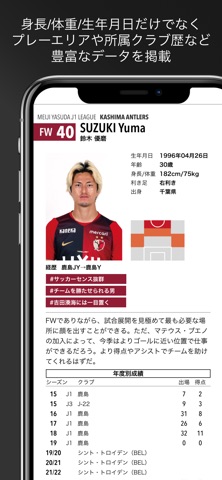
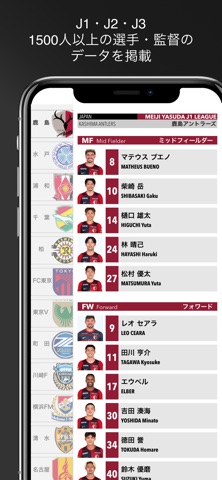
欧州名鑑が「2026 - 2027 欧州サッカー 選手名鑑」掲載データに更新! EG選手名鑑アプリの欧州名鑑が「2026 - 2027 欧州サッカー 選手名鑑」のデータに更新されました! これまで通りJリーグ、欧州各国の選手名鑑を一度にご覧いただけます! ◎このアプリは、雑誌「Jリーグ選手名鑑2026/27」および「2025 - 2026 欧州サッカー 選手名鑑」付属のアクティベーションコードを入力することでコンテンツが利用可能となります。 ■J1・J2・J3全クラブのデータを掲載 全クラブ、1500人を越える選手・監督の情報を掲載。 ■欧州各国リーグのデータを掲載 欧州5大リーグ+CL出場クラブ+日本人所属クラブの系100クラブ以上のデータを掲載。 ■詳細なデータ&紹介文 選手詳細画面では、プレーエリア、身長・体重から生年月日だけではなく、所属クラブ歴などのデータを豊富に掲載。 ■検索機能で選手を探せる 各データに基づく選手検索機能を搭載。ポジションや利き足、身長体重を使って「身長190cm以上のDF」など、全選手から網羅的に検索が可能。 ○サッカー新聞「エルゴラ…
App details
What you can learn from EGサッカー名鑑2026
Every shipping app on the App Store has gone through the same decisions you're working through right now: which screenshot goes first, what caption sits over it, which device frame to show, what color the background should be. The 3 screenshots above are EGサッカー名鑑2026's answers to those questions — they're public, they're real, and they made it through Apple's review.
What the numbers say: EGサッカー名鑑2026 runs a mixed light-and-dark set where the background shifts from screenshot to screenshot (first shot #FCFCFC) — each image has to stand on its own, so the captions carry more of the story. The accent colour we picked up, #941C34, is the one to reuse for badges, arrows and highlighted words if you borrow this look. Hit Use this style to open the editor with these exact colours and drop your own screenshot in.
Notice the first screenshot in particular. It's the one users see in search results and on the product page, and it's where most apps spend their best caption and tightest design. Look at the proportion of background to phone, where the text sits, what one thing the image is trying to communicate.
Want to see how other Sports apps approach the same problem? Browse more Sports apps in the showcase.
Take what works into your own screenshots
Open LaunchShots and design your App Store & Google Play screenshots — pick a device frame, drop captions, ship in minutes. Free, in your browser.
Open the screenshot editor →Apps with a similar look
Closest background + accent colours among the listings we've analysed — useful when you want to see the same palette handled by a different team.