Screenshot style breakdown
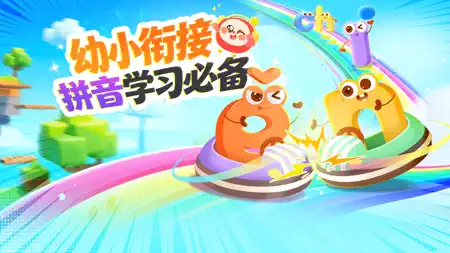
Sampled from 4 of 洪恩拼音 - 儿童趣味拼音拼读's App Store screenshots — background, accent and theme, measured by LaunchShots (not something Apple publishes).
#94C444 bg
#82AC3B
#847CDC accent
#111111 text
Reading the caption text from the screenshots in your browser…
Screenshots


Icon palette
About this app
《洪恩拼音》遵从儿童认知发展规律,结合孩子爱玩的天性,以“寓教于乐”的方式,为孩子提供有趣的拼音听说体验。内容涵盖63个拼音学习、401个拼音组合、88个拼音儿歌等丰富内容。采用趣味交互形式,全方位训练孩子拼音认知、记忆、发音、拼读、书写及阅读应用等能力。 产品特色 1.科学闭环,内容丰富 结合拼音音形设计丰富的创意互动场景,动画、儿歌等多种形式相结合,玩、调、读、说、拼等9大环节,让孩子更好的理解拼音。 2.语音交互,精准发声 自主研发专属儿童的语音交互系统,科学易懂的发音规则讲解,帮助孩子有效校正发音,敢拼敢说。 3.快乐儿歌,口诀记忆 为每个字母创意定制拼音儿歌,让孩子轻松上口,好听又好记。 4.拼音阅读,学以致用 28本精美拼音阅读绘本,综合展示拼音拼读组合形式,在阅读中强化应用,让孩子趣味学拼读。 5.丰富互动,趣味拼读 精心设计100+创意互动情景,涵盖日常生活、动物、森林、海洋、交通、食物、体育、医疗、科技等众多主题,趣味操作中培养孩子自主认知能力。 【联系我们】邮箱:service@ihuman.com 我们提供如下…
App details
What you can learn from 洪恩拼音 - 儿童趣味拼音拼读
Every shipping app on the App Store has gone through the same decisions you're working through right now: which screenshot goes first, what caption sits over it, which device frame to show, what color the background should be. The 4 screenshots above are 洪恩拼音 - 儿童趣味拼音拼读's answers to those questions — they're public, they're real, and they made it through Apple's review.
What the numbers say: 洪恩拼音 - 儿童趣味拼音拼读 runs a mixed light-and-dark set where the background shifts from screenshot to screenshot (first shot #94C444) — each image has to stand on its own, so the captions carry more of the story. The accent colour we picked up, #847CDC, is the one to reuse for badges, arrows and highlighted words if you borrow this look. Hit Use this style to open the editor with these exact colours and drop your own screenshot in.
Notice the first screenshot in particular. It's the one users see in search results and on the product page, and it's where most apps spend their best caption and tightest design. Look at the proportion of background to phone, where the text sits, what one thing the image is trying to communicate.
Want to see how other Education apps approach the same problem? Browse more Education apps in the showcase.
Take what works into your own screenshots
Open LaunchShots and design your App Store & Google Play screenshots — pick a device frame, drop captions, ship in minutes. Free, in your browser.
Open the screenshot editor →Apps with a similar look
Closest background + accent colours among the listings we've analysed — useful when you want to see the same palette handled by a different team.