Chart position — tracked daily by LaunchShots
Screenshot style breakdown
Sampled from 6 of 火花Chat - 擦出不一样的小火花's App Store screenshots — background, accent and theme, measured by LaunchShots (not something Apple publishes).
#FC4C24 bg
#FC6542
#ACF48C accent
#FFFFFF text
Screenshots


iPad screenshots




Icon palette
About this app
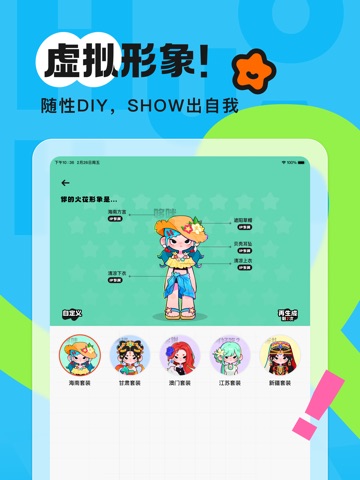
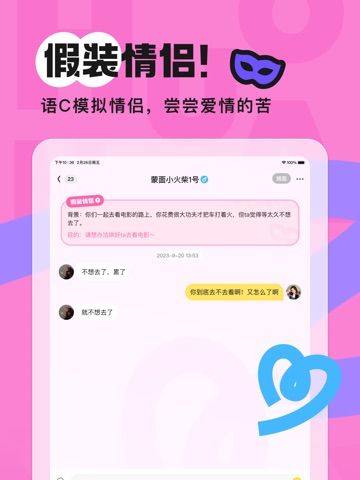
生活枯燥乏味~「火花」拯救人类!! 「火花」是一款00后聚集的社交软件! 在这里,你不仅可以遇见一群沙雕00后,还可以随时随地跟他们轻松开聊! 有趣同频的人都在这里1V1聊天、斗图、分享多彩生活~还不快上火花遇见新朋友! 特色功能: 【遇见匹配】 在线摇人,想聊随时聊,对无聊和坏心情说拜拜~ 【假装情侣】 匹配即情侣,匿名聊天,轻松体验恋爱的快乐! 【附近小火人】 想认识附近的火伴吗~ 写下你的“找搭子”喊话,直接遇见附近火伴! 【个性空间】 多种专辑+自由DIY!你的空间皆由你定义 如果你是生活记录家,你可以在这里创造你的治愈空间;如果你有沉迷的兴趣爱好,你可以把这里变成你的沉浸式兴趣星球;如果你是某人的超级fans,你可以把这里打造成你的追星小窝...... 【动态广场】 00后驻扎地+即刻有回应 这里是属于00后的缤纷世界!你可以发现同龄人的精彩生活,有梗有趣,温暖真实,你的每一次表达也都能得到回应! 【安全守护】 守护你的每一次聊天 有聊天的地方就有火花小卫士!在这里,我们尊重你的所有隐私,对任何骚扰严格说“不”! 推荐…
App details
What you can learn from 火花Chat - 擦出不一样的小火花
Every shipping app on the App Store has gone through the same decisions you're working through right now: which screenshot goes first, what caption sits over it, which device frame to show, what color the background should be. The 12 screenshots above are 火花Chat - 擦出不一样的小火花's answers to those questions — they're public, they're real, and they made it through Apple's review.
What the numbers say: 火花Chat - 擦出不一样的小火花 runs a mixed light-and-dark set where the background shifts from screenshot to screenshot (first shot #FC4C24) — each image has to stand on its own, so the captions carry more of the story. The accent colour we picked up, #ACF48C, is the one to reuse for badges, arrows and highlighted words if you borrow this look. Hit Use this style to open the editor with these exact colours and drop your own screenshot in.
Notice the first screenshot in particular. It's the one users see in search results and on the product page, and it's where most apps spend their best caption and tightest design. Look at the proportion of background to phone, where the text sits, what one thing the image is trying to communicate.
Want to see how other Social Networking apps approach the same problem? Browse more Social Networking apps in the showcase.
Take what works into your own screenshots
Open LaunchShots and design your App Store & Google Play screenshots — pick a device frame, drop captions, ship in minutes. Free, in your browser.
Open the screenshot editor →Apps with a similar look
Closest background + accent colours among the listings we've analysed — useful when you want to see the same palette handled by a different team.