Chart position — tracked daily by LaunchShots
Screenshot style breakdown
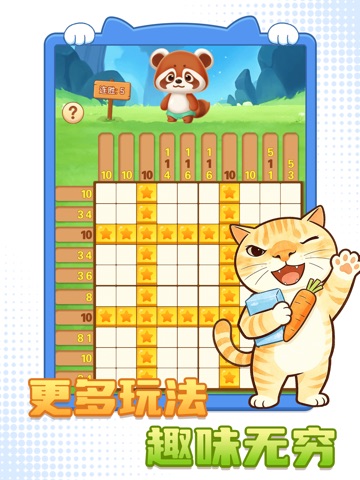
Sampled from 5 of 天天爱数独-这关我不会数独大师's App Store screenshots — background, accent and theme, measured by LaunchShots (not something Apple publishes).
#FCFCFC bg
#DDDDDD
#FCD44C accent
#111111 text
Reading the caption text from the screenshots in your browser…
Screenshots


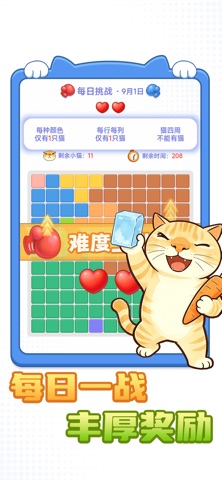
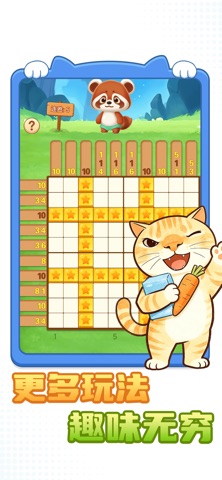
iPad screenshots
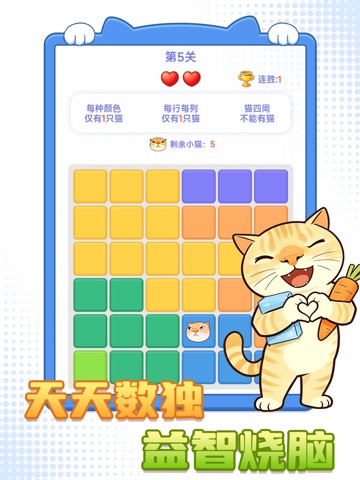
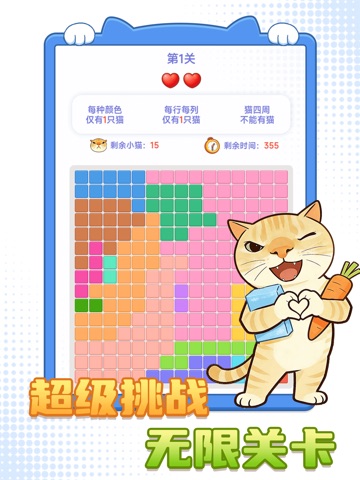


Icon palette
About this app
《天天爱数独》是一款猫咪主题的休闲益智解谜小游戏,把传统数独逻辑与消除闯关玩法结合,不用数字,改用放置萌猫来解谜,上手轻松,主打逻辑推理解压。 核心规则 1. 棋盘被划分成多块彩色区域,每一个彩色区域、每一行、每一列,最多只能放 1 只猫咪; 2. 猫咪放置后,上下左右相邻格子不能再放小猫(猫咪不能邻接); 3. 带有叉号的格子为禁格,无法放置猫咪; 4. 将所有猫咪合理安放,满足全部约束条件,即可通关。 三大游戏模式 - 主线关卡:循序渐进式关卡,难度逐步提升,适合新手慢慢熟悉推理逻辑,稳步闯关。 - 极限挑战:限时模式,一次性连续挑战 10 轮,比拼推理速度,节奏紧张。 - 超级挑战:无限模式,难度更高,关卡持续生成,适合硬核解谜爱好者长期挑战。 游戏亮点 萌系猫咪画风,替代枯燥数字数独,观感治愈; 玩法本质是区域 + 行列 + 邻接三重约束推理,主要使用排除法解题,锻炼逻辑思维; 轻量化,碎片时间随时开局。
App details
What you can learn from 天天爱数独-这关我不会数独大师
Every shipping app on the App Store has gone through the same decisions you're working through right now: which screenshot goes first, what caption sits over it, which device frame to show, what color the background should be. The 10 screenshots above are 天天爱数独-这关我不会数独大师's answers to those questions — they're public, they're real, and they made it through Apple's review.
What the numbers say: 天天爱数独-这关我不会数独大师 runs a light set with one background colour (#FCFCFC) carried across every screenshot — the listing reads as a single poster when the shots sit side by side in search results. The accent colour we picked up, #FCD44C, is the one to reuse for badges, arrows and highlighted words if you borrow this look. Hit Use this style to open the editor with these exact colours and drop your own screenshot in.
Notice the first screenshot in particular. It's the one users see in search results and on the product page, and it's where most apps spend their best caption and tightest design. Look at the proportion of background to phone, where the text sits, what one thing the image is trying to communicate.
Want to see how other Games apps approach the same problem? Browse more Games apps in the showcase.
Take what works into your own screenshots
Open LaunchShots and design your App Store & Google Play screenshots — pick a device frame, drop captions, ship in minutes. Free, in your browser.
Open the screenshot editor →Apps with a similar look
Closest background + accent colours among the listings we've analysed — useful when you want to see the same palette handled by a different team.