Chart position — tracked daily by LaunchShots
Screenshot style breakdown
Sampled from 4 of 河川カメラ's App Store screenshots — background, accent and theme, measured by LaunchShots (not something Apple publishes).
#FCFCFC bg
#DDDDDD
#7C4C3C accent
#111111 text
Screenshots
iPad screenshots


Icon palette
About this app
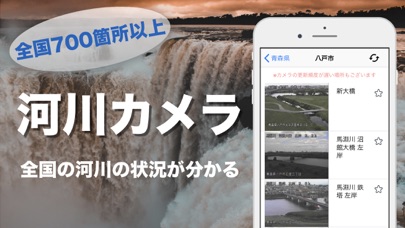
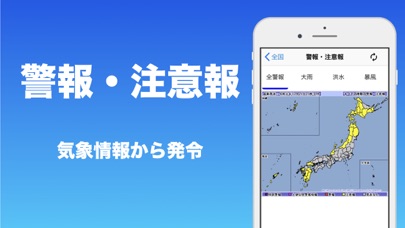
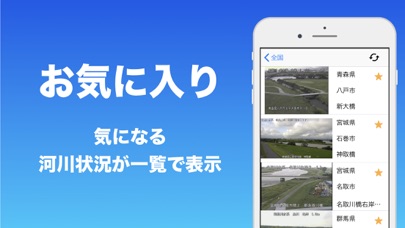
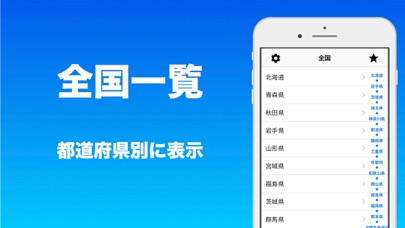
【概要】 全国の河川情報!! 近年、日本の年平均気温は上昇しています。また、猛烈な雨(1時間降水量80mm以上の雨)の年間発生回数も増加しています。 地球温暖化の進行に伴い、大雨や短時間などの頻度はさらに増加すると予測されている中で、本アプリが活用出来れば良いとおもい作成しました。 都道府県の河川に設置されているカメラの静止画をリアルタイムでお届けしています。 自動更新や手動での更新も可能です。 是非ご活用ください。 【主な機能】 ・全国の河川情報 ・お気に入り 【本アプリケーションについて】 ○ 対応機種 : iOS 11.0〜 今後もご要望にお答えしていきたいと思いますので、 ご要望などあれば、どんどんお知らせください!
App details
What you can learn from 河川カメラ
Every shipping app on the App Store has gone through the same decisions you're working through right now: which screenshot goes first, what caption sits over it, which device frame to show, what color the background should be. The 8 screenshots above are 河川カメラ's answers to those questions — they're public, they're real, and they made it through Apple's review.
What the numbers say: 河川カメラ runs a mixed light-and-dark set where the background shifts from screenshot to screenshot (first shot #FCFCFC) — each image has to stand on its own, so the captions carry more of the story. The accent colour we picked up, #7C4C3C, is the one to reuse for badges, arrows and highlighted words if you borrow this look. Hit Use this style to open the editor with these exact colours and drop your own screenshot in.
Notice the first screenshot in particular. It's the one users see in search results and on the product page, and it's where most apps spend their best caption and tightest design. Look at the proportion of background to phone, where the text sits, what one thing the image is trying to communicate.
Want to see how other Weather apps approach the same problem? Browse more Weather apps in the showcase.
Take what works into your own screenshots
Open LaunchShots and design your App Store & Google Play screenshots — pick a device frame, drop captions, ship in minutes. Free, in your browser.
Open the screenshot editor →Apps with a similar look
Closest background + accent colours among the listings we've analysed — useful when you want to see the same palette handled by a different team.