Screenshot style breakdown
Sampled from 6 of 精雀's App Store screenshots — background, accent and theme, measured by LaunchShots (not something Apple publishes).
#FCFCFC bg
#DDDDDD
#2C0C4C accent
#111111 text
Reading the caption text from the screenshots in your browser…
Screenshots

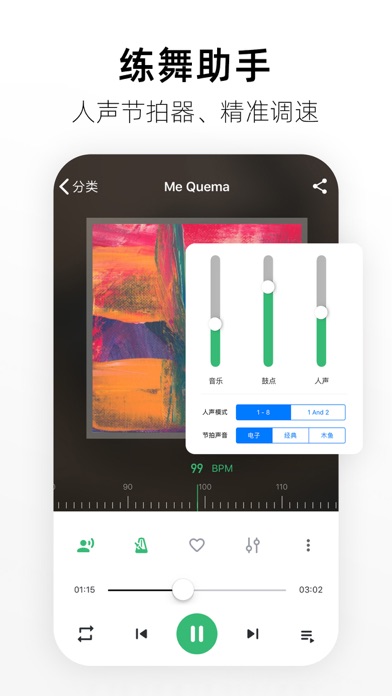


iPad screenshots


Icon palette
About this app
产品特色 赛事: 1.录入选手 参赛代表队可以通过APP分享邀请家长录入选手,家长填写完成选手信息后可以直接在APP中查看选手的报名组别,比赛时间,比赛进程,以及成绩。为参赛代表队节省不必要的工作量,加快工作进度。 2.赛事报名 为参赛代表队提供按组别报名,按选手报名两种报名方式。提供已报名管理功能。提供组别表,报名表,赛程表,成绩表等表格下载。需邮寄资料的参赛代表队可填写邮寄地址给主办方。参赛代表队可在自己账号添加协作人员,支持多领队共同协作报名。 3.主办方管理 主办方账户可以直接在APP中查看比赛的报名详情。可直接修改比赛组别信息等。 4.比赛进程与成绩查询 APP会实时同步比赛进程以及成绩,选手可按照背号、姓名查询成绩,参赛代表队可直接查看整个队伍成绩。提供选手订阅功能,订阅后将会实时推送比赛成绩。 音乐: 1.更人性化的界面 界面全新设计,清新简洁,点划之间尽享畅爽体验。 2.海量舞曲 你想听的都在这里。 3.精彩歌单 用户可创建歌单收藏歌单,分享歌单给微信好友和朋友圈。歌单广场内还有多样歌单库可满…
App details
What you can learn from 精雀
Every shipping app on the App Store has gone through the same decisions you're working through right now: which screenshot goes first, what caption sits over it, which device frame to show, what color the background should be. The 12 screenshots above are 精雀's answers to those questions — they're public, they're real, and they made it through Apple's review.
What the numbers say: 精雀 runs a light set with one background colour (#FCFCFC) carried across every screenshot — the listing reads as a single poster when the shots sit side by side in search results. The accent colour we picked up, #2C0C4C, is the one to reuse for badges, arrows and highlighted words if you borrow this look. Hit Use this style to open the editor with these exact colours and drop your own screenshot in.
Notice the first screenshot in particular. It's the one users see in search results and on the product page, and it's where most apps spend their best caption and tightest design. Look at the proportion of background to phone, where the text sits, what one thing the image is trying to communicate.
Want to see how other Sports apps approach the same problem? Browse more Sports apps in the showcase.
Take what works into your own screenshots
Open LaunchShots and design your App Store & Google Play screenshots — pick a device frame, drop captions, ship in minutes. Free, in your browser.
Open the screenshot editor →Apps with a similar look
Closest background + accent colours among the listings we've analysed — useful when you want to see the same palette handled by a different team.