Chart position — tracked daily by LaunchShots
Screenshot style breakdown
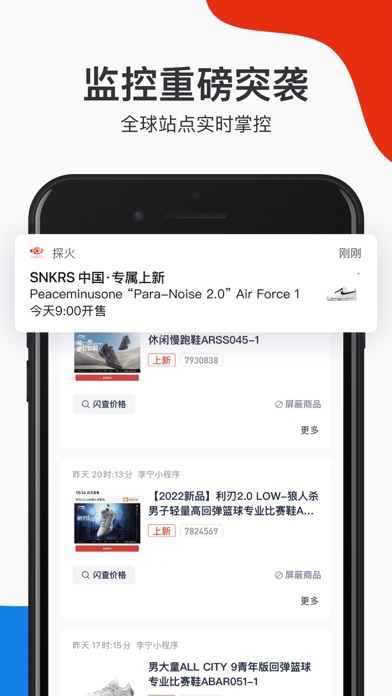
Sampled from 5 of 探火-让潮流抢购变得简单's App Store screenshots — background, accent and theme, measured by LaunchShots (not something Apple publishes).
#E42C14 bg
#E74934
#ECBC4C accent
#FFFFFF text
Reading the caption text from the screenshots in your browser…
Screenshots



Icon palette
About this app
全球原价潮流抢购好帮手,易上手的热门潮品监控 匹配买卖双方,尽享购物乐趣 来探火,即刻发现潮流 【监控重磅突袭】 实时侦测全球热门潮品突袭与补货,支持商品屏蔽,提供敏捷、智能的抢购方案。 【毫秒级电商秒杀】 限量尖货抢占先机,丰富的工具助你秒杀不可能,成倍提高抢购效率。 【百城发售实况】 聚合全球潮流单品发售渠道,轻松管理抢购日程,让抢购计划更有序。 【社区交易新模式】 精准匹配买卖双方,让热爱潮流的你尽享高品质的购物乐趣。 【联系我们】 邮箱:support@tanhuos.com 微信:公众账号搜索“探火” 微博:探火_Official 官方网站:www.tanhuos.com
App details
What you can learn from 探火-让潮流抢购变得简单
Every shipping app on the App Store has gone through the same decisions you're working through right now: which screenshot goes first, what caption sits over it, which device frame to show, what color the background should be. The 5 screenshots above are 探火-让潮流抢购变得简单's answers to those questions — they're public, they're real, and they made it through Apple's review.
What the numbers say: 探火-让潮流抢购变得简单 runs a mixed light-and-dark set where the background shifts from screenshot to screenshot (first shot #E42C14) — each image has to stand on its own, so the captions carry more of the story. The accent colour we picked up, #ECBC4C, is the one to reuse for badges, arrows and highlighted words if you borrow this look. Hit Use this style to open the editor with these exact colours and drop your own screenshot in.
Notice the first screenshot in particular. It's the one users see in search results and on the product page, and it's where most apps spend their best caption and tightest design. Look at the proportion of background to phone, where the text sits, what one thing the image is trying to communicate.
Want to see how other Sports apps approach the same problem? Browse more Sports apps in the showcase.
Take what works into your own screenshots
Open LaunchShots and design your App Store & Google Play screenshots — pick a device frame, drop captions, ship in minutes. Free, in your browser.
Open the screenshot editor →Apps with a similar look
Closest background + accent colours among the listings we've analysed — useful when you want to see the same palette handled by a different team.