Chart position — tracked daily by LaunchShots
Screenshot changes — detected by LaunchShots
Screenshot style breakdown
Sampled from 6 of Planer ślubny - Wesele z klasą's App Store screenshots — background, accent and theme, measured by LaunchShots (not something Apple publishes).
#FC94AC bg
#DD8297
#AC6474 accent
#111111 text
Screenshots




iPad screenshots


Icon palette
About this app
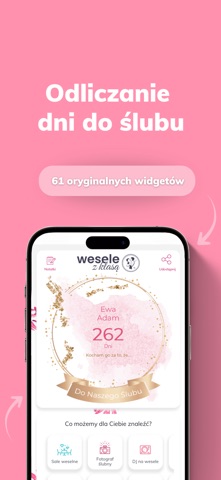
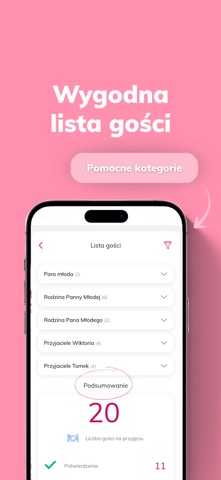
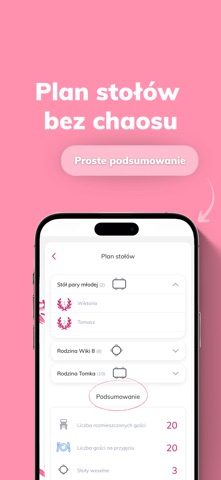
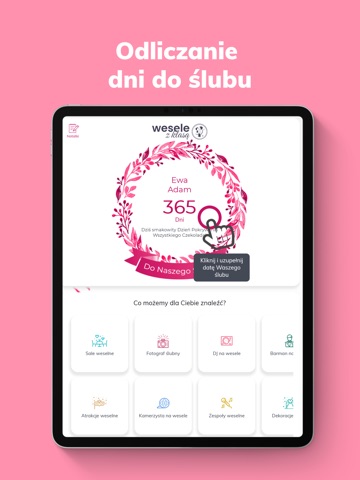
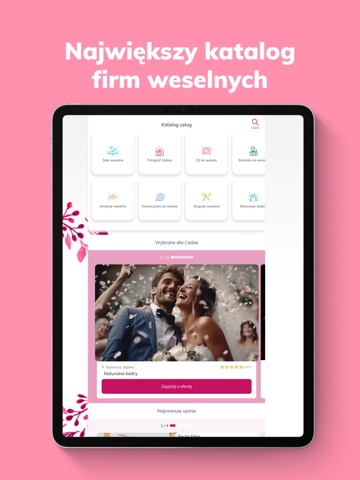
Planer ślubny – odliczanie dni do ślubu to darmowa aplikacja Wesele z klasą do organizacji ślubu i wesela. Przeprowadzi Cię krok po kroku przez przygotowania do najważniejszego dnia. Tutaj masz wszystko pod kontrolą! Pobierz bezpłatny Planer ślubny online i zaplanuj wesele takie, jak chcesz! Planerowi ślubnemu Wesele z klasą zaufało już ponad 730 tysięcy par młodych. Co w nim znajdziesz? Odliczanie dni do ślubu Nie możesz doczekać się dnia ślubu? W Planerze ślubnym odliczamy razem. Wybierz jeden z 61 Super Widgetów i codziennie sprawdzaj, ile dni zostało do Waszego wielkiego dnia. Udostępnij widget w social mediach i odliczaj z bliskimi! Największy katalog firm weselnych W zakładce „Szukaj” znajdziesz wszystkie usługi weselne w jednym miejscu: sale weselne, fotografów, kamerzystów, DJ-ów, zespoły muzyczne, atrakcje, dekoracje i wiele innych. Porównuj oferty, czytaj zweryfikowane o…
App details
What you can learn from Planer ślubny - Wesele z klasą
Every shipping app on the App Store has gone through the same decisions you're working through right now: which screenshot goes first, what caption sits over it, which device frame to show, what color the background should be. The 12 screenshots above are Planer ślubny - Wesele z klasą's answers to those questions — they're public, they're real, and they made it through Apple's review.
What the numbers say: Planer ślubny - Wesele z klasą runs a light set with one background colour (#FC94AC) carried across every screenshot — the listing reads as a single poster when the shots sit side by side in search results. The accent colour we picked up, #AC6474, is the one to reuse for badges, arrows and highlighted words if you borrow this look. Hit Use this style to open the editor with these exact colours and drop your own screenshot in.
Notice the first screenshot in particular. It's the one users see in search results and on the product page, and it's where most apps spend their best caption and tightest design. Look at the proportion of background to phone, where the text sits, what one thing the image is trying to communicate.
Want to see how other Lifestyle apps approach the same problem? Browse more Lifestyle apps in the showcase.
Take what works into your own screenshots
Open LaunchShots and design your App Store & Google Play screenshots — pick a device frame, drop captions, ship in minutes. Free, in your browser.
Open the screenshot editor →Apps with a similar look
Closest background + accent colours among the listings we've analysed — useful when you want to see the same palette handled by a different team.