Chart position — tracked daily by LaunchShots
Screenshot style breakdown
Sampled from 6 of 图怪兽设计-海报、电商、喜报、邀请函制作's App Store screenshots — background, accent and theme, measured by LaunchShots (not something Apple publishes).
#FC6C8C bg
#DD5F7B
#741C14 accent
#111111 text
Screenshots
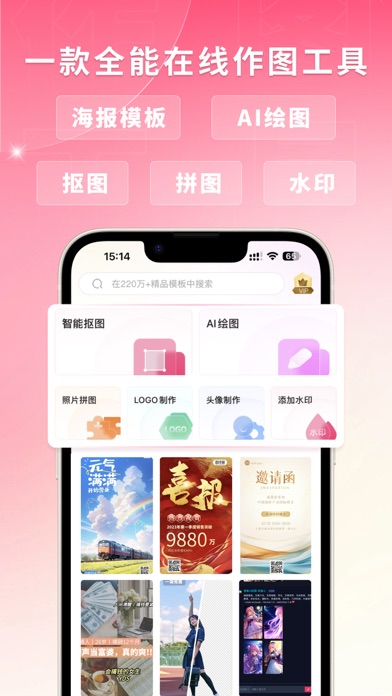

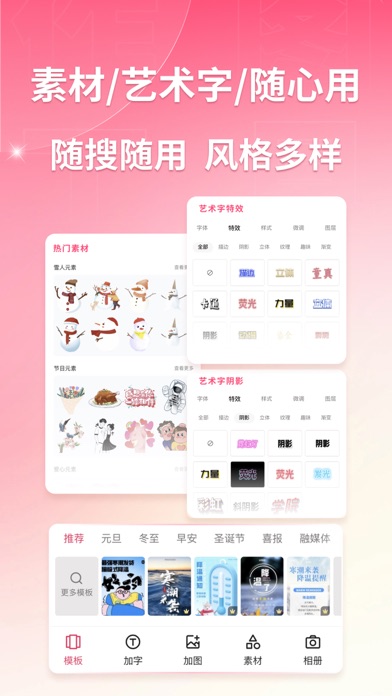


iPad screenshots


Icon palette
About this app
【模板多】220W+优质模板,200+细分行业,覆盖各类使用场景,轻松满足您的设计需求。【易上手】只需改字换图,3步7秒,手机一键出海报。无门槛做图做视频,从此设计不求人。【正版有保障】字体、插画、人像、视频、音乐、元素,皆是正版;【尝试0成本】更有百万精美模板,让您尽享每日一次免费下载,无水印保存! 【简单不将就】上千名优质设计师,天天做原创,日日上新素材。让设计更简单,营销更有料。 【多种设计工具】自由拼图、添加水印、抠图、GIF动图、视频制作等随心用,尽享一键智能的高效作图体验。 【场景全覆盖】一键制作海报、壁纸、logo、邀请函、喜报、战报、贺报、日签(早晚安)、表情包、头像、GIF动图、传单、名片、易拉宝、菜单、优惠券、展架、封面、营销长图、电商banner、店铺首页、朋友圈配图、公众号封面、企业营销、广告推广、贺卡请柬、个人简历、婚礼邀请函、微商电商宣传、招生培训、开业活动、产品介绍、总结报告、放假通知模板、新年贺卡、春节视频等,满足您不同场景的各类设计需求。 — — — — — — — 【连续包月会员说明】 1.订阅服…
App details
What you can learn from 图怪兽设计-海报、电商、喜报、邀请函制作
Every shipping app on the App Store has gone through the same decisions you're working through right now: which screenshot goes first, what caption sits over it, which device frame to show, what color the background should be. The 9 screenshots above are 图怪兽设计-海报、电商、喜报、邀请函制作's answers to those questions — they're public, they're real, and they made it through Apple's review.
What the numbers say: 图怪兽设计-海报、电商、喜报、邀请函制作 runs a light set where the background shifts from screenshot to screenshot (first shot #FC6C8C) — each image has to stand on its own, so the captions carry more of the story. The accent colour we picked up, #741C14, is the one to reuse for badges, arrows and highlighted words if you borrow this look. Hit Use this style to open the editor with these exact colours and drop your own screenshot in.
Notice the first screenshot in particular. It's the one users see in search results and on the product page, and it's where most apps spend their best caption and tightest design. Look at the proportion of background to phone, where the text sits, what one thing the image is trying to communicate.
Want to see how other Graphics & Design apps approach the same problem? Browse more Graphics & Design apps in the showcase.
Take what works into your own screenshots
Open LaunchShots and design your App Store & Google Play screenshots — pick a device frame, drop captions, ship in minutes. Free, in your browser.
Open the screenshot editor →Apps with a similar look
Closest background + accent colours among the listings we've analysed — useful when you want to see the same palette handled by a different team.