Chart position — tracked daily by LaunchShots
Screenshot style breakdown
Sampled from 5 of YN智慧校园's App Store screenshots — background, accent and theme, measured by LaunchShots (not something Apple publishes).
#FCFCFC bg
#DDDDDD
#14B4B4 accent
#111111 text
Screenshots



Icon palette
About this app
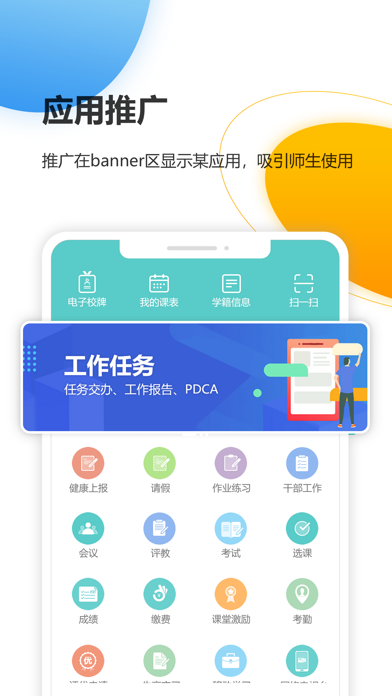
YN智慧校园是针对职业院校移动端智慧校园建设的综合性解决方案。通过将应用系统的功能扩展到手机终端,使信息的上传下达随时随地落实到每位师生,使信息系统的功能从有线网络和PC的限制中解放出来,提供面向个人、亲近个人的服务。移动校园的应用对校园生活质量、管理效率产生立竿见影的良好影响,帮助学校真正实现以信息化促进学校的管理和教学水平。 YN智慧校园提供了即时消息沟通、联系人、成绩、课表、在线评教、课堂考勤、实习任务填报、待办处理、通知查看、一卡通消费查询、办公OA等功能。教职工可随时随地了解校园动态、完成紧急事务处理。快捷的办公与高效管理,帮助学校实现从而大大提升学校的办事效率。创建移动校园新潮流,引领职业院校智慧校园新航向;提升工作效率,促进高效办公,以信息化支撑学校管理系统化、规范化、精细化。 联系我们: 服务热线:400-606-2800 邮箱:yineng@yineng.com.cn
App details
What you can learn from YN智慧校园
Every shipping app on the App Store has gone through the same decisions you're working through right now: which screenshot goes first, what caption sits over it, which device frame to show, what color the background should be. The 5 screenshots above are YN智慧校园's answers to those questions — they're public, they're real, and they made it through Apple's review.
What the numbers say: YN智慧校园 runs a light set with one background colour (#FCFCFC) carried across every screenshot — the listing reads as a single poster when the shots sit side by side in search results. The accent colour we picked up, #14B4B4, is the one to reuse for badges, arrows and highlighted words if you borrow this look. Hit Use this style to open the editor with these exact colours and drop your own screenshot in.
Notice the first screenshot in particular. It's the one users see in search results and on the product page, and it's where most apps spend their best caption and tightest design. Look at the proportion of background to phone, where the text sits, what one thing the image is trying to communicate.
Want to see how other Education apps approach the same problem? Browse more Education apps in the showcase.
Take what works into your own screenshots
Open LaunchShots and design your App Store & Google Play screenshots — pick a device frame, drop captions, ship in minutes. Free, in your browser.
Open the screenshot editor →Apps with a similar look
Closest background + accent colours among the listings we've analysed — useful when you want to see the same palette handled by a different team.