Chart position — tracked daily by LaunchShots
Screenshot style breakdown
Sampled from 6 of VポイントPay's App Store screenshots — background, accent and theme, measured by LaunchShots (not something Apple publishes).
#FCFCFC bg
#DDDDDD
#FCF404 accent
#111111 text
Screenshots





Icon palette
About this app
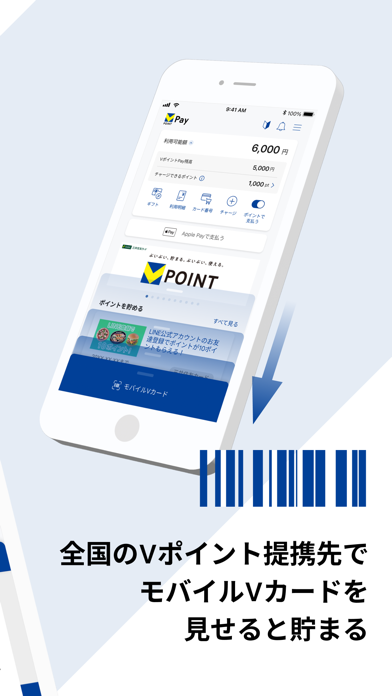
VポイントPayとは? 貯まったVポイントが世界のVisa加盟店でお支払いに使えるアプリです。 ■かんたん登録! 数ステップでかんたんにお申込できます。 ■貯まったVポイントでお買い物ができる! 貯まったVポイントをチャージして、お買い物に使えます。 アプリでは、さらにポイントが貯まるお得な情報もご覧いただけます。 ■お店やネットショッピングで使える! Apple Payを設定して、タッチでスマートにお支払いができます。 店頭で「Visaで」。または「iD(アイディ)で」と、お店が対応しているお支払い方法をお伝えください。 ネットショッピングでもご利用いただけます。 ■提示して貯まる! 全国のVポイント提携先で、モバイルVカードを提示するとポイントが貯まります。 ■■■主な特徴■■■ 1.かんたん設定 ・携帯電話番号、お名前、生年月日などのかんたんな登録ですぐにご利用いただけます。 ・アプリからかんたんにApple Payの設定が可能です。 2.Vポイントが使える ・貯まったVポイントをアプリ上でチャージして使えます。 ・アプリ上で、さ…
App details
What you can learn from VポイントPay
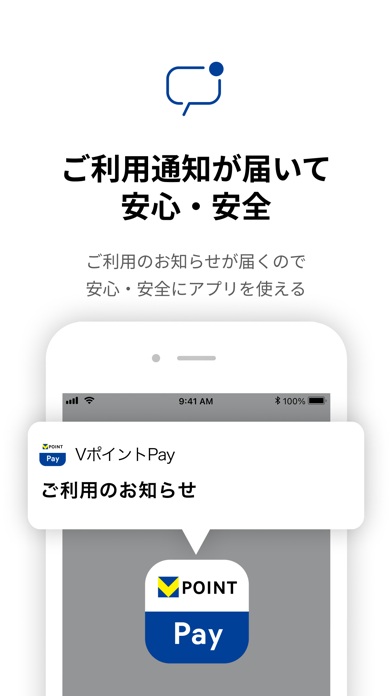
Every shipping app on the App Store has gone through the same decisions you're working through right now: which screenshot goes first, what caption sits over it, which device frame to show, what color the background should be. The 7 screenshots above are VポイントPay's answers to those questions — they're public, they're real, and they made it through Apple's review.
What the numbers say: VポイントPay runs a light set with one background colour (#FCFCFC) carried across every screenshot — the listing reads as a single poster when the shots sit side by side in search results. The accent colour we picked up, #FCF404, is the one to reuse for badges, arrows and highlighted words if you borrow this look. Hit Use this style to open the editor with these exact colours and drop your own screenshot in.
Notice the first screenshot in particular. It's the one users see in search results and on the product page, and it's where most apps spend their best caption and tightest design. Look at the proportion of background to phone, where the text sits, what one thing the image is trying to communicate.
Want to see how other Finance apps approach the same problem? Browse more Finance apps in the showcase.
Take what works into your own screenshots
Open LaunchShots and design your App Store & Google Play screenshots — pick a device frame, drop captions, ship in minutes. Free, in your browser.
Open the screenshot editor →Apps with a similar look
Closest background + accent colours among the listings we've analysed — useful when you want to see the same palette handled by a different team.