Chart position — tracked daily by LaunchShots
Screenshot style breakdown
Sampled from 4 of My Invisalign's App Store screenshots — background, accent and theme, measured by LaunchShots (not something Apple publishes).
#0484BC bg
#2795C5
#F4BC9C accent
#FFFFFF text
Screenshots



Icon palette
About this app
世界で最先端を行く透明アライナーシステムであなたのスマイルを変えてみませんか?これからは、スマイルをより素敵に変えていくうえで、あなたに情報を常に提供し、アイデアをお届けし、サポートする唯一のアプリで、Invisalign治療から最大の効果を引き出すことが出来ます。 すでに治療を開始しましたか? • Invisalignバーチャルケアを使用して写真を共有し、ドクターからフィードバックを受け取って新しいスマイルの状況を常に把握しておきましょう。この機能はドクターからの招待でのみ利用可能になります。 • 装着時間の進捗を、週に1度、月に1度および年に1度の比較ビューで監視しましょう。 • 治療カレンダーを個人設定し、面会やその他のイベントの予定を把握しておきましょう。 • 日々のおよび過去のアライナー装着時間をカスタマイズしたタイマーを使って追跡しましょ う。 • アライナーを変更する時期にリマインダーおよび通知を受け取りましょう。 • 進捗状況ビデオやビフォー&アフター写真をお友達やご家族と確認・共有してみましょう。 • ア…
App details
What you can learn from My Invisalign
Every shipping app on the App Store has gone through the same decisions you're working through right now: which screenshot goes first, what caption sits over it, which device frame to show, what color the background should be. The 4 screenshots above are My Invisalign's answers to those questions — they're public, they're real, and they made it through Apple's review.
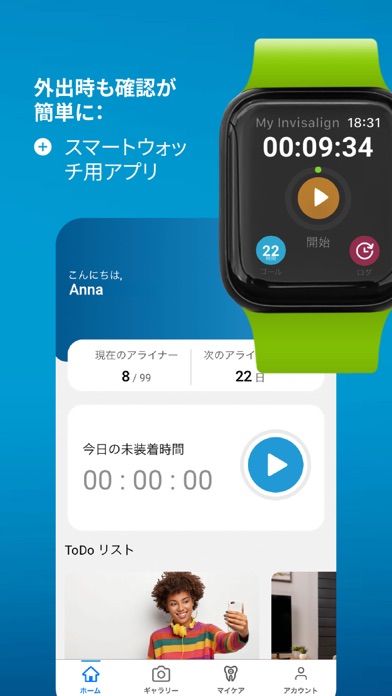
What the numbers say: My Invisalign runs a mixed light-and-dark set where the background shifts from screenshot to screenshot (first shot #0484BC) — each image has to stand on its own, so the captions carry more of the story. The accent colour we picked up, #F4BC9C, is the one to reuse for badges, arrows and highlighted words if you borrow this look. Hit Use this style to open the editor with these exact colours and drop your own screenshot in.
Notice the first screenshot in particular. It's the one users see in search results and on the product page, and it's where most apps spend their best caption and tightest design. Look at the proportion of background to phone, where the text sits, what one thing the image is trying to communicate.
Want to see how other Medical apps approach the same problem? Browse more Medical apps in the showcase.
Take what works into your own screenshots
Open LaunchShots and design your App Store & Google Play screenshots — pick a device frame, drop captions, ship in minutes. Free, in your browser.
Open the screenshot editor →Apps with a similar look
Closest background + accent colours among the listings we've analysed — useful when you want to see the same palette handled by a different team.