Chart position — tracked daily by LaunchShots
Screenshot changes — detected by LaunchShots
Screenshot style breakdown
Sampled from 3 of スマート国語辞典's App Store screenshots — background, accent and theme, measured by LaunchShots (not something Apple publishes).
#047C74 bg
#278E87
#6CB4AC accent
#FFFFFF text
Screenshots


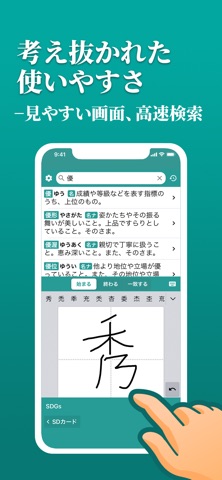
iPad screenshots


Icon palette
About this app
すぐ引けて、よく分かる。スマートフォン・アプリ用に一から執筆・開発された新しい辞書、『スマート国語辞典』。 ◇アプリならではの使いやすさ 入力途中でも瞬時に候補の見出し語が一覧表示され、目的の言葉を素早く探し出すことができる。 読み方が分からない言葉を手書き入力で調べることや、音声入力で調べることも可能。 詳しく調べたい時にはボタンひとつでウェブ検索もできる。 使いやすく、すぐに引ける辞書アプリです。 ◇革新的な分かりやすさ この辞書アプリのために独自に新しく言葉の意味合いの説明文を執筆。 これまでになく簡単な言葉を用いて説明し、また、必要に応じて典型的で理解の助けとなる用例を掲載。 初学者が読んでも、おおよその意味合いを把握することができ、かつ、その意味合いの核心に触れることができる。 よく分かる辞書アプリです。 ◇新しい言葉との出会い 「あわせて調べる」欄に、独自ロジックによる関連語を掲載。 次から次へと気になる言葉を調べることができる。 新しい言葉との出会いがある国語辞典アプリです。 本アプリ…
App details
What you can learn from スマート国語辞典
Every shipping app on the App Store has gone through the same decisions you're working through right now: which screenshot goes first, what caption sits over it, which device frame to show, what color the background should be. The 6 screenshots above are スマート国語辞典's answers to those questions — they're public, they're real, and they made it through Apple's review.
What the numbers say: スマート国語辞典 runs a dark set where the background shifts from screenshot to screenshot (first shot #047C74) — each image has to stand on its own, so the captions carry more of the story. The accent colour we picked up, #6CB4AC, is the one to reuse for badges, arrows and highlighted words if you borrow this look. Hit Use this style to open the editor with these exact colours and drop your own screenshot in.
Notice the first screenshot in particular. It's the one users see in search results and on the product page, and it's where most apps spend their best caption and tightest design. Look at the proportion of background to phone, where the text sits, what one thing the image is trying to communicate.
Want to see how other Reference apps approach the same problem? Browse more Reference apps in the showcase.
Take what works into your own screenshots
Open LaunchShots and design your App Store & Google Play screenshots — pick a device frame, drop captions, ship in minutes. Free, in your browser.
Open the screenshot editor →Apps with a similar look
Closest background + accent colours among the listings we've analysed — useful when you want to see the same palette handled by a different team.