Chart position — tracked daily by LaunchShots
Screenshot style breakdown
Sampled from 6 of やくばと's App Store screenshots — background, accent and theme, measured by LaunchShots (not something Apple publishes).
#FCFCFC bg
#DDDDDD
#049C84 accent
#111111 text
Reading the caption text from the screenshots in your browser…
Screenshots


Icon palette
About this app
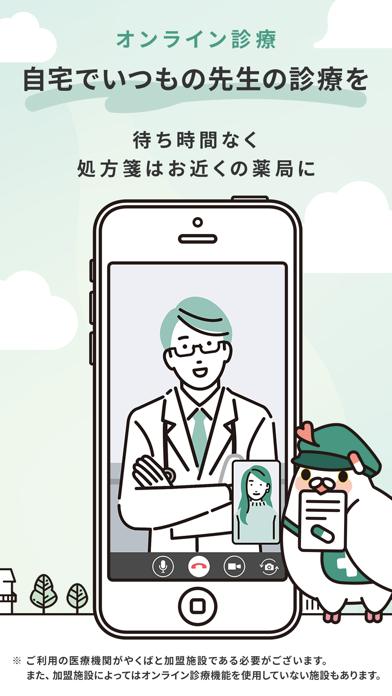
いつもの医療機関・薬局がもっと便利に安心に利用できるアプリ「やくばと」。 ■こんなときに便利 1. 薬局へ向かう前に処方せんを送ることができるので、事前に調剤準備をしてもらえます。お薬の準備ができたらアプリに通知が届くので、それまでは自由に過ごせます。 ※ご利用の薬局がやくばと加盟施設である必要があります。 2. 診療予約で、待ち時間が短くなり院内感染の不安も和らぎます。 3.オンライン診療で、自宅でいつもの先生に診療を受けれます。待ち時間なく処方せんはご自宅もしくはお近くの処方せんに郵送されます。 4. お電話の代わりにチャットで、都合のいいタイミングで医療機関の受付スタッフの方にご相談・ご連絡できます。 5. 医療機関から最新のお知らせが届くことで、いち早く予防接種などの情報を受け取ることが出来ます。 ※ご利用の医療機関がやくばと for Clinic登録施設である必要があります。 ■最短1分で登録完了 登録後すぐに処方せん送信、診療予約、クリニックへのチャット相談を無料で利用できます。 ◆◇機能紹介◆◇ ■処方せんの事前送…
App details
What you can learn from やくばと
Every shipping app on the App Store has gone through the same decisions you're working through right now: which screenshot goes first, what caption sits over it, which device frame to show, what color the background should be. The 6 screenshots above are やくばと's answers to those questions — they're public, they're real, and they made it through Apple's review.
What the numbers say: やくばと runs a light set with one background colour (#FCFCFC) carried across every screenshot — the listing reads as a single poster when the shots sit side by side in search results. The accent colour we picked up, #049C84, is the one to reuse for badges, arrows and highlighted words if you borrow this look. Hit Use this style to open the editor with these exact colours and drop your own screenshot in.
Notice the first screenshot in particular. It's the one users see in search results and on the product page, and it's where most apps spend their best caption and tightest design. Look at the proportion of background to phone, where the text sits, what one thing the image is trying to communicate.
Want to see how other Medical apps approach the same problem? Browse more Medical apps in the showcase.
Take what works into your own screenshots
Open LaunchShots and design your App Store & Google Play screenshots — pick a device frame, drop captions, ship in minutes. Free, in your browser.
Open the screenshot editor →Apps with a similar look
Closest background + accent colours among the listings we've analysed — useful when you want to see the same palette handled by a different team.