Chart position — tracked daily by LaunchShots
Screenshot style breakdown
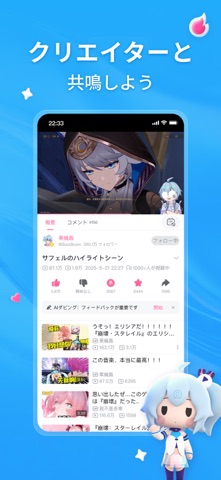
Sampled from 3 of bilibili - あなたの「好き」がつながる's App Store screenshots — background, accent and theme, measured by LaunchShots (not something Apple publishes).
#FC64B4 bg
#FC79BE
#E4CC7C accent
#FFFFFF text
Screenshots


Icon palette
About this app
あなたの「好き」がつながる。 その「好き」が世界へ広がる。 bilibiliは、世界中のクリエイターが集まる動画コミュニティ。 アニメ、ゲーム、音楽、テクノロジー、旅行、グルメ、ライフスタイルなど、幅広いジャンルの動画が楽しめる。 動画を見るだけじゃない。自分の作品を投稿して、世界中へ届けよう。世界中のクリエイターとつながり、新しい作品や「好き」に出会おう。 ゲームが好きなら ゲーム実況、攻略動画、RTA、名シーン集、考察動画など、 お気に入りのクリエイターと一緒に、ゲームをもっと楽しもう。 アニメ・マンガ・ゲームが好きなら 人気のAMV・MAD、作品考察、二次創作、コスプレなど、 情熱あふれるクリエイター作品に出会える。 ガジェット・テクノロジーが好きなら 最新のスマートフォンやPC、ガジェットレビュー、DIY、最先端テクノロジーなど、 幅広いコンテンツを楽しめる。 世界の文化に興味があるなら 各国の歴史や文化、旅行、グルメ、暮らしなど、 世界中のコンテンツから、新しい世界に出会える。 あなたの「好き」を世界へ届け…
App details
What you can learn from bilibili - あなたの「好き」がつながる
Every shipping app on the App Store has gone through the same decisions you're working through right now: which screenshot goes first, what caption sits over it, which device frame to show, what color the background should be. The 3 screenshots above are bilibili - あなたの「好き」がつながる's answers to those questions — they're public, they're real, and they made it through Apple's review.
What the numbers say: bilibili - あなたの「好き」がつながる runs a mixed light-and-dark set where the background shifts from screenshot to screenshot (first shot #FC64B4) — each image has to stand on its own, so the captions carry more of the story. The accent colour we picked up, #E4CC7C, is the one to reuse for badges, arrows and highlighted words if you borrow this look. Hit Use this style to open the editor with these exact colours and drop your own screenshot in.
Notice the first screenshot in particular. It's the one users see in search results and on the product page, and it's where most apps spend their best caption and tightest design. Look at the proportion of background to phone, where the text sits, what one thing the image is trying to communicate.
Want to see how other Entertainment apps approach the same problem? Browse more Entertainment apps in the showcase.
Take what works into your own screenshots
Open LaunchShots and design your App Store & Google Play screenshots — pick a device frame, drop captions, ship in minutes. Free, in your browser.
Open the screenshot editor →Apps with a similar look
Closest background + accent colours among the listings we've analysed — useful when you want to see the same palette handled by a different team.