Chart position — tracked daily by LaunchShots
Screenshot style breakdown
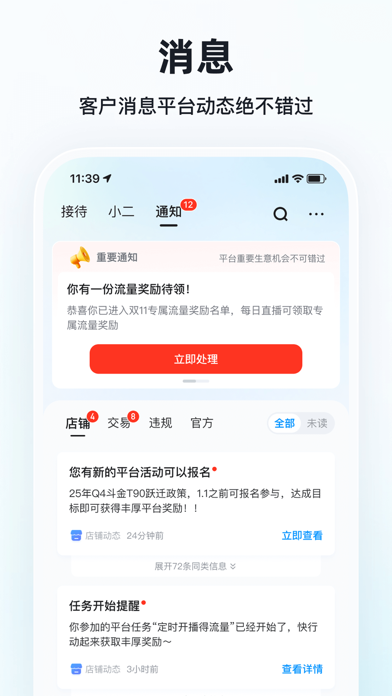
Sampled from 6 of 快手小店商家版's App Store screenshots — background, accent and theme, measured by LaunchShots (not something Apple publishes).
#FCFCFC bg
#DDDDDD
#F43C2C accent
#111111 text
Screenshots



Icon palette
About this app
【快手小店商家版】 快手官方推出的手机版小店管理平台,帮助快手小店商家随时随地更加方便高效地管理生意! --主要功能---- 【0元入驻】0 保证金成本,手机一键极速开店 【客服工具】即时响应顾客咨询,快速联系官方小二,同步客服实时数据 【订单管理】可实时查看订单状态,支持查看待发货、已发货、已收获等一手数据 【商品管理】支持发布、下架商品,修改商品库存等操作,货源市场可一键铺货 间、短视频、商品卡等多渠道成交金额数据,展示交易趋势图、热销商品等,帮助商家更好复盘促销方案 【数据中心】 支持查看直播间、短视频、商品卡等多渠道成交金额数据,展示交易趋势图、热销商品等,帮助商家更好掌握经营信息,复盘营销方案 【货款账单】可查看货款日、月账单,税费估算等信息,帮助商家更好管理资金、把控成本 【活动报名】可随时进行挂店短视频激励、跨店满减、上新榜单赛等平台激励活动的报名,帮助商家获取流量、转化及曝光支持 【佣金收入】可实时查看佣金收入、推广成交收益数据,助力商家清晰掌握收益动态,精准调整推广方向 【售后管理】支持处…
App details
What you can learn from 快手小店商家版
Every shipping app on the App Store has gone through the same decisions you're working through right now: which screenshot goes first, what caption sits over it, which device frame to show, what color the background should be. The 6 screenshots above are 快手小店商家版's answers to those questions — they're public, they're real, and they made it through Apple's review.
What the numbers say: 快手小店商家版 runs a light set with one background colour (#FCFCFC) carried across every screenshot — the listing reads as a single poster when the shots sit side by side in search results. The accent colour we picked up, #F43C2C, is the one to reuse for badges, arrows and highlighted words if you borrow this look. Hit Use this style to open the editor with these exact colours and drop your own screenshot in.
Notice the first screenshot in particular. It's the one users see in search results and on the product page, and it's where most apps spend their best caption and tightest design. Look at the proportion of background to phone, where the text sits, what one thing the image is trying to communicate.
Want to see how other Business apps approach the same problem? Browse more Business apps in the showcase.
Take what works into your own screenshots
Open LaunchShots and design your App Store & Google Play screenshots — pick a device frame, drop captions, ship in minutes. Free, in your browser.
Open the screenshot editor →Apps with a similar look
Closest background + accent colours among the listings we've analysed — useful when you want to see the same palette handled by a different team.