launchshots / showcase / productivity / マイ ルーティン : 習慣・計画・タイムスケジュール・習慣化

マイ ルーティン : 習慣・計画・タイムスケジュール・習慣化

Productivity 4.7 (6,480) 無料 4+ 286.8 MB

Chart position — tracked daily by LaunchShots

#51 of 100
Top Free Productivity · South Korea
best #40 · 11 days tracked · as of Sep 21
▲ 11 / 7d
#99 of 100
Top Free Productivity · Japan
best #47 · 8 days tracked · as of Sep 15
— / 7d

Screenshot changes — detected by LaunchShots

Aug 29, 2026
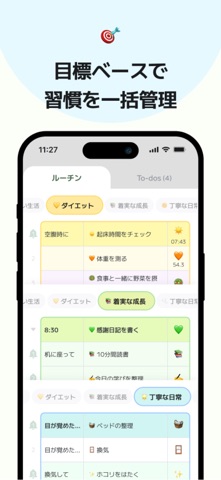
マイ ルーティン : 習慣・計画・タイムスケジュール・習慣化 added 4 iPhone screenshots (6 → 10).

Screenshot style breakdown

Sampled from 6 of マイ ルーティン : 習慣・計画・タイムスケジュール・習慣化's App Store screenshots — background, accent and theme, measured by LaunchShots (not something Apple publishes).

Use this style →
10 iPhone screenshots · 10 iPad Light theme One background colour across the set
#FCFCFC bg #DDDDDD #44EC94 accent #111111 text
vs. Productivity apps we've analysed (1532): 51% use a light theme — so does マイ ルーティン : 習慣・計画・タイムスケジュール・習慣化; 38% put the caption above the phone (same here); the average set has 6.1 screenshots — マイ ルーティン : 習慣・計画・タイムスケジュール・習慣化 ships 10. Full Productivity benchmark →

Screenshots

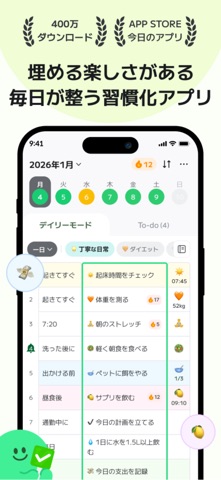
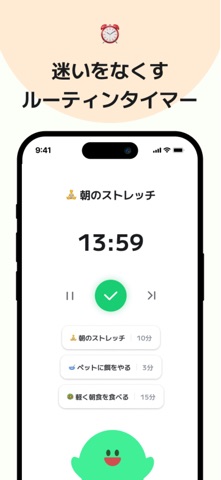
#1 マイ ルーティン : 習慣・計画・タイムスケジュール・習慣化 iPhone screenshot 1
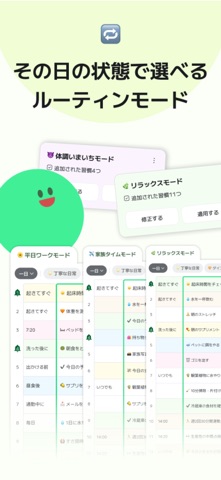
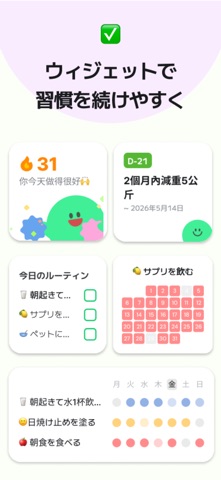
#2 マイ ルーティン : 習慣・計画・タイムスケジュール・習慣化 iPhone screenshot 2
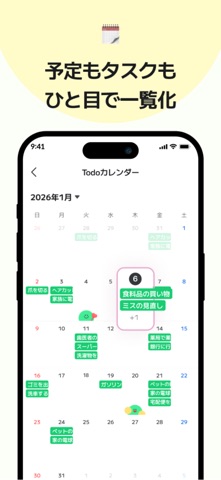
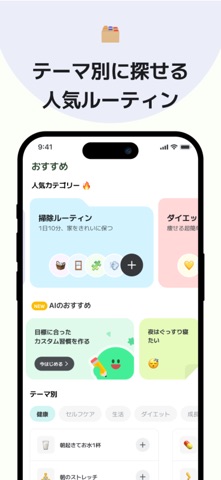
#3 マイ ルーティン : 習慣・計画・タイムスケジュール・習慣化 iPhone screenshot 3
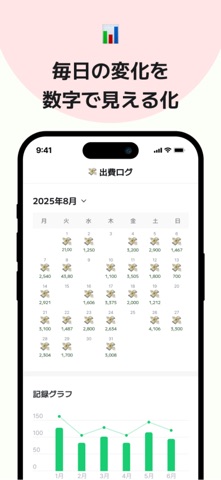
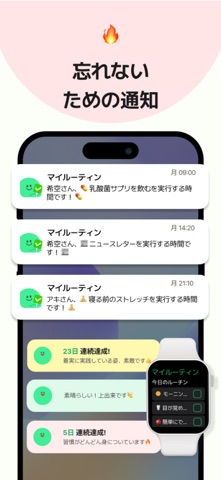
#4 マイ ルーティン : 習慣・計画・タイムスケジュール・習慣化 iPhone screenshot 4
#5 マイ ルーティン : 習慣・計画・タイムスケジュール・習慣化 iPhone screenshot 5
#6 マイ ルーティン : 習慣・計画・タイムスケジュール・習慣化 iPhone screenshot 6
#7 マイ ルーティン : 習慣・計画・タイムスケジュール・習慣化 iPhone screenshot 7
#8 マイ ルーティン : 習慣・計画・タイムスケジュール・習慣化 iPhone screenshot 8
#9 マイ ルーティン : 習慣・計画・タイムスケジュール・習慣化 iPhone screenshot 9
#10 マイ ルーティン : 習慣・計画・タイムスケジュール・習慣化 iPhone screenshot 10

iPad screenshots

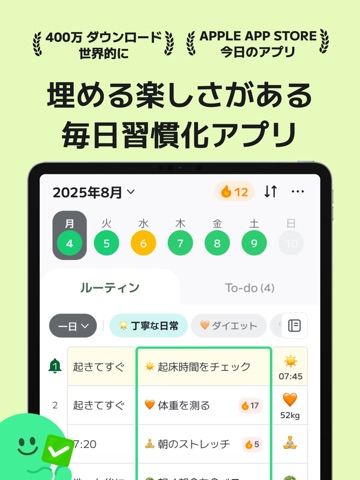
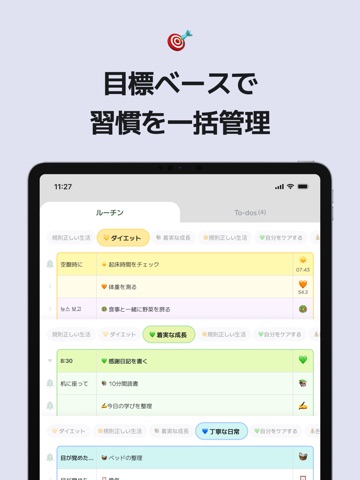
#1 マイ ルーティン : 習慣・計画・タイムスケジュール・習慣化 iPad screenshot 1
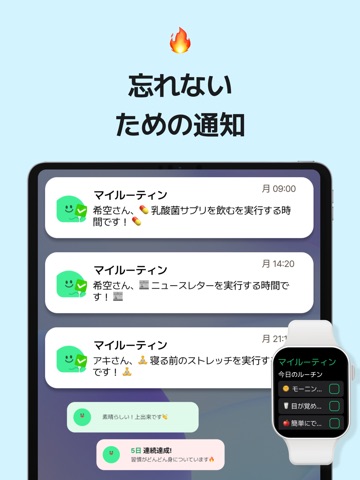
#2 マイ ルーティン : 習慣・計画・タイムスケジュール・習慣化 iPad screenshot 2
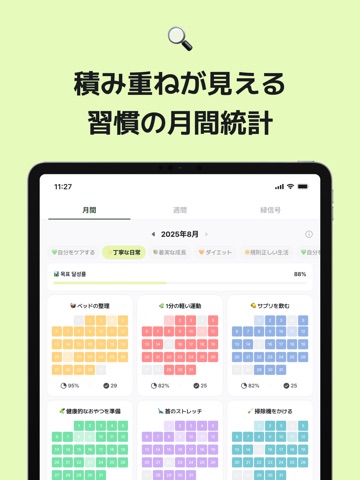
#3 マイ ルーティン : 習慣・計画・タイムスケジュール・習慣化 iPad screenshot 3
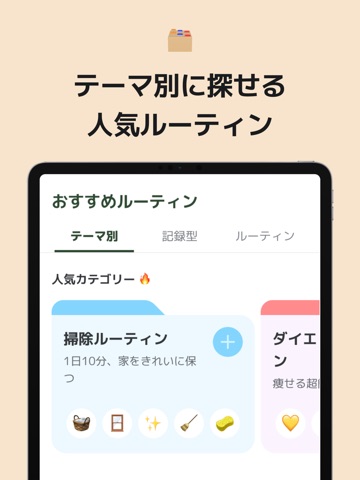
#4 マイ ルーティン : 習慣・計画・タイムスケジュール・習慣化 iPad screenshot 4
#5 マイ ルーティン : 習慣・計画・タイムスケジュール・習慣化 iPad screenshot 5
#6 マイ ルーティン : 習慣・計画・タイムスケジュール・習慣化 iPad screenshot 6
#7 マイ ルーティン : 習慣・計画・タイムスケジュール・習慣化 iPad screenshot 7
#8 マイ ルーティン : 習慣・計画・タイムスケジュール・習慣化 iPad screenshot 8
#9 マイ ルーティン : 習慣・計画・タイムスケジュール・習慣化 iPad screenshot 9
#10 マイ ルーティン : 習慣・計画・タイムスケジュール・習慣化 iPad screenshot 10

Icon palette

extracting…
Dominant colors sampled from the icon — click any swatch to copy the hex.

About this app

『みんなが理想の1日を過ごせるように』 マイルーティンは生産的な日常を過ごすための1日管理アプリ 目標、計画、ルーティン、メモ、ToDoをこれ一つで管理・記録:) 習慣が三日坊主で終わらないようにお手伝いします! ■ 便利で簡単!自分だけのルーティン作り -好きな絵文字で楽しくルーティンチェック -初めてならベストルーティンと他のルーティナーを参考に:) -実践しやすく役立つルーティンをおすすめします! ■ 忘れないように手伝ってくれる機能 -受け取りたい通知だけを選んで! -さまざまなウィゼットでさらに快適で便利に! ■ ToDo、ルーティン、振り返り管理を一度に -ルーティン、今日やるべきこと、1日の振り返りを全てマイルーティンで解決! -ToDoとルーティンが一目で分かるから1日の管理が楽々 ■ 絵文字で可愛く記録 -好きな絵文字で楽しくルーティンチェック -日記やスケジュール帳のように可愛く -日記として使ってもOK ■ モチベーションとインスピレーションを与え合うソーシャル -お気に入りのルーティンはすぐにシェア! -頻繁に訪問したい…

App details

Bundle ID
com.minding.myroutine
Latest version
34.29
Released
Jul 4, 2020
Last updated
Sep 16, 2026
Languages
19 (DA, NL, EN, FR, DE…)
Genres
仕事効率化, ヘルスケア/フィットネス

What you can learn from マイ ルーティン : 習慣・計画・タイムスケジュール・習慣化

Every shipping app on the App Store has gone through the same decisions you're working through right now: which screenshot goes first, what caption sits over it, which device frame to show, what color the background should be. The 20 screenshots above are マイ ルーティン : 習慣・計画・タイムスケジュール・習慣化's answers to those questions — they're public, they're real, and they made it through Apple's review.

What the numbers say: マイ ルーティン : 習慣・計画・タイムスケジュール・習慣化 runs a light set with one background colour (#FCFCFC) carried across every screenshot — the listing reads as a single poster when the shots sit side by side in search results. The accent colour we picked up, #44EC94, is the one to reuse for badges, arrows and highlighted words if you borrow this look. Hit Use this style to open the editor with these exact colours and drop your own screenshot in.

Notice the first screenshot in particular. It's the one users see in search results and on the product page, and it's where most apps spend their best caption and tightest design. Look at the proportion of background to phone, where the text sits, what one thing the image is trying to communicate.

Want to see how other Productivity apps approach the same problem? Browse more Productivity apps in the showcase.

Take what works into your own screenshots

Open LaunchShots and design your App Store & Google Play screenshots — pick a device frame, drop captions, ship in minutes. Free, in your browser.

Open the screenshot editor →

Apps with a similar look

Closest background + accent colours among the listings we've analysed — useful when you want to see the same palette handled by a different team.

WA Virtual Number - WANo
#FCFCFC #54EC84
Toll PH
#FCFCFC #4CDC84
Namaz Tesbihatı
#FCFCFC #54DC9C
AutoSuperMarket
#FCFCFC #34DC9C
CodeCheck: Produkt Scanner
#FCFCFC #44D48C
عنواني: منصة العنوان الوطني
#FCFCFC #3CE47C

More Productivity apps

Latest from the blog

Guides
Using Device Frames in App Store Screenshots Responsibly
Sep 21, 2026
News
iOS Release Season Checklist: Update Your App Store Listing for iOS 17
Sep 20, 2026
ASO
Writing an App Store Description People Finish Reading
Sep 19, 2026
Guides
iPad Screenshots: When and How to Design Once for All
Sep 18, 2026
1 / 1
copied