Chart position — tracked daily by LaunchShots
Screenshot changes — detected by LaunchShots
Screenshot style breakdown
Sampled from 6 of 大学搜题酱-职业考试助手's App Store screenshots — background, accent and theme, measured by LaunchShots (not something Apple publishes).
#DCECFC bg
#C1CFDD
#FC4C4C accent
#111111 text
Screenshots


iPad screenshots



Icon palette
About this app
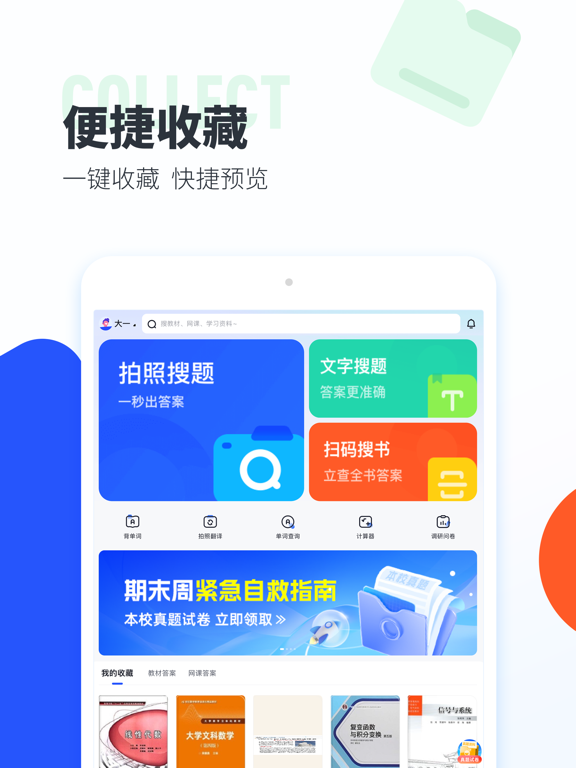
【大学搜题酱功能】 1. AI问答:生活百科,学习难题,工作帮手,有问就有答 2. 拍搜答疑:遇到难题怎么办?用拍搜答疑功能,一拍即出答案,解题又快又准! 3. 文字搜索:不方便拍照不要紧!使用文字搜索,题目一键复制粘贴,搜索更便捷! 4. 找答案浮窗:手机在线答题如何查答案?开启找答案浮窗,截屏搜题更方便! 5. 资料库:大学考试不要慌!来大学资料库,各类考试真题、复习资料免费下载。 6. 扫码搜书:专业课后习题不会答?扫条形码即出整本教材书籍,遇到难题无压力。 7. 收藏:一键收藏所需教材网课,查找更方便,使用更简单。 【大学搜题酱特点】 1. 题目全:收录大学各专业教材、网课、进阶考试的题目答案,海量优质题库免费搜。 2. 搜题快:支持搜索答疑、文字搜索、扫码搜书等多种搜索方式,一拍一扫,即出答案! 3. 资料多:收录千所高校期末真题,涵盖四六级、考研考公各类试题与论文求职秘籍,你想要的这里都有! 4. 结果准:搜索结果精准,答案解析详细,难题轻松解答~ 【使用场景】 1. 网课作业解不出?就用大学搜题酱搜索答疑! 2. 教材课后习题…
App details
What you can learn from 大学搜题酱-职业考试助手
Every shipping app on the App Store has gone through the same decisions you're working through right now: which screenshot goes first, what caption sits over it, which device frame to show, what color the background should be. The 14 screenshots above are 大学搜题酱-职业考试助手's answers to those questions — they're public, they're real, and they made it through Apple's review.
What the numbers say: 大学搜题酱-职业考试助手 runs a light set with one background colour (#DCECFC) carried across every screenshot — the listing reads as a single poster when the shots sit side by side in search results. The accent colour we picked up, #FC4C4C, is the one to reuse for badges, arrows and highlighted words if you borrow this look. Hit Use this style to open the editor with these exact colours and drop your own screenshot in.
Notice the first screenshot in particular. It's the one users see in search results and on the product page, and it's where most apps spend their best caption and tightest design. Look at the proportion of background to phone, where the text sits, what one thing the image is trying to communicate.
Want to see how other Education apps approach the same problem? Browse more Education apps in the showcase.
Take what works into your own screenshots
Open LaunchShots and design your App Store & Google Play screenshots — pick a device frame, drop captions, ship in minutes. Free, in your browser.
Open the screenshot editor →Apps with a similar look
Closest background + accent colours among the listings we've analysed — useful when you want to see the same palette handled by a different team.