Chart position — tracked daily by LaunchShots
Screenshot style breakdown
Sampled from 6 of 時計アプリ - 見やすい時計's App Store screenshots — background, accent and theme, measured by LaunchShots (not something Apple publishes).
#040404 bg
#272727
#C44C4C accent
#FFFFFF text
Screenshots


iPad screenshots
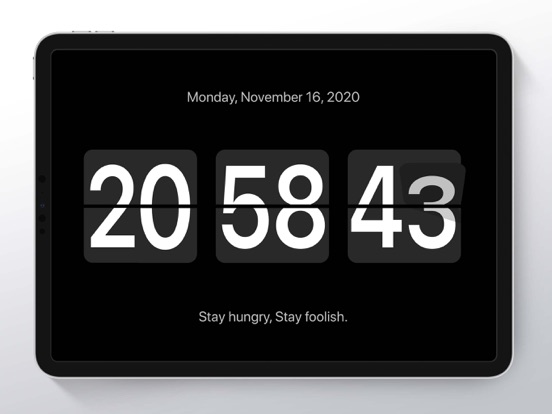
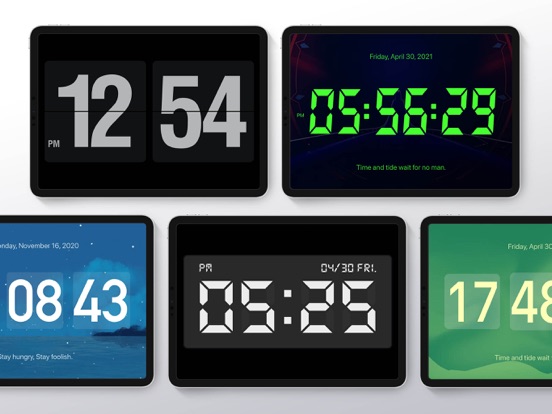
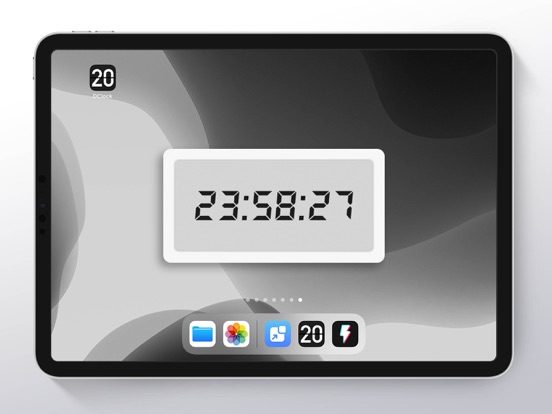


Icon palette
About this app
デスクトップ時計は、強力なミニマリストのフルスクリーンページめくり時計です。 iOS14はフローティングクロックをサポートしており、強くお勧めします。無料で非常に使いやすいです。 ! ! テーマを柔軟に変更できるデスクトップタイムウィジェットが豊富にあります。 学習の支援、モバイルデスクトップの美化、仕事への集中などに使用できます。 デスクトップやベッドサイドテーブルに置くと、とても目を引くし、あらゆる角度から見ることができます。 === iOS14デスクトップコンポーネント=== 1.さまざまなデスクトップウィジェットスタイルを追加できます:デジタル時計、アナログ時計、カレンダー、動的時間など。 2.デスクトップコンポーネントはテーマの切り替えをサポートしています。APPに従って、昼夜を問わず自動的に、その他のさまざまなパーソナライズされたテーマを自由に設定できます。 3.カレンダーウィジェットと時計ウィジェットの最新サポート:背景、カレンダー、時計のスタイルを自由に変更できます。 4.ウィジェットは、背景画像、境界線の…
App details
What you can learn from 時計アプリ - 見やすい時計
Every shipping app on the App Store has gone through the same decisions you're working through right now: which screenshot goes first, what caption sits over it, which device frame to show, what color the background should be. The 12 screenshots above are 時計アプリ - 見やすい時計's answers to those questions — they're public, they're real, and they made it through Apple's review.
What the numbers say: 時計アプリ - 見やすい時計 runs a mixed light-and-dark set where the background shifts from screenshot to screenshot (first shot #040404) — each image has to stand on its own, so the captions carry more of the story. The accent colour we picked up, #C44C4C, is the one to reuse for badges, arrows and highlighted words if you borrow this look. Hit Use this style to open the editor with these exact colours and drop your own screenshot in.
Notice the first screenshot in particular. It's the one users see in search results and on the product page, and it's where most apps spend their best caption and tightest design. Look at the proportion of background to phone, where the text sits, what one thing the image is trying to communicate.
Want to see how other Reference apps approach the same problem? Browse more Reference apps in the showcase.
Take what works into your own screenshots
Open LaunchShots and design your App Store & Google Play screenshots — pick a device frame, drop captions, ship in minutes. Free, in your browser.
Open the screenshot editor →Apps with a similar look
Closest background + accent colours among the listings we've analysed — useful when you want to see the same palette handled by a different team.