Chart position — tracked daily by LaunchShots
Screenshot style breakdown
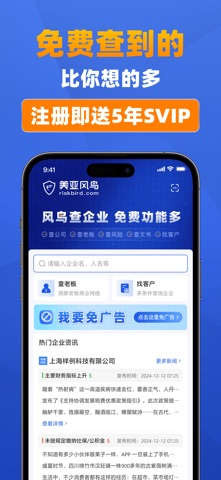
Sampled from 3 of 风鸟-全国企业工商征信商机商标专利舆情查询平台's App Store screenshots — background, accent and theme, measured by LaunchShots (not something Apple publishes).
#4474E4 bg
#5E87E7
#0C1C7C accent
#FFFFFF text
Screenshots


Icon palette
About this app
在找免费功能多又好用的企业查询软件?用风鸟!这是款免费功能超多的企业信息查询平台 ——注册就送5年SVIP! 不仅免费功能多,数据还权威! 免费查:一键查企业工商信息、股东、司法涉诉、经营信息、知识产权等。 覆盖广:覆盖全国市场主体,数据维度超300种,数据更新及时准确。 穿透深:股权穿透至自然人或经营单位,可视化图谱呈现,看清真实控制关系。 采用前沿的大数据生态技术架构,结合先进的数据治理、大语言模型、NLP自然语言处理、机器学习、知识图谱等技术,让您查到的企业数据更专业、更精准。 什么场景用? 找工作前→免费查雇主工商信息、经营状态、经营风险。 合作前→免费查对方股东结构、分支机构、经营范围。 了解老板→免费看老板任职网络、实际控制企业。 怕踩坑→免费看企业/老板,经营异常、被执行等动态。 他们都在用风鸟解决这些问题: 采购/供应链:评估供应商资质,关注其经营与信用状况。 商务/销售:背调合作伙伴,关注竞品动态,规避合作风险。 法务/风控:全面扫描企业风险,筑牢风控防线。 求职者/职场人:查询雇主背景,了解公司实力与…
App details
What you can learn from 风鸟-全国企业工商征信商机商标专利舆情查询平台
Every shipping app on the App Store has gone through the same decisions you're working through right now: which screenshot goes first, what caption sits over it, which device frame to show, what color the background should be. The 3 screenshots above are 风鸟-全国企业工商征信商机商标专利舆情查询平台's answers to those questions — they're public, they're real, and they made it through Apple's review.
What the numbers say: 风鸟-全国企业工商征信商机商标专利舆情查询平台 runs a dark set with one background colour (#4474E4) carried across every screenshot — the listing reads as a single poster when the shots sit side by side in search results. The accent colour we picked up, #0C1C7C, is the one to reuse for badges, arrows and highlighted words if you borrow this look. Hit Use this style to open the editor with these exact colours and drop your own screenshot in.
Notice the first screenshot in particular. It's the one users see in search results and on the product page, and it's where most apps spend their best caption and tightest design. Look at the proportion of background to phone, where the text sits, what one thing the image is trying to communicate.
Want to see how other Business apps approach the same problem? Browse more Business apps in the showcase.
Take what works into your own screenshots
Open LaunchShots and design your App Store & Google Play screenshots — pick a device frame, drop captions, ship in minutes. Free, in your browser.
Open the screenshot editor →Apps with a similar look
Closest background + accent colours among the listings we've analysed — useful when you want to see the same palette handled by a different team.