Screenshot changes — detected by LaunchShots
Screenshot style breakdown
Sampled from 6 of Чей регион? - коды регионов's App Store screenshots — background, accent and theme, measured by LaunchShots (not something Apple publishes).
#ECECF4 bg
#CFCFD6
#24448C accent
#111111 text
Screenshots



iPad screenshots


Icon palette
About this app
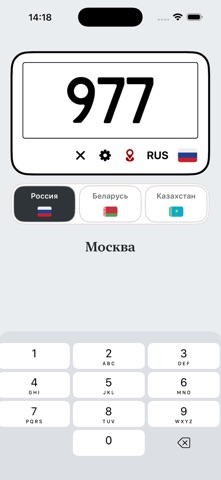
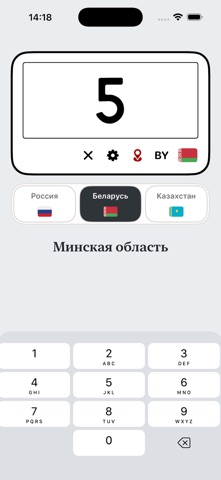
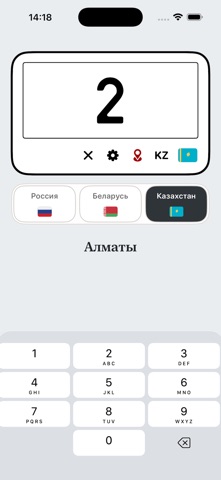
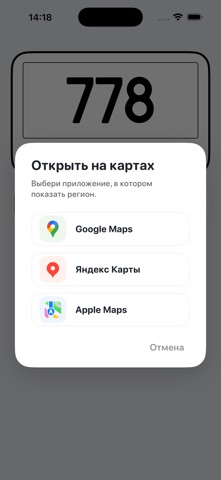
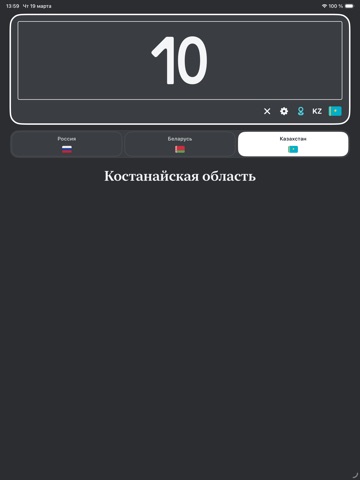
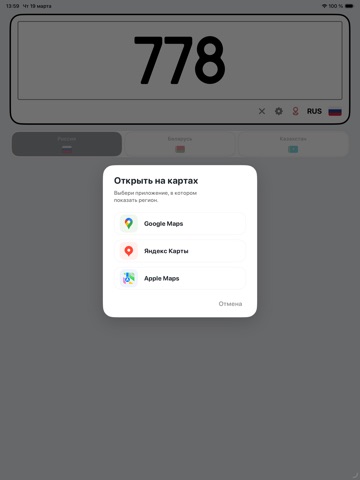
Чей регион? — это удобный справочник автомобильных кодов регионов для России, Беларуси и Казахстана. Введите цифровой код с номерного знака, и приложение сразу покажет, какому региону он соответствует. При необходимости найденный регион можно открыть на карте через Google Maps, Яндекс Карты или Apple Maps. Что умеет приложение: 1. определяет регион по автомобильному коду 2. поддерживает Россию, Беларусь и Казахстан 3. позволяет быстро переключаться между странами 4. открывает найденный регион на карте 5. работает как простой и понятный офлайн-справочник Приложение подойдёт тем, кто хочет быстро понять, из какого региона автомобиль, без поиска по сайтам и длинным таблицам. Важно: Приложение не относится к государственным органам, не представляет правительство и не связано с ним. Это независимый справочник с открытой информацией об автомобильных кодах регионов, доступной в интернете.
App details
What you can learn from Чей регион? - коды регионов
Every shipping app on the App Store has gone through the same decisions you're working through right now: which screenshot goes first, what caption sits over it, which device frame to show, what color the background should be. The 14 screenshots above are Чей регион? - коды регионов's answers to those questions — they're public, they're real, and they made it through Apple's review.
What the numbers say: Чей регион? - коды регионов runs a mixed light-and-dark set where the background shifts from screenshot to screenshot (first shot #ECECF4) — each image has to stand on its own, so the captions carry more of the story. The accent colour we picked up, #24448C, is the one to reuse for badges, arrows and highlighted words if you borrow this look. Hit Use this style to open the editor with these exact colours and drop your own screenshot in.
Notice the first screenshot in particular. It's the one users see in search results and on the product page, and it's where most apps spend their best caption and tightest design. Look at the proportion of background to phone, where the text sits, what one thing the image is trying to communicate.
Want to see how other Reference apps approach the same problem? Browse more Reference apps in the showcase.
Take what works into your own screenshots
Open LaunchShots and design your App Store & Google Play screenshots — pick a device frame, drop captions, ship in minutes. Free, in your browser.
Open the screenshot editor →Apps with a similar look
Closest background + accent colours among the listings we've analysed — useful when you want to see the same palette handled by a different team.