Screenshot style breakdown
Sampled from 4 of カラダメンバーズアプリ【カラダファクトリー公式】's App Store screenshots — background, accent and theme, measured by LaunchShots (not something Apple publishes).
#FCAC44 bg
#DD973B
#FC5C04 accent
#111111 text
Screenshots
Icon palette
About this app
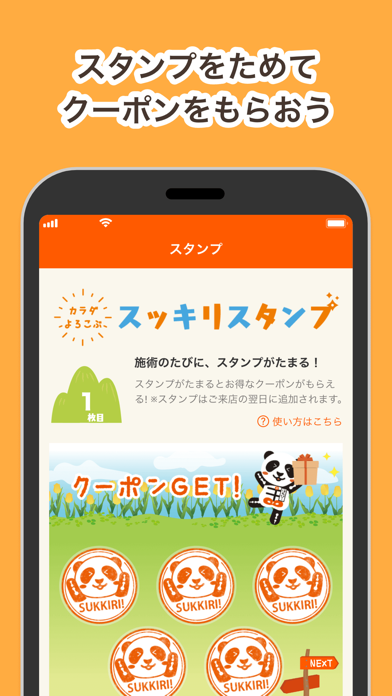
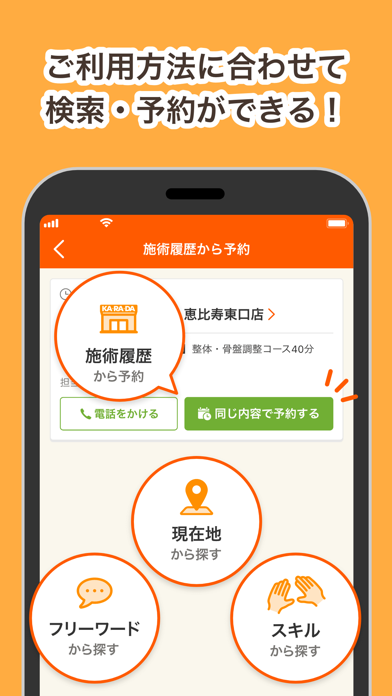
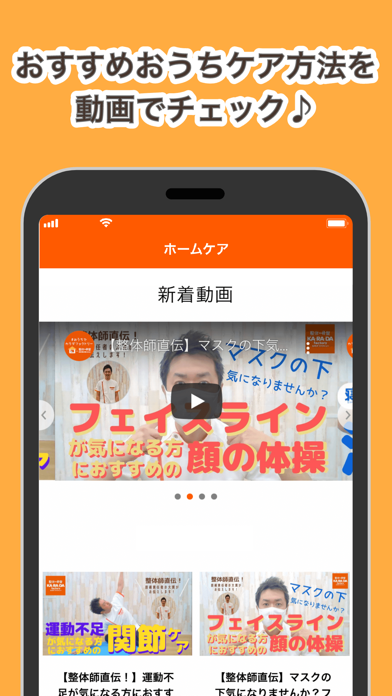
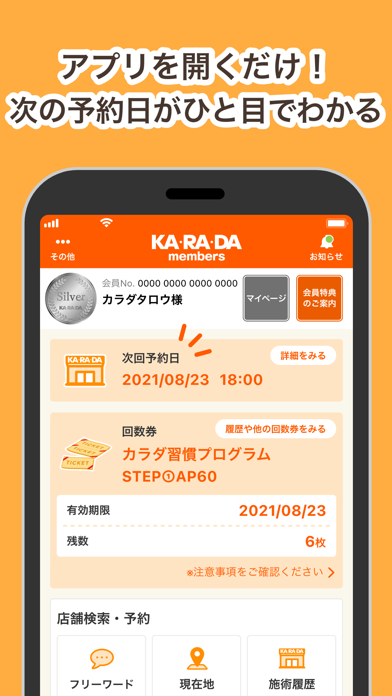
\毎日のカラダ、スッキリ!を応援/ KA・RA・DAメンバーズアプリ ====== アプリ機能のご案内 ====== ◎ご来店を楽しく!スタンプ機能 施術を受けるごとにたまるスタンプ機能つき! 5つスタンプをためるとスタンプクーポンをゲットできます。 ◎おうちケアに!セルフケア動画 お身体の”部位別”ケア動画をご覧いただけます! 技術総責任者の整体師が持ち前の知識と経験でストレッチやトレーニング方法をレクチャー。ご自宅でのお身体のケアにぜひご活用ください! ◎こだわり検索&カンタン予約! 店舗検索~ご予約までスムーズにご利用いただけます。 施術履歴から同じコースのご予約をいただける「施術履歴予約」や施術スタッフの得意なスキルで検索できる「スキル検索」、定番の「フリーワード検索」など、ご利用方法に合わせて検索・予約をいただけます! ◎ひと目で確認!ご予約日&回数券情報 ホーム画面から次のご予約日やお持ちの回数券情報をすぐにご確認いただけます!
App details
What you can learn from カラダメンバーズアプリ【カラダファクトリー公式】
Every shipping app on the App Store has gone through the same decisions you're working through right now: which screenshot goes first, what caption sits over it, which device frame to show, what color the background should be. The 4 screenshots above are カラダメンバーズアプリ【カラダファクトリー公式】's answers to those questions — they're public, they're real, and they made it through Apple's review.
What the numbers say: カラダメンバーズアプリ【カラダファクトリー公式】 runs a light set with one background colour (#FCAC44) carried across every screenshot — the listing reads as a single poster when the shots sit side by side in search results. The accent colour we picked up, #FC5C04, is the one to reuse for badges, arrows and highlighted words if you borrow this look. Hit Use this style to open the editor with these exact colours and drop your own screenshot in.
Notice the first screenshot in particular. It's the one users see in search results and on the product page, and it's where most apps spend their best caption and tightest design. Look at the proportion of background to phone, where the text sits, what one thing the image is trying to communicate.
Want to see how other Health & Fitness apps approach the same problem? Browse more Health & Fitness apps in the showcase.
Take what works into your own screenshots
Open LaunchShots and design your App Store & Google Play screenshots — pick a device frame, drop captions, ship in minutes. Free, in your browser.
Open the screenshot editor →Apps with a similar look
Closest background + accent colours among the listings we've analysed — useful when you want to see the same palette handled by a different team.