Chart position — tracked daily by LaunchShots
Screenshot style breakdown
Sampled from 3 of バレーボールスコアボード's App Store screenshots — background, accent and theme, measured by LaunchShots (not something Apple publishes).
#040404 bg
#272727
#FC443C accent
#FFFFFF text
Screenshots

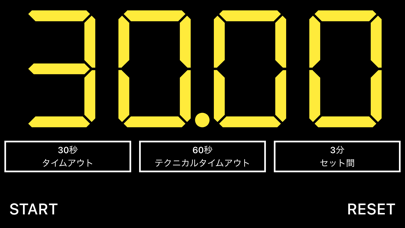
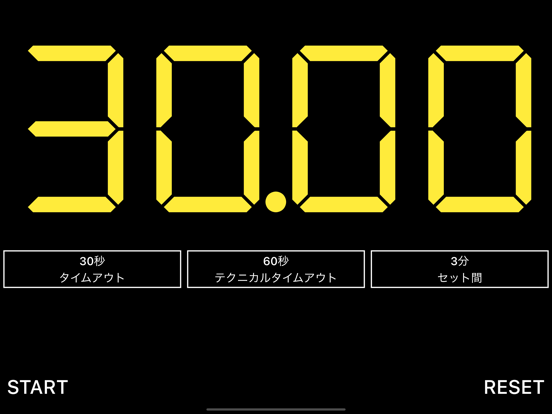
iPad screenshots


Icon palette
About this app
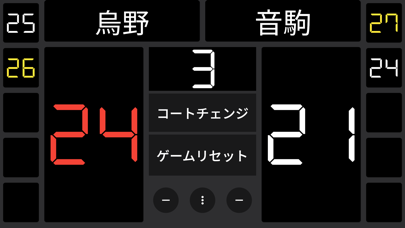
簡単操作で使いやすいバレーボール用のスコアボード。 25点マッチ、21点マッチ、15点マッチに対応。 コートチェンジや、チーム名の入力もできます。 セットポイントになると文字の色を変えることもできます。 ● 基本的な使い方 1. 加点 スコアの上をタップすると加算されます。 2. 減点 「-」アイコンをタップすると減点されます。 間違えて加点してしまった時にお使いください。 3. コートチェンジ 「コートチェンジ」ボタンをタップするとスコアが反転します。 4. リセット 「リセット」ボタンをタップすると得点をリセットします。 5. チーム名の登録・変更 チーム名をタップすると名前を変更できます。 6. サーブ権のあるチームにアイコンを表示 設定をオンにすると、加点時に、加点したチームのスコア上にボールアイコンが表示されるようになります。今のところ、減点時(マイナスボタンを押した時)には対応していません。 7. 試合結果の保存 ゲームリセット時に試合記録を保存するかどうか選択できます。保存できる試合記録数は最大で10件までで、10…
App details
What you can learn from バレーボールスコアボード
Every shipping app on the App Store has gone through the same decisions you're working through right now: which screenshot goes first, what caption sits over it, which device frame to show, what color the background should be. The 7 screenshots above are バレーボールスコアボード's answers to those questions — they're public, they're real, and they made it through Apple's review.
What the numbers say: バレーボールスコアボード runs a dark set with one background colour (#040404) carried across every screenshot — the listing reads as a single poster when the shots sit side by side in search results. The accent colour we picked up, #FC443C, is the one to reuse for badges, arrows and highlighted words if you borrow this look. Hit Use this style to open the editor with these exact colours and drop your own screenshot in.
Notice the first screenshot in particular. It's the one users see in search results and on the product page, and it's where most apps spend their best caption and tightest design. Look at the proportion of background to phone, where the text sits, what one thing the image is trying to communicate.
Want to see how other Sports apps approach the same problem? Browse more Sports apps in the showcase.
Take what works into your own screenshots
Open LaunchShots and design your App Store & Google Play screenshots — pick a device frame, drop captions, ship in minutes. Free, in your browser.
Open the screenshot editor →Apps with a similar look
Closest background + accent colours among the listings we've analysed — useful when you want to see the same palette handled by a different team.