Screenshot style breakdown
Sampled from 5 of Rakuten Link Office's App Store screenshots — background, accent and theme, measured by LaunchShots (not something Apple publishes).
#FCFCFC bg
#DDDDDD
#E41484 accent
#111111 text
Screenshots


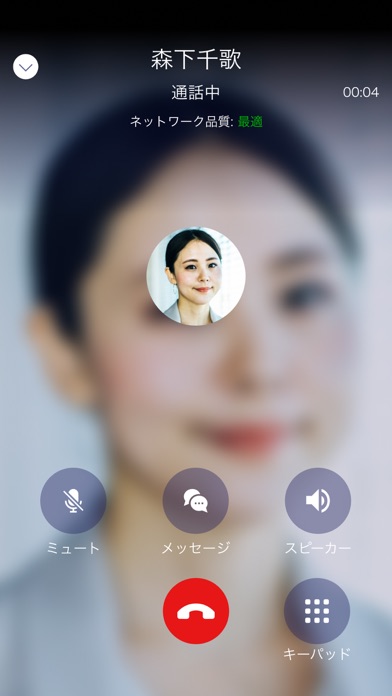

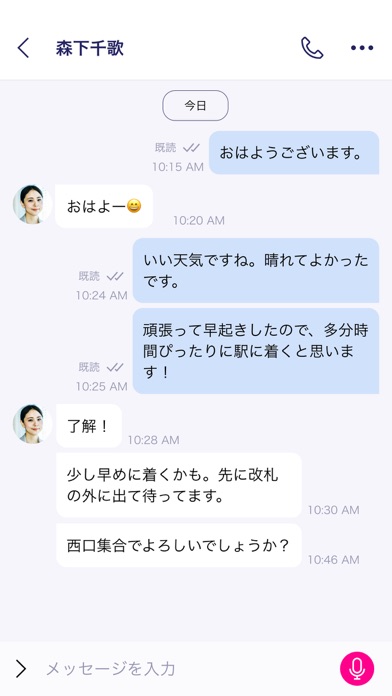
Icon palette
About this app
<本アプリは、楽天モバイル法人プランご契約のお客様向け通話・メッセージアプリです※> ■Rakuten Link Officeの基本機能 ・国内通話かけ放題:対象のご契約者様は、Rakuten Link Officeを使えば楽天モバイルはもちろん、他の携帯電話会社ケータイ、固定電話への通話を国内では無料、海外からでも国内へは無料でご利用いただけます。(一部対象外番号があります。)※ ・メッセージ:最大100人までのグループメッセージにSMSも利用可能 ・連絡帳:携帯電話内の既定のアドレス帳と同期して連絡先の登録および編集が可能 ※国内から海外へ、海外から海外へは国・地域別従量課金(海外の対象国と地域へのSMSは無料)でご利用いただけます。 ※Rakuten Link Officeから海外ローミングを使っての渡航先の緊急通報には接続できません。 ※今後、ご利用料金、海外ローミング(データ通信)および国際通話、国際SMSのサービスエリア・提供条件は予告なく変更になる場合があります。あらかじめご了承ください。 ■サービスの詳細情報 https://business.mobile.rakuten.co.jp/ser…
App details
What you can learn from Rakuten Link Office
Every shipping app on the App Store has gone through the same decisions you're working through right now: which screenshot goes first, what caption sits over it, which device frame to show, what color the background should be. The 5 screenshots above are Rakuten Link Office's answers to those questions — they're public, they're real, and they made it through Apple's review.
What the numbers say: Rakuten Link Office runs a mixed light-and-dark set where the background shifts from screenshot to screenshot (first shot #FCFCFC) — each image has to stand on its own, so the captions carry more of the story. The accent colour we picked up, #E41484, is the one to reuse for badges, arrows and highlighted words if you borrow this look. Hit Use this style to open the editor with these exact colours and drop your own screenshot in.
Notice the first screenshot in particular. It's the one users see in search results and on the product page, and it's where most apps spend their best caption and tightest design. Look at the proportion of background to phone, where the text sits, what one thing the image is trying to communicate.
Want to see how other Utilities apps approach the same problem? Browse more Utilities apps in the showcase.
Take what works into your own screenshots
Open LaunchShots and design your App Store & Google Play screenshots — pick a device frame, drop captions, ship in minutes. Free, in your browser.
Open the screenshot editor →Apps with a similar look
Closest background + accent colours among the listings we've analysed — useful when you want to see the same palette handled by a different team.