Screenshots


iPad screenshots


Icon palette
About this app
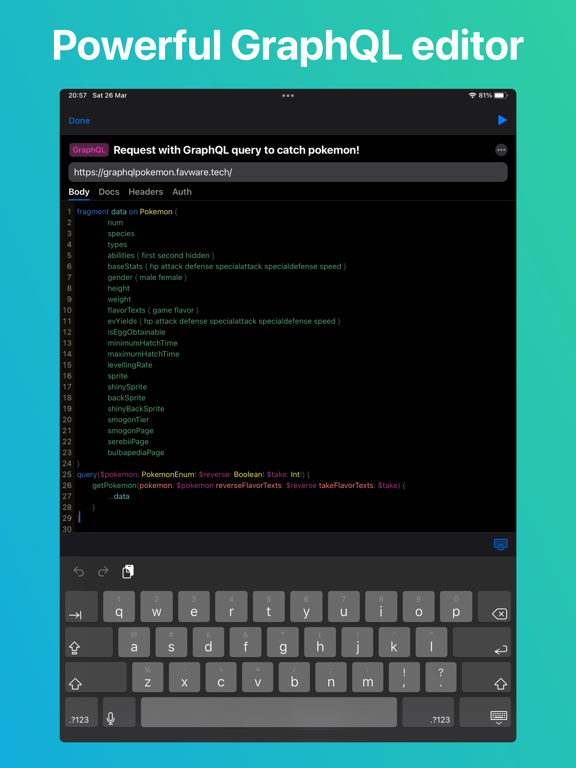
Teste is the first mobile app to test any type of API on the go. Including REST, GraphQL, WebSocket, SOAP, JSON RPC, XML, HTTP, HTTPS. Main features: - All types of HTTP requests: GET, POST, PUT, PATCH, DELETE, HEAD, OPTIONS, COPY, LINK, UNLINK, PURGE, LOCK, UNLOCK, PROPFIND, VIEW. - Powerful GraphQL editor with full-scale experience: body editor with Queries, Mutations, Subscriptions and syntax support; variables editor; documentation explorer; request settings and metadata. - WebSocket testing tool. Handles connection and message exchange via WS or WSS. - API calls with any kind of request data encoding and transfer type (query params, URLEncoded params, FormData, raw data, send files from device storage, cloud, remote server). - Settings. TLS can be skipped, redirects can be disabled, timeouts are adjustable. Weak SSL verification can be enabled and replaced with self-signed certifi…
App details
What you can learn from Teste - API, Scripts, Terminal
Every shipping app on the App Store has gone through the same decisions you're working through right now: which screenshot goes first, what caption sits over it, which device frame to show, what color the background should be. The 9 screenshots above are Teste - API, Scripts, Terminal's answers to those questions — they're public, they're real, and they made it through Apple's review.
Notice the first screenshot in particular. It's the one users see in search results and on the product page, and it's where most apps spend their best caption and tightest design. Look at the proportion of background to phone, where the text sits, what one thing the image is trying to communicate.
Want to see how other Developer Tools apps approach the same problem? Browse more Developer Tools apps in the showcase.
Take what works into your own screenshots
Open LaunchShots and design your App Store & Google Play screenshots — pick a device frame, drop captions, ship in minutes. Free, in your browser.
Open the screenshot editor →