Chart position — tracked daily by LaunchShots
Screenshot style breakdown
Sampled from 6 of 极简课程表 - watch课程表's App Store screenshots — background, accent and theme, measured by LaunchShots (not something Apple publishes).
#44B484 bg
#3B9E74
#CCAC7C accent
#111111 text
Screenshots

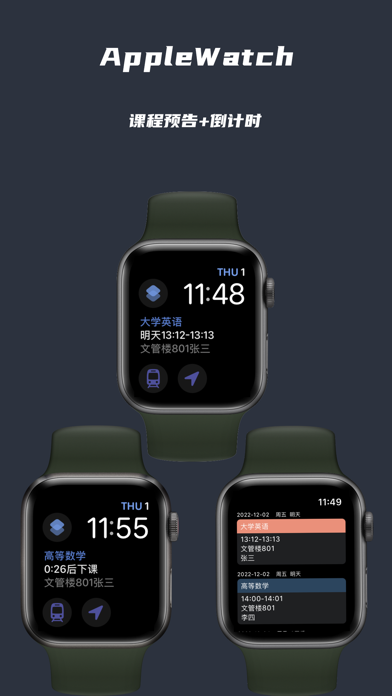


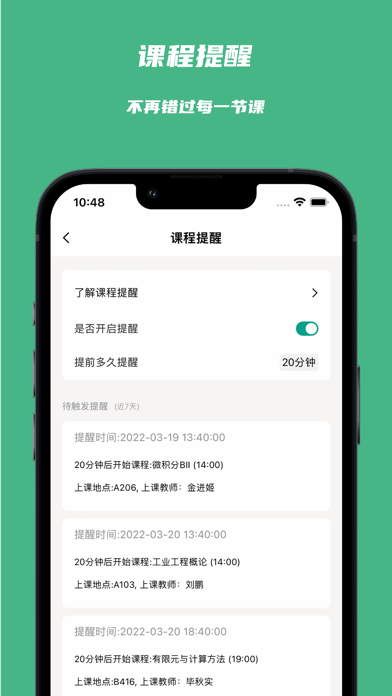


iPad screenshots


Icon palette
About this app
我们会提供以下特性: ## 课程表设置 1.可自由设置早晨、上午、下午、晚上各阶段课程数量 2.可自由设置每节课上下课时间 3.可自由设置是否显示授课教师姓名、上课地点 4.可自由设置是否显示周六、周日 5.可设置每个学期的周数及当期周 6.支持多个课表 7.支持课表分享和导入 8.支持对课程表一键配色 9.支持手动调节课程高度,让每个人的课表展现趋近完美 ## 课程设置 1.批量可视化编辑,5分钟搞定一周课程表安排 2.可自由设置每门课程的背景色和文字颜色 3.可设置每节课上课地点 4.可设置每门课程授课老师姓名 5.可设置每节课上课的周数、如全部、单独、双周、指定周 6.支持重叠时间段设置不同的课程 7. 支持自定义某节课的上下课时间,部分同学会出现不同的教学楼上课时间不一样 8.支持调休调课,为国庆,端午,中秋等节假日而准备 ## 其它 1. 支持暗黑模式 2. 支持自定义桌面小组件 3. 会员没有广告 4. 课程提醒 5. 教务网站导入 6.自定义课程序号 7.自定义课表背景 8.支持apple watch 9.iCloud课表同步 10.导出课程到日历 11.支持灵动岛和实时活动 12.支持切…
App details
What you can learn from 极简课程表 - watch课程表
Every shipping app on the App Store has gone through the same decisions you're working through right now: which screenshot goes first, what caption sits over it, which device frame to show, what color the background should be. The 18 screenshots above are 极简课程表 - watch课程表's answers to those questions — they're public, they're real, and they made it through Apple's review.
What the numbers say: 极简课程表 - watch课程表 runs a mixed light-and-dark set where the background shifts from screenshot to screenshot (first shot #44B484) — each image has to stand on its own, so the captions carry more of the story. The accent colour we picked up, #CCAC7C, is the one to reuse for badges, arrows and highlighted words if you borrow this look. Hit Use this style to open the editor with these exact colours and drop your own screenshot in.
Notice the first screenshot in particular. It's the one users see in search results and on the product page, and it's where most apps spend their best caption and tightest design. Look at the proportion of background to phone, where the text sits, what one thing the image is trying to communicate.
Want to see how other Education apps approach the same problem? Browse more Education apps in the showcase.
Take what works into your own screenshots
Open LaunchShots and design your App Store & Google Play screenshots — pick a device frame, drop captions, ship in minutes. Free, in your browser.
Open the screenshot editor →Apps with a similar look
Closest background + accent colours among the listings we've analysed — useful when you want to see the same palette handled by a different team.