Chart position — tracked daily by LaunchShots
Screenshot style breakdown
Sampled from 5 of 海鸥-安全加密聊天软件's App Store screenshots — background, accent and theme, measured by LaunchShots (not something Apple publishes).
#ECF4FC bg
#CFD6DD
#0C1C4C accent
#111111 text
Screenshots


Icon palette
About this app
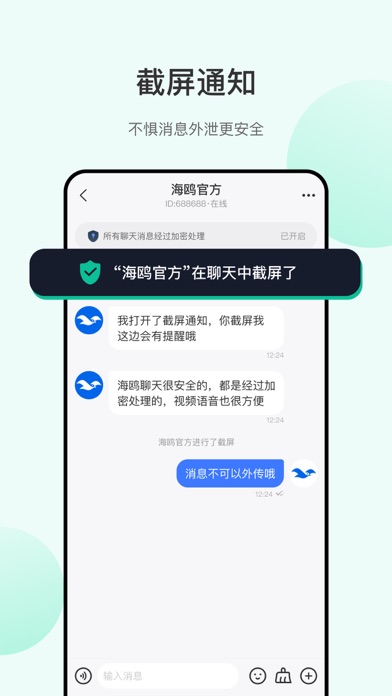
海鸥APP一款高效便捷,安全可靠的加密即时通讯社交软件 为用户提供安全、私密、高效、便捷的沟通平台 海鸥特色功能简介 【信息加密】采用多种加密技术,确保聊天信息不被泄露; 【隐私安全】不匹配用户通讯录信息,保护用户通讯录隐私; 【多人语音】多人实时语音交流,团队协作更便捷; 【应用加密】应用锁,聊天应用信息防止被偷窥; 【截屏提醒】好友或群聊,如有人截屏,系统会通知所有人已截屏; 【交流便捷】超长语音视频通话,让你有说不完的话; 【高效社交】使用者随时随地高效畅聊,沟通无障碍; 【动态分享】分享每个精彩瞬间,记录自己的生活点滴。
App details
What you can learn from 海鸥-安全加密聊天软件
Every shipping app on the App Store has gone through the same decisions you're working through right now: which screenshot goes first, what caption sits over it, which device frame to show, what color the background should be. The 5 screenshots above are 海鸥-安全加密聊天软件's answers to those questions — they're public, they're real, and they made it through Apple's review.
What the numbers say: 海鸥-安全加密聊天软件 runs a light set with one background colour (#ECF4FC) carried across every screenshot — the listing reads as a single poster when the shots sit side by side in search results. The accent colour we picked up, #0C1C4C, is the one to reuse for badges, arrows and highlighted words if you borrow this look. Hit Use this style to open the editor with these exact colours and drop your own screenshot in.
Notice the first screenshot in particular. It's the one users see in search results and on the product page, and it's where most apps spend their best caption and tightest design. Look at the proportion of background to phone, where the text sits, what one thing the image is trying to communicate.
Want to see how other Social Networking apps approach the same problem? Browse more Social Networking apps in the showcase.
Take what works into your own screenshots
Open LaunchShots and design your App Store & Google Play screenshots — pick a device frame, drop captions, ship in minutes. Free, in your browser.
Open the screenshot editor →Apps with a similar look
Closest background + accent colours among the listings we've analysed — useful when you want to see the same palette handled by a different team.