Chart position — tracked daily by LaunchShots
Screenshot changes — detected by LaunchShots
Screenshot style breakdown
Sampled from 6 of Kiro : comprendre votre santé's App Store screenshots — background, accent and theme, measured by LaunchShots (not something Apple publishes).
#ECFCFC bg
#CFDDDD
#041C4C accent
#111111 text
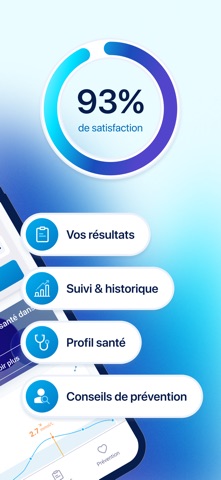
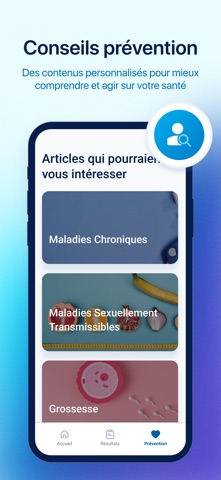
- #2Profil santé Conseils de prévention
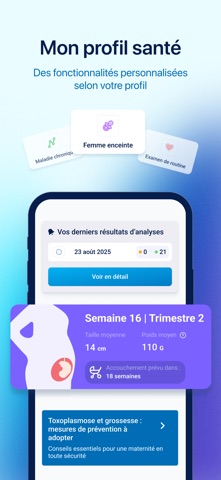
- #3Taille moyenne Poids moyen © 14 cm 1106 & Accouchement prévu dans
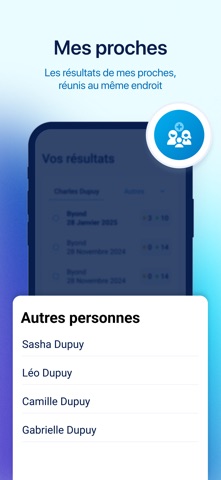
- #6Sasha Dupuy Léo Dupuy Camille Dupuy
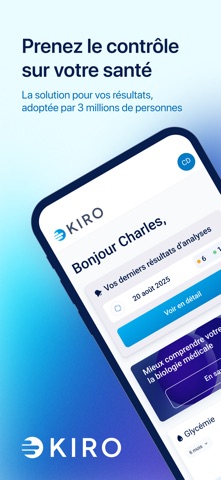
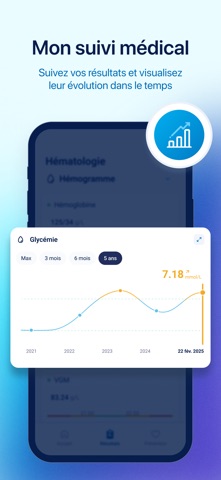
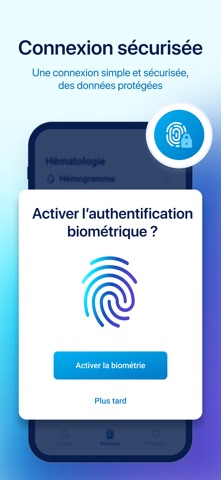
Captions read from the screenshots (OCR, may contain small errors): 3 headlines, 7.7 words on average (longest 12).
Screenshots

iPad screenshots

Icon palette
About this app
Kiro simplifie vos analyses médicales : accédez à vos résultats en un coup d’œil, comprenez-les grâce à des explications claires et suivez l’évolution de votre santé dans le temps. - Accès centralisé : retrouvez tous vos résultats, qu’ils viennent de nos laboratoires partenaires ou que vous les importiez vous-même. - Explications claires : chaque analyse est accompagnée d’un décryptage simple, pour comprendre vos résultats. - Historique sécurisé : gardez une trace de vos analyses et comparez-les facilement dans le temps. - Suivi de votre santé : visualisez vos évolutions et identifiez les changements importants. Développée avec des médecins et des hôpitaux, Kiro repose sur des technologies de pointe déjà utilisées par des millions de patients. Notre mission : rendre vos analyses médicales compréhensibles, personnalisées et utiles, pour vous aider à mieux suivre votre santé et anticip…
App details
What you can learn from Kiro : comprendre votre santé
Every shipping app on the App Store has gone through the same decisions you're working through right now: which screenshot goes first, what caption sits over it, which device frame to show, what color the background should be. The 9 screenshots above are Kiro : comprendre votre santé's answers to those questions — they're public, they're real, and they made it through Apple's review.
What the numbers say: Kiro : comprendre votre santé runs a light set with one background colour (#ECFCFC) carried across every screenshot — the listing reads as a single poster when the shots sit side by side in search results. The accent colour we picked up, #041C4C, is the one to reuse for badges, arrows and highlighted words if you borrow this look. Hit Use this style to open the editor with these exact colours and drop your own screenshot in.
Notice the first screenshot in particular. It's the one users see in search results and on the product page, and it's where most apps spend their best caption and tightest design. Look at the proportion of background to phone, where the text sits, what one thing the image is trying to communicate.
Want to see how other Medical apps approach the same problem? Browse more Medical apps in the showcase.
Take what works into your own screenshots
Open LaunchShots and design your App Store & Google Play screenshots — pick a device frame, drop captions, ship in minutes. Free, in your browser.
Open the screenshot editor →Apps with a similar look
Closest background + accent colours among the listings we've analysed — useful when you want to see the same palette handled by a different team.