Chart position — tracked daily by LaunchShots
Screenshot changes — detected by LaunchShots
Screenshot style breakdown
Sampled from 6 of MyInvestor · Banco & Inversión's App Store screenshots — background, accent and theme, measured by LaunchShots (not something Apple publishes).
#ECF4FC bg
#CFD6DD
#D4B47C accent
#111111 text
Screenshots


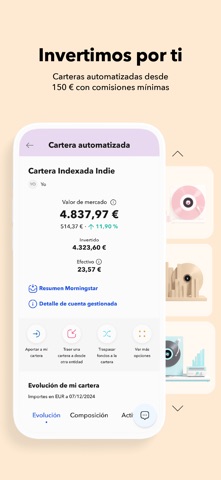


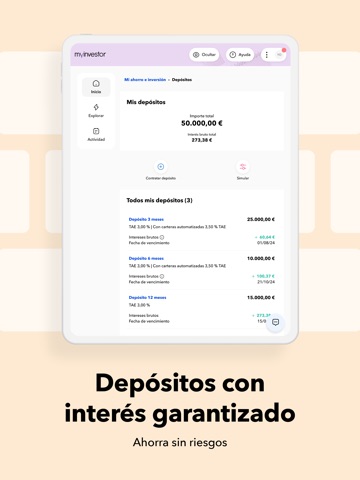
iPad screenshots




Icon palette
About this app
Ahorra e invierte desde tu móvil Somos una app para hacer crecer tu dinero. Pero somos mucho más. Somos un banco español con todas las garantías y la seguridad que te ofrece un banco. Estamos supervisados por el Banco de España y la Comisión Nacional del Mercado de Valores. Y tu dinero está garantizado por el Fondo de Garantía de Depósitos en España. MyInvestor es una historia de éxito. ¿Te unes a los cientos de miles de clientes que forman parte de ella? Podrás gestionar tus ahorros fácilmente con productos simples, accesibles y comisiones mínimas. Abre una cuenta corriente remunerada sin comisiones e invierte desde 1 € en todo el mundo. Tu día a día, bajo control - Cuenta corriente remunerada y sin comisiones. Tu dinero siempre disponible y abono de intereses mensual. - Cuenta para menores. Ayúdales a ahorrar desde pequeños. - Tarjetas gratis compatibles con Apple Pay. Cómodo y rápi…
App details
What you can learn from MyInvestor · Banco & Inversión
Every shipping app on the App Store has gone through the same decisions you're working through right now: which screenshot goes first, what caption sits over it, which device frame to show, what color the background should be. The 18 screenshots above are MyInvestor · Banco & Inversión's answers to those questions — they're public, they're real, and they made it through Apple's review.
What the numbers say: MyInvestor · Banco & Inversión runs a light set where the background shifts from screenshot to screenshot (first shot #ECF4FC) — each image has to stand on its own, so the captions carry more of the story. The accent colour we picked up, #D4B47C, is the one to reuse for badges, arrows and highlighted words if you borrow this look. Hit Use this style to open the editor with these exact colours and drop your own screenshot in.
Notice the first screenshot in particular. It's the one users see in search results and on the product page, and it's where most apps spend their best caption and tightest design. Look at the proportion of background to phone, where the text sits, what one thing the image is trying to communicate.
Want to see how other Finance apps approach the same problem? Browse more Finance apps in the showcase.
Take what works into your own screenshots
Open LaunchShots and design your App Store & Google Play screenshots — pick a device frame, drop captions, ship in minutes. Free, in your browser.
Open the screenshot editor →Apps with a similar look
Closest background + accent colours among the listings we've analysed — useful when you want to see the same palette handled by a different team.