Chart position — tracked daily by LaunchShots
Screenshot style breakdown
Sampled from 4 of 阿里邮箱's App Store screenshots — background, accent and theme, measured by LaunchShots (not something Apple publishes).
#FCFCFC bg
#DDDDDD
#8CACF4 accent
#111111 text
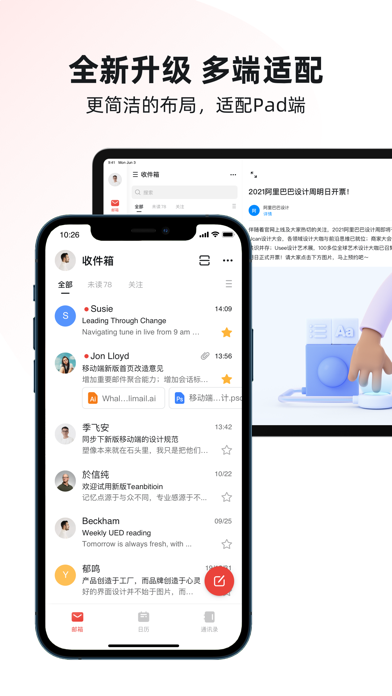
- #1全 新 升级 多 端 适 配 更 简洁 的 布局 , 适 配 pad 端
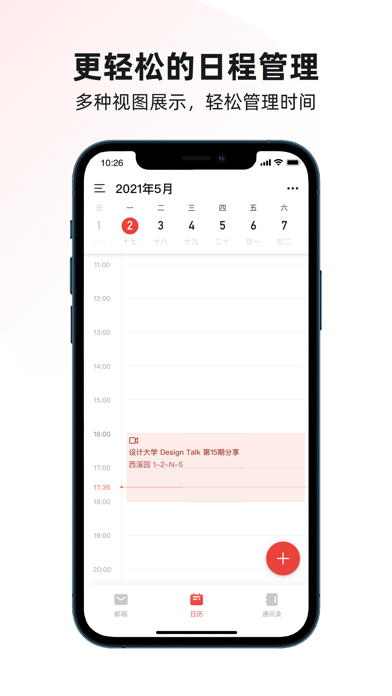
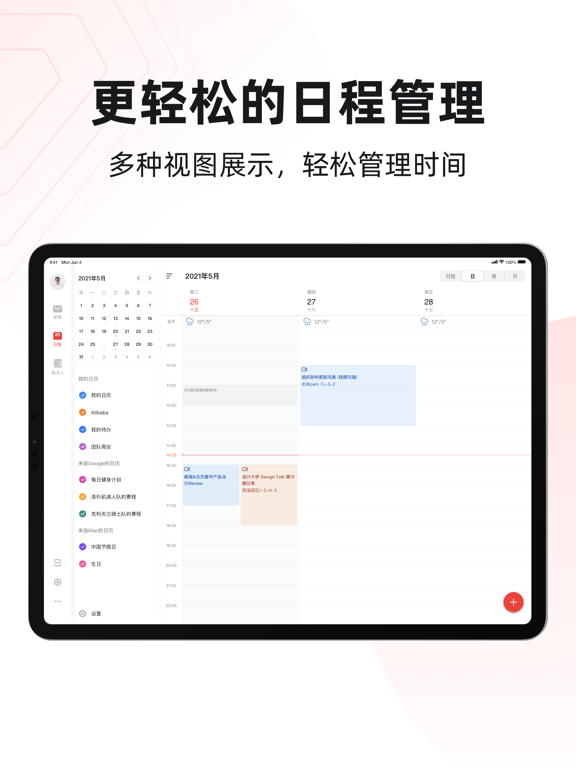
- #2更 轻松 的 日 程 管理 多 种 视图 展示 , 轻 松 管理 时 间 ( = 2021 年 5 月 四 - \
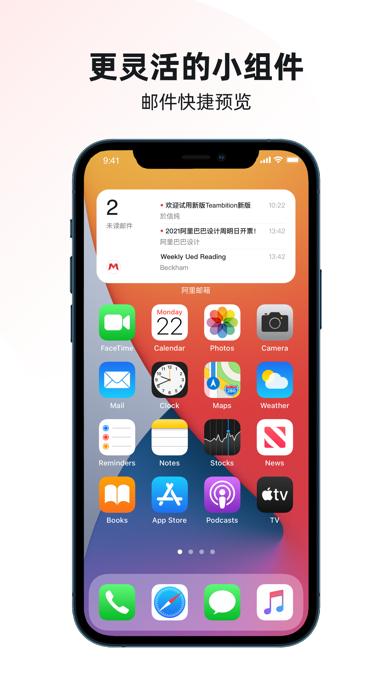
- #3更 灵活 的 小 组 件 邮件 快捷 预览
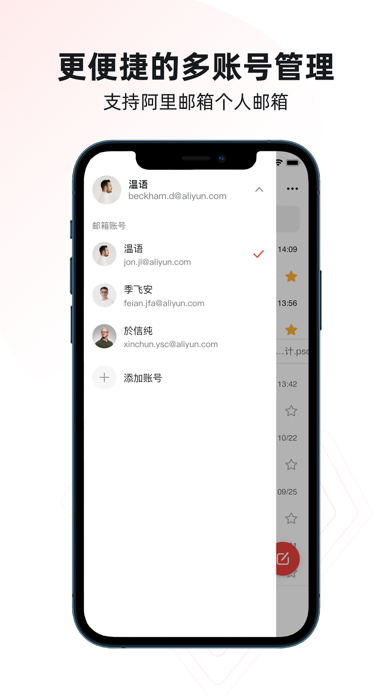
- #4更 便捷 的 多 账号 管理 支持 阿里 邮箱 个 人 邮箱
Captions read from the screenshots (OCR, may contain small errors): 4 headlines, 15.5 words on average (longest 25).
Screenshots
iPad screenshots



Icon palette
About this app
-阿里邮箱,阿里巴巴出品。做专业的办公协同工具。 -中国最早的企业邮箱服务商之一,20年专业企业邮箱运营经验,服务超过10,000,000企业用户。 【现已支持添加其他邮箱账号】 -本客户端仅支持阿里邮箱、aliyun.com登录。 【安全稳固】 -业内唯一一家拥有独立公有云服务的邮件运营商,高性能网络架构,高可用、无单点故障隐患。 -阿里邮箱依托阿里生态系统,基于淘宝和支付宝的安全攻防体系,综合使用了多层防御措施来防范垃圾邮件、病毒木马、网络钓鱼、账号防撞库和防暴力破解等安全威胁。 -邮箱服务支持TB 级邮箱容量和GB 级超大附件。 【全球畅游】 -全球云机房,海外多点部署,专线链接优化国际链路,实现全球畅邮。 -智能DNS解析,使得跨国办公更顺畅。 【绿色可靠】 -邮件发送自动支持“绿色通道”。 -垃圾邮件过滤率大于99.99%。 -邮件病毒查杀率大于99.99%用户感觉度小于0.01%。 【开放协同】 -是以SAAS模式为主,以专有云小规模部署为辅的邮箱产品,可以满足(移动)互联网个人用户、政企行业用户以及运营商等不同对象的邮箱服务需求 -阿里邮箱集邮件,日…
App details
What you can learn from 阿里邮箱
Every shipping app on the App Store has gone through the same decisions you're working through right now: which screenshot goes first, what caption sits over it, which device frame to show, what color the background should be. The 8 screenshots above are 阿里邮箱's answers to those questions — they're public, they're real, and they made it through Apple's review.
What the numbers say: 阿里邮箱 runs a light set with one background colour (#FCFCFC) carried across every screenshot — the listing reads as a single poster when the shots sit side by side in search results. The accent colour we picked up, #8CACF4, is the one to reuse for badges, arrows and highlighted words if you borrow this look. Hit Use this style to open the editor with these exact colours and drop your own screenshot in.
Notice the first screenshot in particular. It's the one users see in search results and on the product page, and it's where most apps spend their best caption and tightest design. Look at the proportion of background to phone, where the text sits, what one thing the image is trying to communicate.
Want to see how other Productivity apps approach the same problem? Browse more Productivity apps in the showcase.
Take what works into your own screenshots
Open LaunchShots and design your App Store & Google Play screenshots — pick a device frame, drop captions, ship in minutes. Free, in your browser.
Open the screenshot editor →Apps with a similar look
Closest background + accent colours among the listings we've analysed — useful when you want to see the same palette handled by a different team.