Chart position — tracked daily by LaunchShots
Screenshot changes — detected by LaunchShots
Screenshot style breakdown
Sampled from 5 of SBC湘南美容クリニック 公式アプリ's App Store screenshots — background, accent and theme, measured by LaunchShots (not something Apple publishes).
#FC647C bg
#FC798E
#8C7C34 accent
#FFFFFF text
Reading the caption text from the screenshots in your browser…
Screenshots



Icon palette
About this app
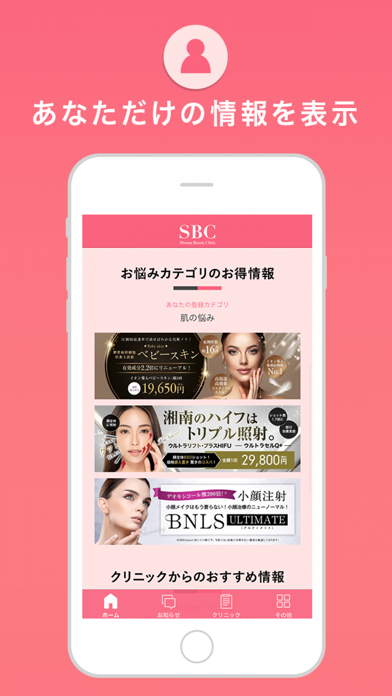
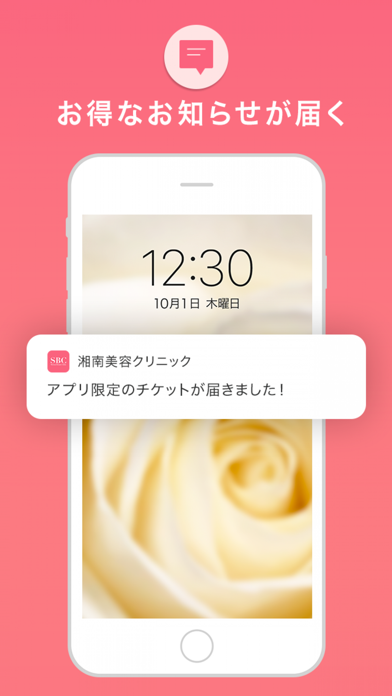
SBC湘南美容クリニックの公式アプリで、美容医療をもっと身近に。 MySBCをもっと便利にご利用いただけます。 いつでも簡単に予約OK、お得なチケットもお届けします。 お気に入りクリニックを登録しておけば、クリニックからのお知らせをどこよりも早く知ることができます。 ■ホーム 最新キャンペーンやおトクな情報、お悩みコンテンツ、公式YouTubeなど、あなたのお悩みに合わせた情報も表示されます。 ご予約やメール相談も、アプリなら簡単に行えます。 ■お知らせ 公式や各クリニックからのキャンペーン情報など、アプリ限定の見逃せないお知らせを、プッシュ通知でお届けします。 ■お得な情報 現在のお得なキャンペーンを一覧で確認できます。 ■クリニック あなたのお悩みを解決できるクリニックを位置情報から探せます。 お気に入りクリニックを登録しておけば、そのクリニックならではの情報や最新情報をいただけます。 ■その他 ほかにもSBC湘南美容クリニックだからできる豊富な症例写真コンテンツや、公式動画をいつでもご覧いただけます。さらに各種SNS…
App details
What you can learn from SBC湘南美容クリニック 公式アプリ
Every shipping app on the App Store has gone through the same decisions you're working through right now: which screenshot goes first, what caption sits over it, which device frame to show, what color the background should be. The 5 screenshots above are SBC湘南美容クリニック 公式アプリ's answers to those questions — they're public, they're real, and they made it through Apple's review.
What the numbers say: SBC湘南美容クリニック 公式アプリ runs a mixed light-and-dark set with one background colour (#FC647C) carried across every screenshot — the listing reads as a single poster when the shots sit side by side in search results. The accent colour we picked up, #8C7C34, is the one to reuse for badges, arrows and highlighted words if you borrow this look. Hit Use this style to open the editor with these exact colours and drop your own screenshot in.
Notice the first screenshot in particular. It's the one users see in search results and on the product page, and it's where most apps spend their best caption and tightest design. Look at the proportion of background to phone, where the text sits, what one thing the image is trying to communicate.
Want to see how other Medical apps approach the same problem? Browse more Medical apps in the showcase.
Take what works into your own screenshots
Open LaunchShots and design your App Store & Google Play screenshots — pick a device frame, drop captions, ship in minutes. Free, in your browser.
Open the screenshot editor →Apps with a similar look
Closest background + accent colours among the listings we've analysed — useful when you want to see the same palette handled by a different team.