Screenshot style breakdown
Sampled from 5 of 联通云盘,安全免流不限速's App Store screenshots — background, accent and theme, measured by LaunchShots (not something Apple publishes).
#FCFCFC bg
#DDDDDD
#FC8414 accent
#111111 text
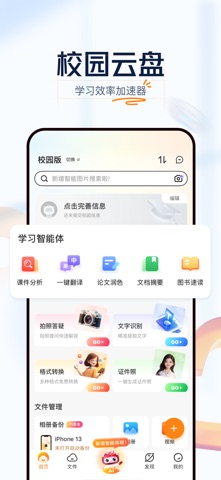
- #1文件 管理 Phone 13
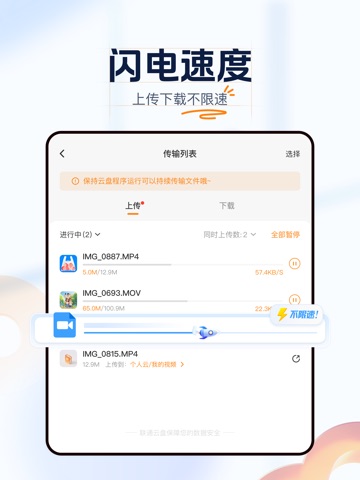
- #2D 为 保障 传输 完成 , 当 前 页 面 将 不 会 自动 炸 屏
- #3流量 权益 。” 园 会 员 中 心 ® 设置 与 服务 @ 设置 >
- #4查看 更 多 > 清 帮 我 出 一 篇 端午 出 行 计划 ® 按 住 说 话
- #5全 网 首发 高 分 电影 DERE 英美 剧场 ==] ry y 首页 文件 我 的
Captions read from the screenshots (OCR, may contain small errors): 5 headlines, 14 words on average (longest 19).
Screenshots


iPad screenshots

Icon palette
About this app
联通云盘是中国联通为满足用户海量数据的存储需求,面向个人及家庭用户提供的个人云、家庭云、微信/通讯录/相册自动备份、多端文件共享、AI工具箱、影视剧资源等云服务,旨在为用户带来更安全、更智能的全场景融合云存储及数字化体验。 【新上线功能】 1、【Uniclaw】无需复杂配置,只需一句自然语言描述,便能串联起跨场景的自动化任务,打通你的工作链路。 2、【智能清理】支持重复文件清理、重复图片清理、相似图片清理、截图清理等功能,智能选择清理文件,释放空间。 3、【相册备份】相册一键备份,可以AI智能分类搜索,提供时间线浏览等功能。 4、【知识库】支持个人知识库、全盘知识库、学习知识库多个维度,一键创建、AI整理碎片信息,资料分类更高效。 5、【AI相机】深度融合智能体技术与AI图像处理能力,集成拍照翻译、拍照问答、AI轻写真及老照片修复等创新功能,通过"拍摄-智能处理"一站式流程提升云盘的使用体验。 【产品优势】 1、【定向免流】联通云盘付费开通VIP、尊享会员、白银会员、黄金会员、专享Max会员和钻石会员联通手机号用户每月可领取500GB…
App details
What you can learn from 联通云盘,安全免流不限速
Every shipping app on the App Store has gone through the same decisions you're working through right now: which screenshot goes first, what caption sits over it, which device frame to show, what color the background should be. The 7 screenshots above are 联通云盘,安全免流不限速's answers to those questions — they're public, they're real, and they made it through Apple's review.
What the numbers say: 联通云盘,安全免流不限速 runs a light set with one background colour (#FCFCFC) carried across every screenshot — the listing reads as a single poster when the shots sit side by side in search results. The accent colour we picked up, #FC8414, is the one to reuse for badges, arrows and highlighted words if you borrow this look. Hit Use this style to open the editor with these exact colours and drop your own screenshot in.
Notice the first screenshot in particular. It's the one users see in search results and on the product page, and it's where most apps spend their best caption and tightest design. Look at the proportion of background to phone, where the text sits, what one thing the image is trying to communicate.
Want to see how other Productivity apps approach the same problem? Browse more Productivity apps in the showcase.
Take what works into your own screenshots
Open LaunchShots and design your App Store & Google Play screenshots — pick a device frame, drop captions, ship in minutes. Free, in your browser.
Open the screenshot editor →Apps with a similar look
Closest background + accent colours among the listings we've analysed — useful when you want to see the same palette handled by a different team.