Screenshot style breakdown
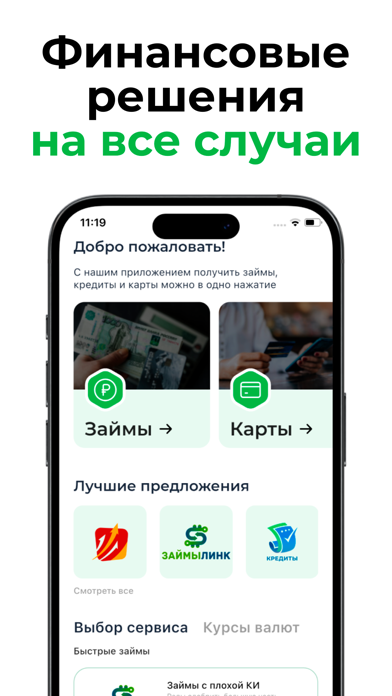
Sampled from 5 of Кредит Plus - Займы онлайн's App Store screenshots — background, accent and theme, measured by LaunchShots (not something Apple publishes).
#FCFCFC bg
#DDDDDD
#14A404 accent
#111111 text
Screenshots




Icon palette
About this app
Кредит Plus Займы на любые нужды: Воспользуйтесь нашим приложением, чтобы получить быстрый займ онлайн на карту! Мы предлагаем микрозаймы для решения ваших финансовых вопросов. Безопасность и Прозрачность: Наши займы онлайн абсолютно безопасны и прозрачны. Никаких скрытых комиссий и платежей! Почему с нами выгоднее? • Получите займ онлайн моментально! • Микрозаймы на карту в несколько кликов. • Быстрое решение финансовых проблем. Преимущества приложения займы всем: 1. Простота: Займ на карту оформляется всего за несколько минут. 2. Доступность: Займы доступны 24/7, где бы вы ни находились. 3. Удобство: Получите микрозаймы прямо на вашу карту. Мы не просто МФО, мы – ваш финансовый партнер в мире быстрых займов! Займы на карту. Процесс Оформления: - Оформление займа в нашем приложении просто и понятно. Следуйте инструкциям, и деньги будут на вашей карте в мгновение ока! - Займы в Л…
App details
What you can learn from Кредит Plus - Займы онлайн
Every shipping app on the App Store has gone through the same decisions you're working through right now: which screenshot goes first, what caption sits over it, which device frame to show, what color the background should be. The 5 screenshots above are Кредит Plus - Займы онлайн's answers to those questions — they're public, they're real, and they made it through Apple's review.
What the numbers say: Кредит Plus - Займы онлайн runs a light set with one background colour (#FCFCFC) carried across every screenshot — the listing reads as a single poster when the shots sit side by side in search results. The accent colour we picked up, #14A404, is the one to reuse for badges, arrows and highlighted words if you borrow this look. Hit Use this style to open the editor with these exact colours and drop your own screenshot in.
Notice the first screenshot in particular. It's the one users see in search results and on the product page, and it's where most apps spend their best caption and tightest design. Look at the proportion of background to phone, where the text sits, what one thing the image is trying to communicate.
Want to see how other Finance apps approach the same problem? Browse more Finance apps in the showcase.
Take what works into your own screenshots
Open LaunchShots and design your App Store & Google Play screenshots — pick a device frame, drop captions, ship in minutes. Free, in your browser.
Open the screenshot editor →Apps with a similar look
Closest background + accent colours among the listings we've analysed — useful when you want to see the same palette handled by a different team.