Screenshot style breakdown
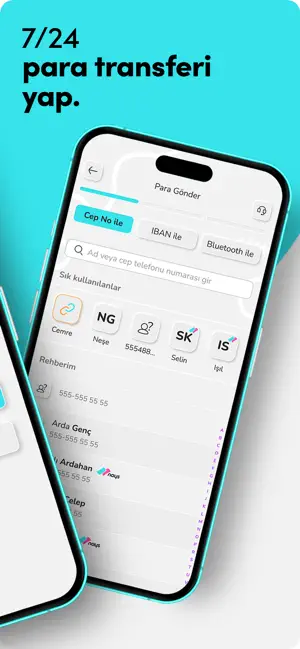
Sampled from 6 of Nays's App Store screenshots — background, accent and theme, measured by LaunchShots (not something Apple publishes).
#F4F4F4 bg
#D6D6D6
#EC349C accent
#111111 text
Reading the caption text from the screenshots in your browser…
Screenshots



Icon palette
About this app
Nays: Dijital Cüzdanının Ötesinde Bir Dünya! Merhaba sevgili Nays kullanıcısı olmayı düşünen değerli dostumuz! Nays, hem cebindeki parayı biriktirmek hem de fatura ödeme, alışveriş gibi günlük işlemlerini kolaylaştırmak için burada. Bunu yaparken seni sıkmadan, eğlenceli bir şekilde yapıyor. Nays’a Başlangıç - Kolay Kayıt ve Dijital Cüzdan: Sadece birkaç dakikada uygulamayı ücretsiz indirerek Nays ailesine katılabilirsin. Nays'ın sanal cüzdanıyla paranı saklayabilir ve işlemlerini kolayca yönetebilirsin. - Hızlı Erişim: Ana ekranında ihtiyacın olan tüm işlevlere hızla erişebilir, para yükleme, para çekme gibi işlemlerini hemen gerçekleştirebilirsin. Nays ile Para İşleri Paranla ilgili her şey Nays’la daha kolay - Ücretsiz Para Transferi: Nays ile 7/24 diğer Nays kullanıcılarına veya banka hesaplarına havale/EFT ile kolay ve ücretsiz para transferi yapabilirsin. Hızlı para transf…
App details
What you can learn from Nays
Every shipping app on the App Store has gone through the same decisions you're working through right now: which screenshot goes first, what caption sits over it, which device frame to show, what color the background should be. The 6 screenshots above are Nays's answers to those questions — they're public, they're real, and they made it through Apple's review.
What the numbers say: Nays runs a light set where the background shifts from screenshot to screenshot (first shot #F4F4F4) — each image has to stand on its own, so the captions carry more of the story. The accent colour we picked up, #EC349C, is the one to reuse for badges, arrows and highlighted words if you borrow this look. Hit Use this style to open the editor with these exact colours and drop your own screenshot in.
Notice the first screenshot in particular. It's the one users see in search results and on the product page, and it's where most apps spend their best caption and tightest design. Look at the proportion of background to phone, where the text sits, what one thing the image is trying to communicate.
Want to see how other Finance apps approach the same problem? Browse more Finance apps in the showcase.
Take what works into your own screenshots
Open LaunchShots and design your App Store & Google Play screenshots — pick a device frame, drop captions, ship in minutes. Free, in your browser.
Open the screenshot editor →Apps with a similar look
Closest background + accent colours among the listings we've analysed — useful when you want to see the same palette handled by a different team.